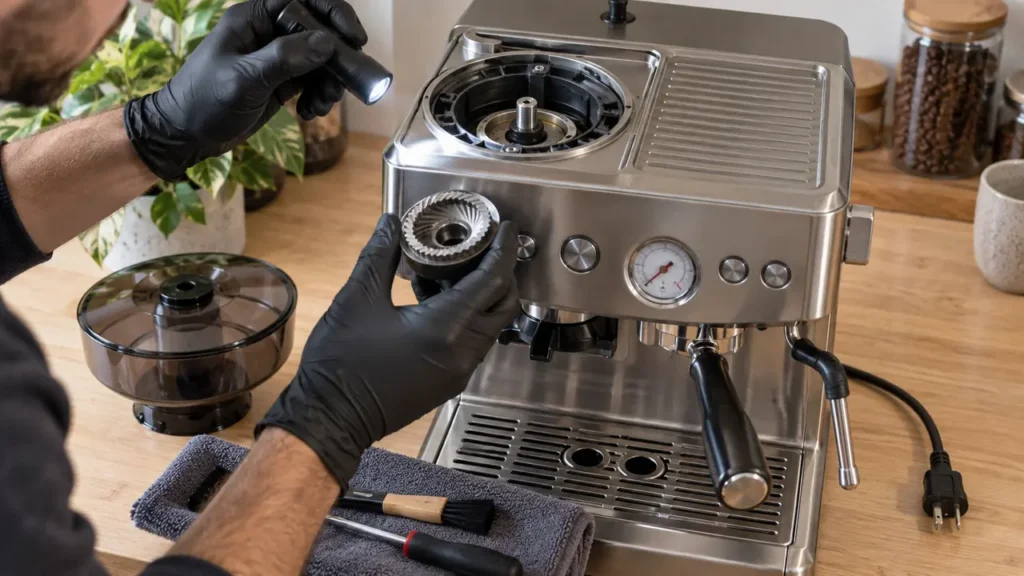
Cover illustration: representative equipment, not an exact BES870 component or control-panel reference. Use the technical diagram below and your model manual for the checks.
The BES870 manual provides two grinder-cleaning procedures: routine brushing and deeper cleaning of a blocked outlet. Use the second only when the accessible coffee path remains blocked and the parts match the illustrated manual. A silent grinder, damaged wiring or repeated electrical shutdown calls for diagnosis, not an automatic burr replacement.
This page covers cleaning and reassembly for the U.S. Barista Express BES870XL /A2. For the initial sound-and-light checks, start with grinder not working. For a stalled mechanism or an upper burr that will not unlock, use the jammed-grinder guide.
Before you remove anything
Switch off, unplug and let hot components cool. Burr edges are sharp. Never put hands or tools into the grinder while it is connected to power, defeat the hopper interlock, or run it without the lid. If it hums without grinding, strains or clacks, do not run it to empty the remaining beans. Empty the removable hopper with power disconnected. If trapped material prevents normal removal, stop and contact Breville.
The powered emptying shown in the routine-maintenance diagram applies only to a grinder that still operates normally. It is not a way to release a jam. Motor, wiring and control-board work are outside the owner-cleaning procedure.
Tools and preparation
- The supplied dry cleaning brush and a clean tray for small parts.
- For advanced cleaning only: a 10 mm socket, long-nose pliers and a pipe cleaner as shown in Breville’s diagram.
- The illustrated procedure for your exact revision, open before starting.
Record the grind setting and photograph parts before removing them. Do not continue if your grinder differs from the manual, the selector is stuck, or a fastener will not move as shown. No replacement part is required merely to perform these cleaning checks.
Standard dry cleaning
- Remove the beans with power disconnected. Unlock and remove the hopper if it releases normally. Transfer the beans to a dry container. If this is routine maintenance and the grinder was operating normally, the manual’s routine emptying sequence requires the empty hopper to be locked and its lid fitted before power is connected. Stop when residual grounds stop emerging, then switch off and unplug again. Skip that powered step entirely for a suspected jam.
- Remove the upper burr. With the machine unplugged and hopper removed, unlock the upper burr and lift it by the wire handle. Leave its numbered adjustment unchanged for cleaning. Stop if it will not release normally.
- Brush the accessible surfaces. Dry-brush the upper burr, exposed lower burr and coffee outlet. Keep the brush away from electrical openings; do not force compacted material deeper into the machine.
- Check before reassembly. Remove accessible loose residue and make sure parts are dry. If there is visible damage or an obstruction that cannot be removed safely, do not test the motor.
- Reassemble. Fully seat and lock the upper burr, then install and lock the hopper and fit its lid. Reconnect only when all tools and loose parts have been removed.
A small test dose should reach the portafilter without strain or metallic noise. If it does, return to the grinder-settings guide. If it still hums or clacks, switch off and disconnect power. Do not repeat the test to force coffee through.
Advanced outlet cleaning: decide whether to proceed
This procedure reaches the lower burr and grind fan. It is for the blockage described in Breville’s manual, not a repair for an electrically silent grinder. Proceed only if the exact illustrated parts match your machine, the controls move normally and you can retain the small washers in order. Otherwise, leave the assembly intact for service.
Keep the machine unplugged throughout the following sequence. A stalled grinder must not be powered to satisfy a “run until empty” instruction. If retained beans prevent safe access, stop here.
- With the hopper removed, set GRIND SIZE to 1 only if the dial moves normally.
- Use the 10 mm socket to loosen the center nut clockwise, as shown in the manual. Do not force a stuck nut.
- Move GRIND SIZE to 16, then unlock and remove the upper burr.
- Remove the nut, spring washer and flat washer. Remove the lower burr, keeping track of its drive-pin alignment.
- Lift out the grind fan, metal washer and felt washer using the method shown in the manual. Keep the components in order; do not substitute similar-looking washers.
- Clear loose coffee from the chamber and outlet with the brush or pipe cleaner. Do not use water or scrape the drive with a rigid tool.
- Reinstall the felt washer, metal washer and grind fan, followed by the lower burr. Align the lower burr with its drive pin and cavity as illustrated; do not force it into place.
- Refit the flat washer, spring washer and nut. Tighten the nut counterclockwise without overtightening. No torque value is specified here.
- Insert and lock the upper burr, return the external setting to 5, and install and lock the hopper. Fit the lid before connecting power.
| From the bottom upward | Check |
|---|---|
| Felt washer → metal washer → grind fan | Use the original components and the orientation shown in the exact manual. |
| Lower burr | Drive pin and cavity aligned; do not force seating. |
| Flat washer → spring washer → nut | Nut tightens counterclockwise on this documented assembly. |
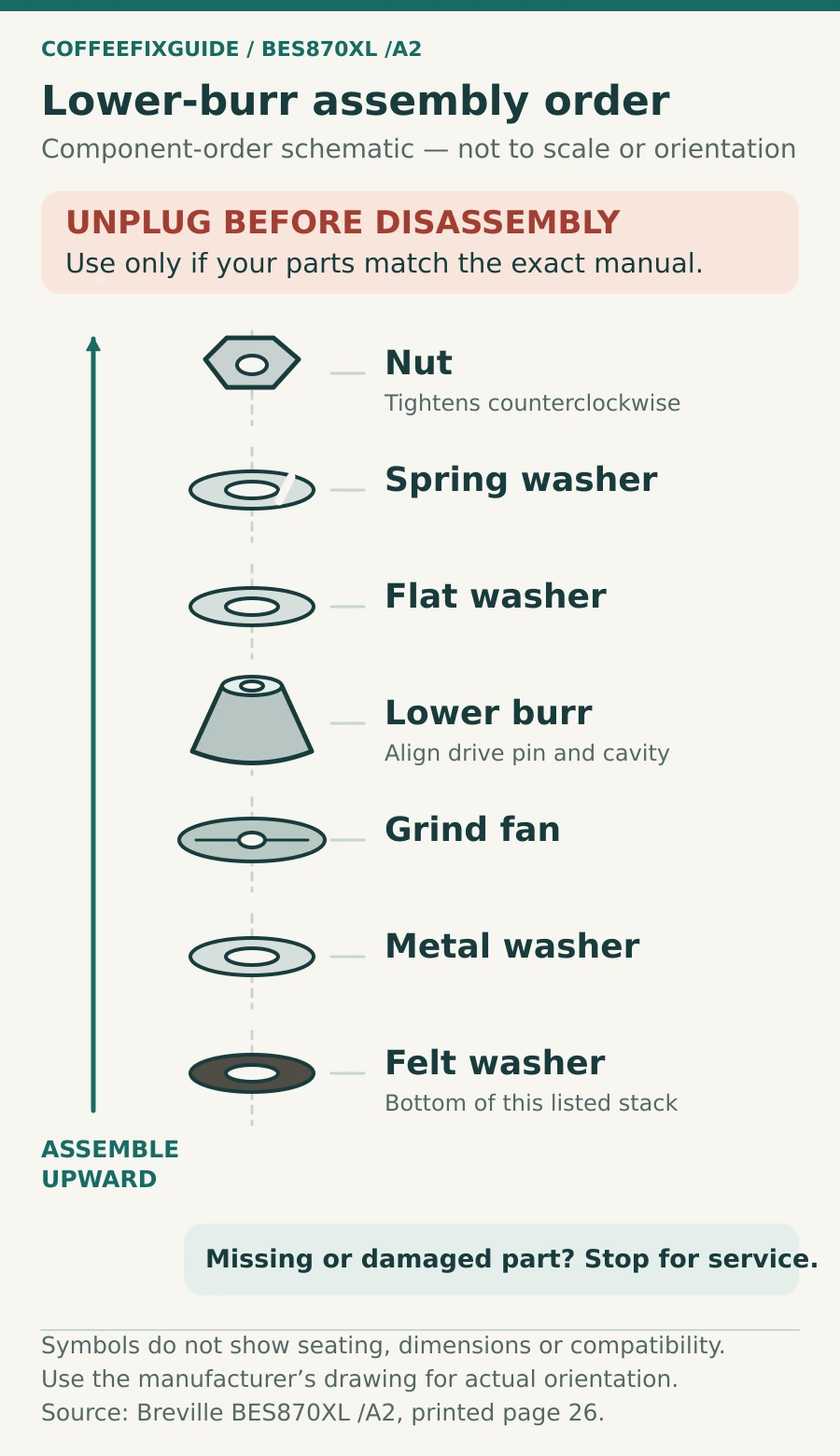
If a washer is missing, a component is damaged or the stack will not seat, leave the machine disconnected. The ordered list does not establish compatibility with another BES870 revision.
One post-cleaning test
Check that the chamber is dry, the upper burr and hopper are locked and the lid is fitted. Remove all tools, reconnect power and add a small amount of dry coffee beans. Run one short dose into the portafilter. Smooth grinding with grounds exiting is the expected result. Stop immediately for a hum, metallic clack, burning smell or no output; arrange service rather than repeatedly restarting.
When a part or technician is needed
- The motor remains silent after hopper attachment and the activation check.
- The grinder still strains after the accessible path has been cleared.
- A burr is chipped, a lock is broken or the selector will not move normally.
- The machine trips power, smells burned or repeatedly shuts down.
Confirm the complete model suffix, region and failed component before buying anything. Neither no grounds nor a loud sound proves that the burr, motor or control board must be replaced. The parts register is a compatibility starting point, not a diagnosis.
Compatible parts: check your machine’s revision
These manufacturer listings name this model and the revision scope below. Confirm the marking on your own machine before ordering. A grinder symptom alone does not prove that a part needs replacement.
| Part | MPN | Revision | Region | Source | Checked |
|---|---|---|---|---|---|
| Breville BES870 upper burr — SP0001801 (Pre 1926 PDC, US) | SP0001801 | Pre 1926 PDC; confirm the PDC marking on the machine before ordering | United States | Manufacturer compatibility listing | 2026-09-25 |
FAQ
Can I wash the burrs to clear a blockage?
Use dry brushing for this routine. Moisture in the chamber or chute is itself a manufacturer-listed cause of no output. If liquid may have entered the appliance, keep it disconnected and seek advice before testing.
Why does the nut loosen clockwise?
That is the direction shown for this assembly in the BES870XL /A2 advanced-cleaning diagram. If your components differ or the nut will not release, do not force it based on instructions for another version.
Source and scope
Breville BES870XL /A2 instruction book, printed page 26, routine and advanced conical-burr cleaning; pages 33–34, troubleshooting; pages 3–5, safety. Use the manufacturer’s component diagram alongside the checklist. Return to the model grinder problem finder if the symptom is still unclear.