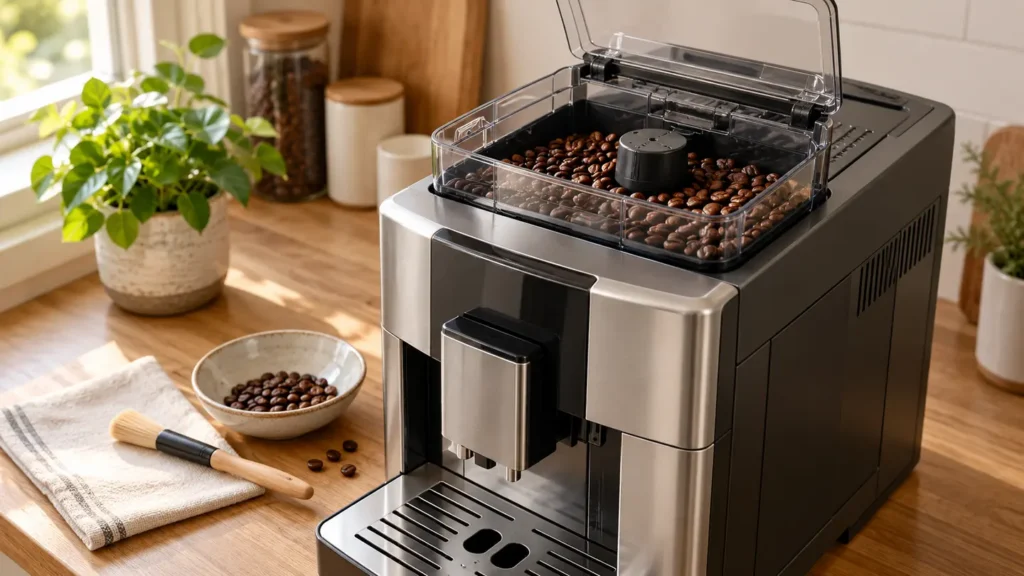
Quick answer: If your De’Longhi Magnifica Evo does not grind beans, first select a bean-based coffee drink and listen once. A silent grinder is a different problem from an unusually loud grinder that cannot feed beans. If it is loud and the beans are not ground, De’Longhi says a foreign object may be trapped in the grinder: switch the machine off, unplug it and inspect only the accessible bean hopper after removing the beans. Gently remove an easily accessible object; never force a stuck one. If the grinder runs normally but coffee barely drips, troubleshoot grind and water flow instead of assuming the motor has failed.
This guide uses the Magnifica Evo ECAM29X model family as its scope. Controls vary between ECAM29X.2Y/.3Y, ECAM29X.6Y/.8Y and EX:2 versions. Check the full code on the label underneath the machine and follow its matching manual for the control-panel lights. The image above is an unbranded editorial illustration, not a photo of a specific Magnifica Evo revision.
Listen once: what exactly happens?
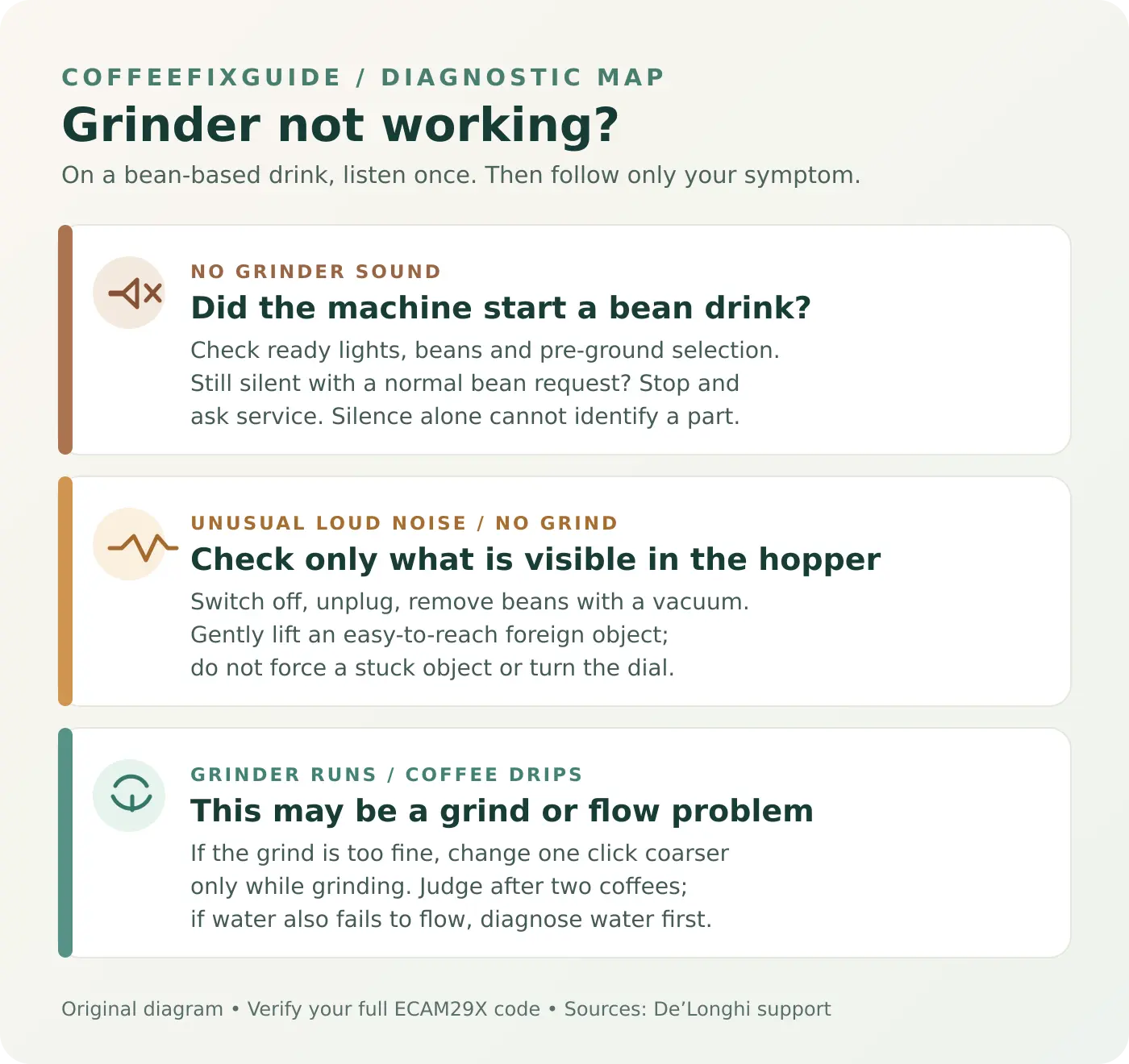
| Symptom | First likely explanation to check | Safe next step |
|---|---|---|
| No grinder sound at all | Pre-ground mode, unfinished startup or another panel warning can prevent a normal bean-drink request. A silent motor fault remains possible, but the sound alone cannot prove it. | Confirm the selected mode and read the exact indicator pattern before service diagnosis. |
| Sudden harsh grinding noise; beans are not ground | A small foreign object can obstruct the grinder. | Power off and unplug before removing beans and inspecting the accessible hopper. |
| Grinder runs, but coffee comes out a drop at a time | The grind can be too fine, or the water path can have a different fault. | Follow the model’s grind-adjustment procedure while it is running; diagnose absent water separately. |
| Grinder runs, but the cup is weak or empty | The pre-ground funnel or another coffee path may be blocked. | Compare with the no-coffee guide and the actual panel warning. |
1. If the grinder stays silent
- Make sure the machine is ready. Let its normal startup finish and note any warning lights. A no-water, grounds-container or general-alarm prompt needs its own correction before you can judge the grinder. Use the Magnifica Evo warning-lights guide to identify the symbol rather than repeatedly pressing drink buttons.
- Confirm bean mode. The Magnifica Evo has a separate pre-ground coffee selection. If that mode is selected, the machine expects a measured dose through the pre-ground funnel and bypasses bean grinding. Return to the bean-based selection described in the manual for your panel. Do not add pre-ground coffee to a switched-off machine or put it in the bean hopper.
- Look at the bean supply. Lift the hopper lid and confirm there are beans at its feed area. Use ordinary, dry coffee beans; De’Longhi warns against green, caramelised and candied beans because they can stick to the grinder. A full hopper on its own does not prove that a grinder is operating.
- Try one normal coffee request. If the machine is ready, a bean drink is definitely selected, and the grinder remains silent, stop repeated attempts. There is no supported external check that identifies a motor, wiring or control-board failure from silence alone. Record the complete model code and indicator pattern for De’Longhi service.
2. If it becomes unusually loud and stops grinding
De’Longhi’s grinder FAQ identifies a possible foreign object among the beans. A sudden change in sound is more useful evidence for that path than an old complaint that the coffee is weak.
- Press the machine’s power button and let it shut down normally, then unplug it. Wait for moving parts to stop. Never put fingers or tools into a powered grinder.
- Remove beans from the accessible hopper. De’Longhi recommends a vacuum cleaner for this step. Keep the nozzle above the accessible opening; do not dismantle the grinder or push it into the burrs.
- With a light, look for an obvious foreign object in the visible grinder entrance. If it is loose and can be removed gently without forcing or dismantling anything, remove it. If it is wedged, hidden, metallic, or difficult to reach, stop and contact service.
- After an easy removal, reassemble the lid, add a small amount of beans, reconnect power and make one coffee to see whether the normal sound and grind return. Stop if the harsh noise persists.
Do not turn the grind-adjustment dial to free a jam on this model. De’Longhi’s model-specific Magnifica Evo instructions say to turn that dial only while the coffee mill is operating in the initial phase of coffee preparation. A generic grinder FAQ discusses moving the dial to release an object, but a jammed or stopped grinder is not an appropriate moment to guess at a model-specific dial procedure. A stuck object belongs with service.
3. If the grinder runs but coffee drips or no coffee appears
If you can hear a normal grind, first avoid calling this a grinder-motor failure. The Magnifica Evo no-coffee guide separates water delivery, spout, brew group and coffee-path symptoms. If the espresso comes out drop by drop and water delivery otherwise works, De’Longhi says a too-fine grind may be the cause.
For the ECAM29X.6Y/.8Y EX:2 support path, turn the grind dial one click toward a coarser setting only while the grinder is actually running during the first part of coffee preparation. Do not turn several clicks at once or adjust it while stopped. Allow at least two coffees before judging the effect. If hot water also does not flow, changing the grind is unlikely to solve the water-path problem; diagnose that symptom separately or contact service.
If the machine grinds but the cup is watery and grounds are not reaching the brew path, inspect the pre-ground funnel only according to the manual. De’Longhi’s EX:2 help center advises cleaning a clogged funnel with a brush; that is a different check from prying into the grinder. Never pour water into the bean hopper or use a sharp implement in the burr opening.
Tools, parts and stop points
- Useful for the external check: the matching ECAM29X manual, a light, a small vacuum cleaner for loose beans, and a small container for them. An optional soft brush is for accessible dry surfaces, not a substitute for grinder disassembly.
- Parts: do not order burrs, gears, motor or a control board based on sound alone. Those require a model-specific diagnosis and part match; De’Longhi support or a qualified service center can advise.
- Stop immediately: an object is stuck, a harsh sound returns, smoke or a burning smell appears, or the case, cord or plug is damaged. Do not run multiple test drinks to “work through” a jam.
Frequently asked questions
Why will my Magnifica Evo make coffee without grinding beans?
Check whether the pre-ground selection is active. That mode bypasses bean grinding and uses the separate funnel. If the mode is correct, compare the panel lights and the audible cycle before assuming an internal fault.
Can I put a tool into the hopper to free the burrs?
Do not probe hidden burrs, remove covers or force a trapped object. De’Longhi advises unplugging, clearing loose beans and gently removing only what is visible and easy to lift. Use service if it is stuck.
Should I adjust the grind dial when the machine is silent?
No. The Magnifica Evo model-specific support says adjustment is made while the grinder is running at the start of coffee preparation. A completely silent grinder needs mode and warning-light checks first.
Is weak coffee always a grinder problem?
No. Normal grinder sound with weak or absent coffee can point to the pre-ground funnel, brew path or water delivery. Follow the no-coffee diagnostic before buying parts.
Sources and related guides
- De’Longhi US: issues with the coffee grinder — foreign-object symptoms and accessible hopper inspection.
- De’Longhi Magnifica Evo EX:2: slow or drop-by-drop coffee — dial timing and delayed effect.
- De’Longhi Magnifica Evo EX:2: watery coffee and funnel cleaning.
- De’Longhi: care of a fully automatic machine — bean choice and safe grinder-setting timing.
- Magnifica Evo model page · Warning lights · No coffee coming out.
Reviewed against De’Longhi support on September 27, 2026. This is an external symptom check, not a service diagnosis. Cover and diagnostic drawing are original editorial illustrations; neither depicts the exact manufacturer control panel or internal grinder.