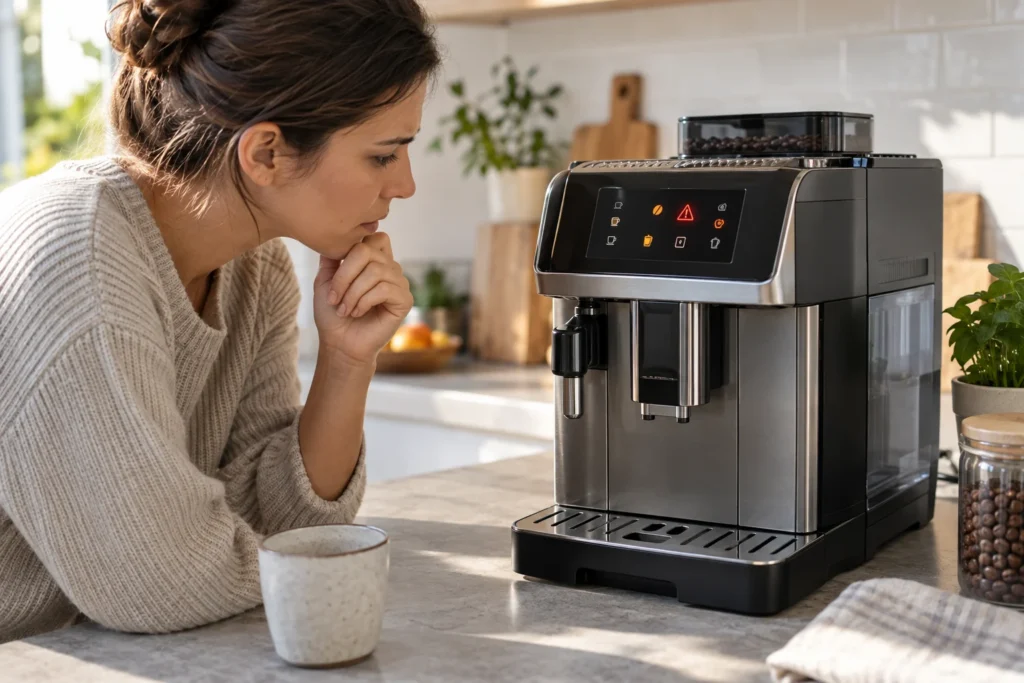
A warning light on a De’Longhi Magnifica Evo usually identifies a part that needs attention—not a failed machine. First note the exact icon and whether it is steady or flashing. Then check the water tank, grounds container, drip tray, bean hopper and service door before restarting anything. Do not repeatedly reset the machine: the light normally clears only after the requested condition has been corrected.
Important: Magnifica Evo control panels vary across ECAM29X.2Y, ECAM29X.3Y, ECAM29X.6Y, ECAM29X.8Y and regional versions. Match the symbol to the manual for the model code printed on your machine.
Safety stop: unplug the machine if it leaks internally, trips a breaker, smells burnt or displays a persistent general alarm after the removable parts have been checked. Do not open the housing or work around live electrical components.
Last verified: September 19, 2026
Magnifica Evo warning lights: quick reference
| Icon or pattern | What it usually means | First action |
|---|---|---|
| Water-tank symbol | Tank empty, missing or not fully seated | Fill with fresh water and push the tank fully home |
| Grounds-container symbol | Container full, missing or not detected | Empty and correctly reinstall the container and drip tray |
| Bean symbol | Bean hopper empty or beans are not feeding | Add suitable beans and check that they move freely |
| Pre-ground scoop symbol | Pre-ground mode selected or funnel needs attention | Add one level scoop only when requested; clear a dry blockage safely |
| Descale symbol | Descaling is due or a cycle is in progress | Run the complete model-specific descale and rinse sequence |
| Filter symbol | Water filter requires installation, activation or replacement | Follow the filter procedure for your exact panel |
| Hot-water spout or milk-carafe symbol | Required accessory is missing or incorrectly fitted | Remove and firmly reinstall the requested accessory |
| Red triangle / general alarm | Door, infuser, internal cleanliness or another unresolved condition | Check all user-removable parts; stop if the alarm remains |
| Drink lights flash briefly | Heating, rinsing or another normal preparation stage | Wait until the machine becomes ready |
| Several lights keep flashing | Incomplete setup, overheated hydraulic circuit or fault condition | Let the machine finish; then use the exact combination in the manual |
The icon shape and the meaning of a steady versus flashing light can change between variants. Use the table as a diagnostic starting point, then confirm the pattern against the operating instructions for your full ECAM number.
If the machine makes noise but the cup stays empty, check whether hot water flows and whether one or both coffee outlets are dry. Our Magnifica Evo no-coffee guide walks through those checks and the next step for each result.
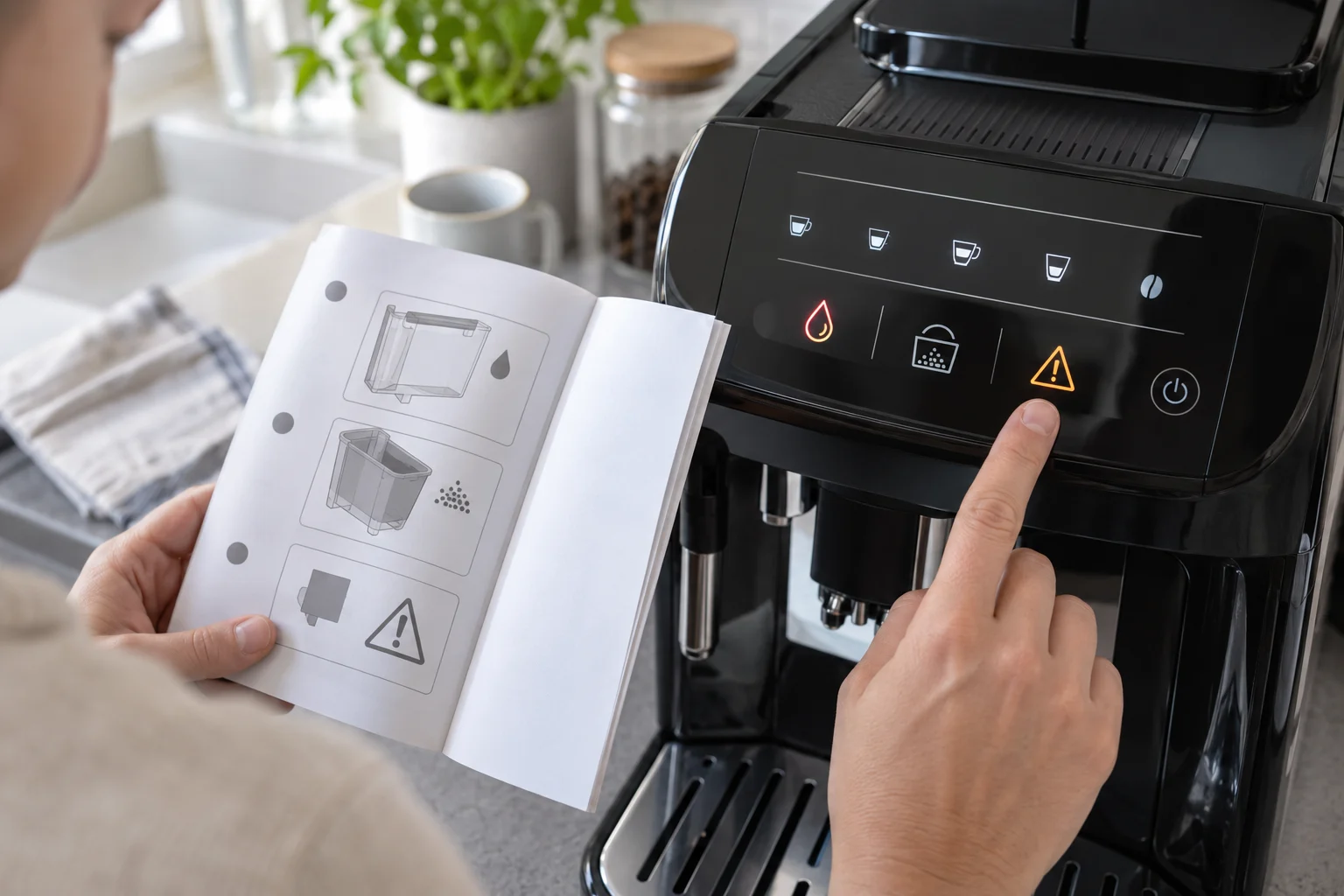
Use this order before trying a reset
- Photograph the panel. A photo preserves the exact combination and whether each light is solid or flashing.
- Allow normal preparation to finish. Heating and automatic rinsing lights are not necessarily errors.
- Read the primary symbol. Start with the water tank, grounds container, accessory or descale indicator rather than the drink icons.
- Correct the physical condition. Fill, empty, clean or reseat the indicated part.
- Close every door and tray fully. Sensors may not register a part that is only partly inserted.
- Restart once if needed. Use the normal power button and let the shutdown rinse finish. Do not repeatedly unplug the machine to hide an unresolved warning.
Water-tank light stays on
Remove the tank, fill it with fresh cold water and inspect the tank cavity for an object preventing full insertion. Reinstall the tank firmly but without forcing it. If a filter has just been fitted, trapped air may interrupt delivery; follow the filter activation or hot-water procedure in the exact manual.
If the tank is full but the warning stays on, remove and reseat it once more. A stuck float, incorrectly installed filter or tank-detection problem may be involved. Do not insert tools into the machine’s sensor area. A persistent warning with a correctly seated tank needs manufacturer support or service.
Grounds-container or drip-tray light will not clear
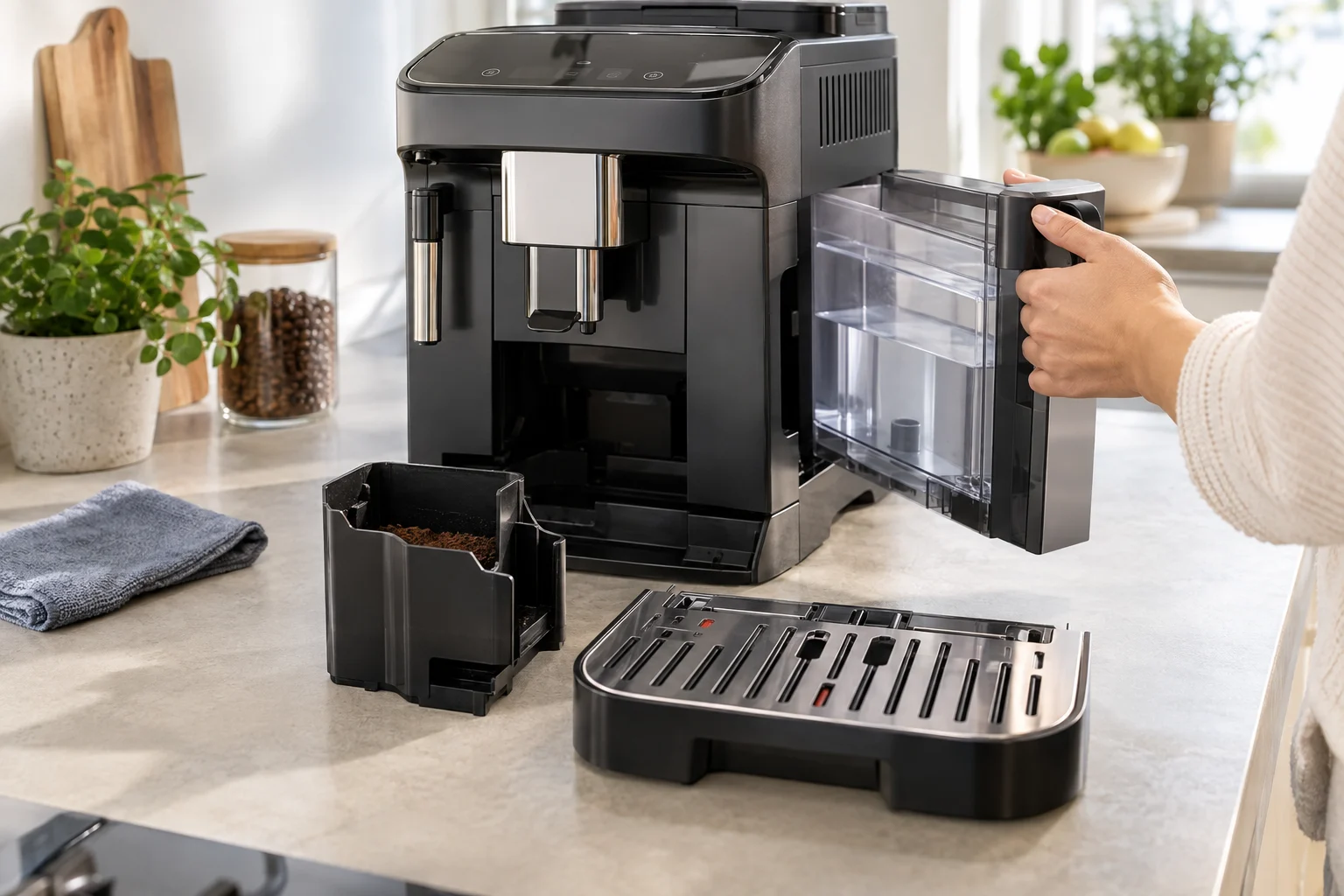
The grounds counter is usually based on completed brew cycles rather than a sensor that measures the actual pile of coffee. Empty the grounds container when the machine requests it, even if it does not look full. Remove the drip tray and grounds container together, empty both, clean them and reinstall them as one properly aligned assembly.
Complete the operation while the machine is on and ready for the procedure specified in its manual; emptying the bin with the machine powered off may not reset the internal count on some De’Longhi models. Follow our Magnifica Evo grounds-container light guide for the exact emptying sequence and for the separate “insert container” symptom. Match steady and flashing patterns to the manual for your ECAM variant.
Bean light is on but the hopper contains beans
The bean warning can appear because the grinder did not receive beans, not only because the hopper is visibly empty. Stir the beans gently with the machine off and check for oily beans bridging above the grinder inlet. Never reach into the grinder or push beans down with a tool.
Turn the grinder adjustment dial only while the grinder is operating and only one click at a time. If the grinder runs but no coffee reaches the infuser, stop after a controlled test. A blocked or damaged grinder is not solved by repeatedly starting drinks.
Pre-ground coffee light or scoop icon
A lit scoop icon may simply mean that pre-ground mode was selected. Add only the quantity allowed by the manual—normally one level measuring scoop—and do not add pre-ground coffee while the machine is off unless the instructions explicitly call for it.
If the funnel is clogged, switch off and unplug the machine before using the supplied brush to clear dry coffee from the accessible funnel. Do not pour water into the pre-ground opening. Selecting pre-ground mode without adding coffee can cause the machine to abort the drink and display another warning.
Descale light is flashing or stays on
The descale indicator is a maintenance request. It is not cleared by unplugging the machine or by running a tank of plain water. The Magnifica Evo must enter its programmed descale mode and complete every solution and rinse stage.
If the indicator remains after descaling, the cycle may have been interrupted, the tank may have been refilled too early, or a required rinse was skipped. Follow our complete Magnifica Evo descaling guide and compare the button sequence with your ECAM variant. Do not repeat chemical descaling immediately unless the official procedure requires a new complete cycle.
Water-filter light or filter activation warning
A new filter must be prepared and activated; simply dropping it into the tank may not update the machine’s setting. Soak or prime the filter as specified, fit it firmly, fill the tank and run the activation sequence for your control panel.
If you do not use a filter, confirm that the filter setting has not been enabled accidentally. Never reset the reminder while leaving an exhausted filter installed indefinitely. The correct replacement interval depends on use, water hardness and the filter instructions.
Hot-water spout or milk-carafe light
LatteCrema versions may request the milk carafe for a milk drink or the hot-water spout for setup, rinsing, filter activation or descaling. Remove the accessory, wipe the connection area and reinstall it firmly. Keep the connector dry and free of milk residue. If the carafe is detected but the foam is weak or delivery sputters, follow our Magnifica Evo milk-frother diagnosis.
Manual-frother variants have a different panel and should not be diagnosed using a LatteCrema icon chart. This is why the full model code matters: an ECAM290.22 panel is not identical to an ECAM290.81 panel.
General alarm or red warning triangle
A general alarm does not identify one replaceable part. It means that another condition has not been resolved. Work through these checks in order:
- Turn the machine off with its normal power button and allow the shutdown cycle to finish.
- Remove, empty and correctly reinstall the drip tray and grounds container.
- Confirm that the water tank is filled and fully seated.
- Open the service door only after the machine has shut down normally.
- Check that the infuser is present, clean and correctly positioned. Do not force it out if it will not release.
- Close the service door completely, reconnect accessories and start the machine once.
If the infuser is stuck, do not pull it with tools. Reinstall the drip tray and grounds container, close the door, power the machine normally and let it park the infuser. If the alarm persists or the mechanism makes abnormal grinding sounds, arrange service.
All drink lights flashing: error or normal operation?
Brief flashing during startup, heating, rinsing or beverage programming can be normal. The important question is whether the machine completes the stage and becomes ready. Give it time to heat and ensure the water tank and requested accessory are fitted.
If several lights continue indefinitely, note the combination instead of pressing every button. Switch the machine off normally, wait about a minute and restart once. Persistent flashing accompanied by no pump, no heat, an internal leak or an unusual mechanical noise requires service.
Why the light returns after you fix the problem
- The part was not detected: remove and seat it again until it is flush.
- The machine did not register the emptying procedure: repeat it in the powered state specified by the manual.
- The full program was not completed: descaling and filter activation have multiple stages.
- More than one warning is active: fixing the water tank may reveal a separate grounds-container request.
- The wrong variant instructions were used: ECAM29X panels and accessories differ.
- A sensor or internal component has failed: external checks will not clear a true hardware fault.
Do not use a factory reset as the first fix
A reset changes stored preferences; it does not empty a grounds container, complete a descale rinse, prime a filter or repair a sensor. Repeated resets can also erase useful drink settings without addressing the warning. Correct the physical cause first, then use only the reset procedure documented for the exact model if settings—not hardware—are the problem.
When to contact De’Longhi service
Stop owner troubleshooting and contact support when:
- the general alarm remains after all removable parts are correctly fitted;
- the machine leaks from inside the housing or around electrical controls;
- it trips a breaker, smells burnt or has a damaged cord;
- the grinder or infuser makes repeated harsh mechanical noises;
- the machine does not heat, pump or complete startup;
- a correctly filled tank or installed container is never detected;
- the infuser cannot be removed after a normal shutdown and parking cycle.
Do not bypass door, tray or tank interlocks. Internal diagnosis involves mains voltage, hot water and moving mechanisms.
Frequently asked questions
What does a red light mean on a De’Longhi Magnifica Evo?
It means the machine requires attention, but the icon determines the action. Check whether it represents the water tank, grounds container, descale program, accessory or general alarm. Panel layouts vary, so confirm it using the exact ECAM manual.
Why does the grounds light stay on after I empty the bin?
The container may not be fully inserted, or the emptying operation may not have been registered. Empty the drip tray and grounds container together and reinstall them correctly using the powered-state procedure in your manual.
Can I clear the descale light by unplugging the machine?
No. The reminder normally clears only after the programmed descale cycle and all rinse stages are completed.
Why are all the drink icons flashing?
Short-term flashing may indicate heating or rinsing. If it never ends, check the water tank and required accessories, record the exact pattern and consult the model-specific manual. Persistent flashing with abnormal operation may require service.
Where do I find the exact Magnifica Evo model number?
Look for the rating label on the machine. Record the complete ECAM code, including the numbers and suffix, because control panels and milk systems differ between variants.
Official support and related guides
De’Longhi provides a dedicated Magnifica Evo ECAM29X.2Y/29X.3Y support center with an error-light path, and official product pages document the different touch-panel and accessory configurations. Always select the manual matching your complete model code.
For broader diagnosis, visit the De’Longhi Magnifica Evo model page. You can also browse all CoffeeFixGuide repair guides.