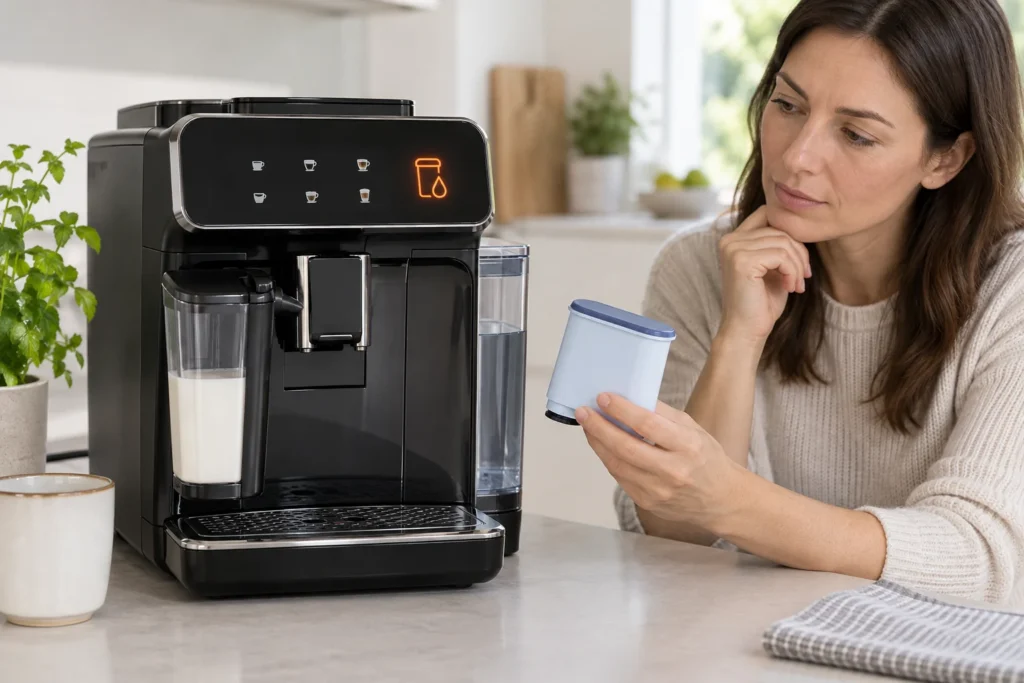
Quick answer: A Philips 3200 AquaClean light flashing orange means the filter needs to be installed or replaced and then activated through the control panel. Prepare the filter in cold water, press it fully onto the tank connection, refill the tank, hold the AquaClean icon for three seconds, and press Start/Stop. The light should turn blue after the activation rinse. If the orange light has already stopped flashing or the machine requests descaling, descale first.
This guide applies to Philips 3200 Series machines with the AquaClean touch icon, including many EP32xx LatteGo variants. Panel layouts and accessories vary, so compare the buttons on your machine with its model-specific manual before starting.
Last verified: September 19, 2026.
What the Philips 3200 AquaClean light means
The AquaClean indicator is not a general fault light. It reports the status of the water filter and whether the machine has registered its activation. The color and timing matter.
| Indicator state | Likely meaning | Correct response |
|---|---|---|
| Flashing orange | The machine is asking for an AquaClean filter to be installed or replaced | Prepare, fit and activate a compatible filter while the light is still flashing |
| Solid blue | The AquaClean filter is installed and its counter is active | No reset is needed; continue normal use |
| No AquaClean light after an orange reminder | The replacement window may have passed | Descale the machine before activating a new filter |
| Orange light remains after fitting a filter | The filter was not activated, is airlocked, or is not fully seated | Repeat preparation and the control-panel activation sequence |
| Calc/Clean light is also flashing | Descaling is due or an earlier descaling cycle is incomplete | Complete the programmed descale cycle before activating a new filter |
A blue light confirms that the machine accepted the filter. Merely putting a filter in the tank does not start the electronic filter counter.
Fast decision sequence
- Is the AquaClean light blue? The filter is active; do not reset it.
- Is it flashing orange? Replace or install the filter now, then activate it.
- Did the orange light disappear? Descale before fitting a new filter.
- Is Calc/Clean also flashing? Finish the complete descaling and fresh-water rinse first.
- Does the machine pump no water? Remove the filter temporarily and test hot-water flow before repeating activation.
How to prepare an AquaClean filter correctly
Air trapped inside a dry filter can restrict water flow, make the pump unusually loud, or prevent a successful activation rinse. Preparing the filter is therefore part of the installation—not an optional extra.
- Remove the new filter from its packaging and inspect the seals for damage.
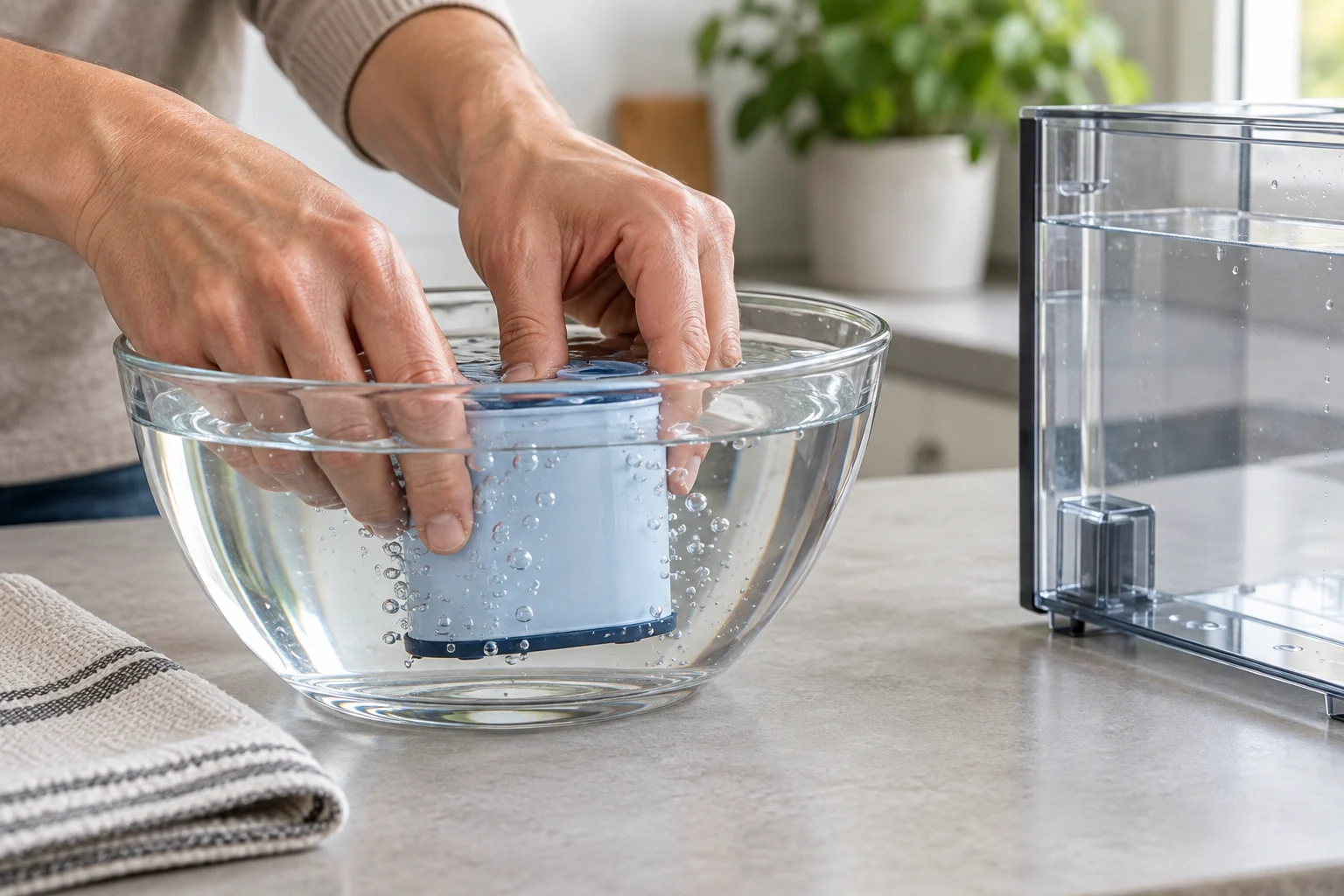
- Shake the filter for about five seconds.
- Turn it upside down and immerse it in a jug or bowl of cold water.
- Gently shake or press the filter while it is submerged.
- Wait until air bubbles stop escaping, then keep the filter upright for installation.
Do not fill the filter with hot water, detergent, descaler, or coffee-machine cleaner. Do not install a cracked, previously dried-out, or incompatible cartridge.
How to install and activate the filter
1. Switch the machine on
Let the Philips 3200 complete its normal startup and heating sequence. The drink icons should be ready before you begin activation.
2. Install the prepared filter
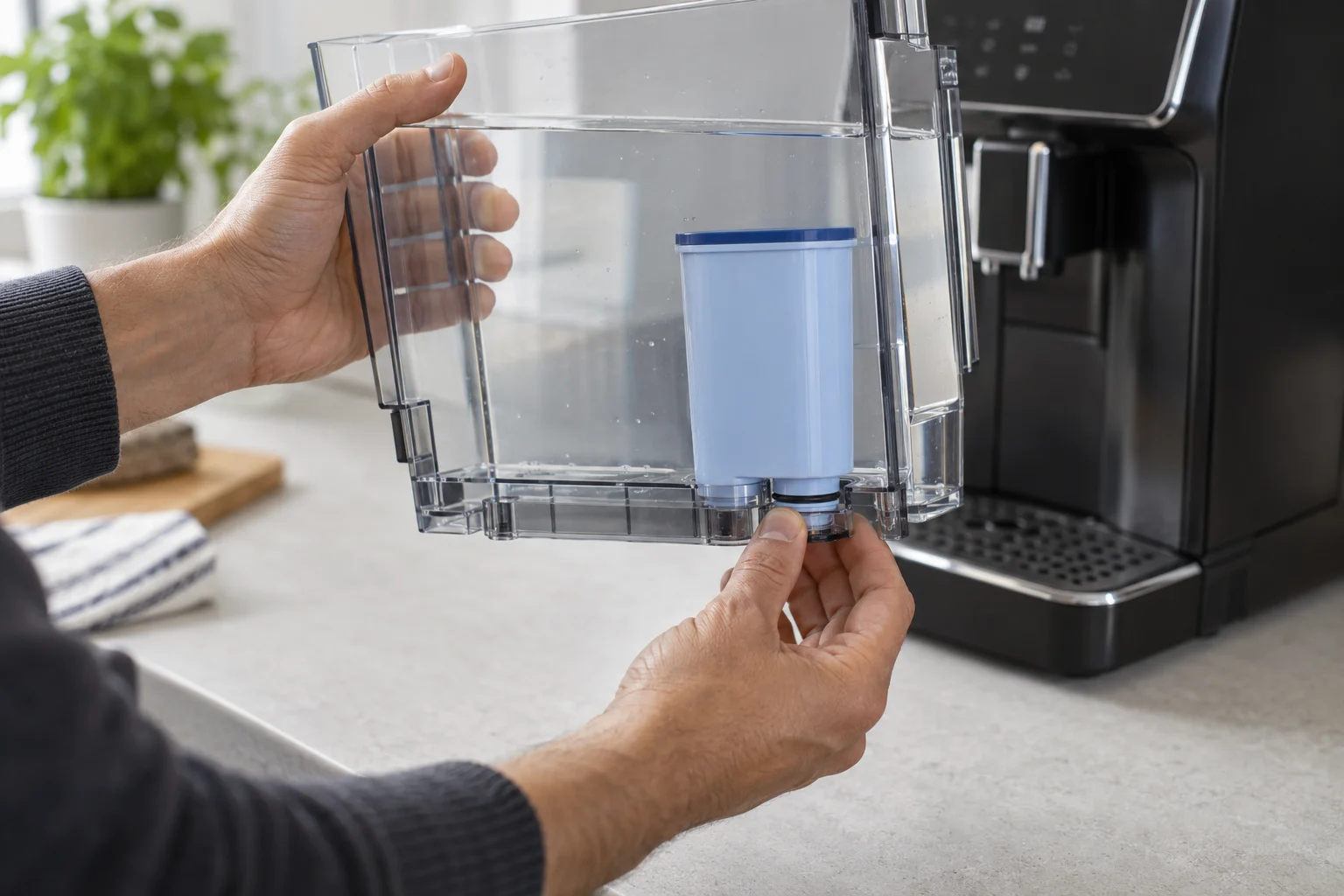
Remove the water tank. Push the prepared AquaClean filter vertically onto the filter connection at the bottom of the tank. Press it down as far as it will go without forcing or twisting the plastic fitting.
3. Fill and reinstall the tank
Fill the tank with fresh water to the MAX mark. Slide it fully into the machine. A tank that is only partly seated can interrupt the activation rinse.
4. Enter AquaClean activation mode
Press and hold the AquaClean icon for approximately three seconds, until the indicator or Start/Stop light begins to flash. Do not hold the power button; it is the filter icon that starts this procedure.
5. Start the rinse
Place a bowl under the hot-water outlet and press Start/Stop. The machine dispenses warm water while it primes the filter and updates the filter counter. Allow it to finish automatically.
6. Confirm the result
When activation is complete, the AquaClean light should turn blue. That blue indication—not the physical presence of the cartridge—is the confirmation that the machine is tracking the filter.
Why the AquaClean light still blinks after installation
The control-panel step was skipped
The most common cause is fitting the cartridge without holding the AquaClean icon and running the activation rinse. Remove and prepare the filter again if necessary, then complete the button sequence.
The filter contains trapped air
If the pump becomes loud or water arrives in spurts, the filter may not have been fully saturated. Switch the machine off normally, remove the filter, submerge it upside down until bubbles stop, reinstall it, and try activation again.
The filter is not fully seated
A cartridge can look installed while its lower seal is not connected. Remove it, check that no packing material or debris blocks the connector, and press it straight down. Do not use tools.
The water tank is not recognized
Fill the tank and reinstall it firmly. If the separate water-tank warning remains on, remove the tank again and check its outlet area for debris. Never defeat a tank sensor or valve.
The replacement window expired
Philips says the filter can be replaced directly while the AquaClean icon is still flashing orange. If the reminder eventually goes out, the machine can no longer assume that the water circuit is sufficiently protected. Descale first, then install and activate a new filter.
What to do when the machine asks for descaling
A new filter does not erase scale already inside the machine. If the Calc/Clean warning is active, remove the filter and complete the programmed descaling procedure, including the fresh-water rinse. After the machine returns to normal operation, prepare and activate a new AquaClean filter.
Philips also notes that descaling is still required after eight AquaClean filter cycles. The filter reduces scale accumulation; it does not eliminate maintenance indefinitely.
Use the complete CoffeeFixGuide repair-guide directory to find the Philips 3200 descaling and Calc/Clean-light instructions. Do not substitute vinegar or acetic-acid cleaner for the product specified by Philips.
If water will not flow with the filter installed
- Switch the machine off and wait until it becomes quiet.
- Remove the filter and refill the tank with fresh water.
- Switch the machine on and dispense two or three cups of hot water.
- If normal flow returns, prepare the filter again until all air is released.
- Reinstall it and dispense another two or three cups of hot water.
If the machine cannot dispense water even with the filter removed, the problem is not a filter-light reset. Check tank seating, air in the circuit, scale, and possible flow obstruction. Avoid repeatedly running a dry pump.
Can you reset the AquaClean light without a new filter?
No safe reset should be used to make the machine count an old or missing filter as new. Activation tells the machine that a prepared filter has actually been fitted. Resetting the counter without replacement would make the maintenance estimate inaccurate and could delay required descaling.
These actions do not correctly reset AquaClean:
- unplugging the machine;
- holding the power button;
- removing and reinstalling the same exhausted filter;
- running a factory beverage-settings reset;
- dispensing hot water without activating the filter icon;
- installing a new filter after the orange reminder has disappeared without descaling first.
Common AquaClean setup mistakes
- Installing the filter dry instead of removing trapped air in cold water.
- Using a cartridge that is not compatible with the exact EP32xx variant.
- Pressing Start/Stop without first holding AquaClean for three seconds.
- Stopping the warm-water activation rinse before the machine finishes.
- Confusing the AquaClean icon with the Calc/Clean indicator.
- Trying to cancel an existing descale request by installing a filter.
- Failing to push the tank or filter fully into position.
- Reusing a filter after the machine requests replacement.
When to stop and contact service
Filter installation is an external maintenance task. Stop troubleshooting and contact Philips or a qualified service provider when:
- the machine leaks from inside the housing;
- the pump remains loud and no water flows with the filter removed;
- all warning lights flash together;
- the control panel does not respond to the AquaClean icon;
- the tank connector is cracked or the filter will not stay seated;
- the AquaClean light never turns blue after a correctly completed activation rinse.
Frequently asked questions
Why is my Philips 3200 AquaClean light blinking orange?
It means the machine is requesting installation or replacement of an AquaClean water filter. Prepare the filter, install it, hold the AquaClean icon for three seconds, and press Start/Stop to activate it.
What color should the AquaClean light be?
Blue indicates that the machine has registered an active filter. A cartridge in the tank with no blue confirmation may not be activated.
How do I reset the AquaClean light on a Philips 3200?
There is no separate bypass reset. With a prepared new filter installed, hold the AquaClean icon for about three seconds and press Start/Stop. Let the warm-water rinse finish.
Do I need to descale before installing AquaClean?
Descale first if the machine already requests descaling or if the orange filter reminder stopped flashing before replacement. After descaling and rinsing, install and activate a new filter.
Can I use the machine without an AquaClean filter?
Many Philips 3200 variants can operate without one, but the machine must then be descaled according to its water-hardness setting and Calc/Clean warning. Check the manual for your exact model.
Why did the AquaClean light not turn blue?
The filter may be airlocked, incorrectly seated, incompatible, or not activated through the panel. The machine may also require descaling first.
Official Philips guidance
Philips states that a flashing orange AquaClean light requests filter installation or replacement, and that a correctly activated filter changes the light to blue. Its support procedure specifies shaking the filter, submerging it upside down until bubbles stop, pressing it vertically into the tank, holding the AquaClean icon for three seconds, and starting the warm-water rinse.
See the official Philips AquaClean activation guidance, the official Philips warning-light guide, and the manual for your exact EP32xx model.
CoffeeFixGuide is an independent troubleshooting resource and is not affiliated with Philips.