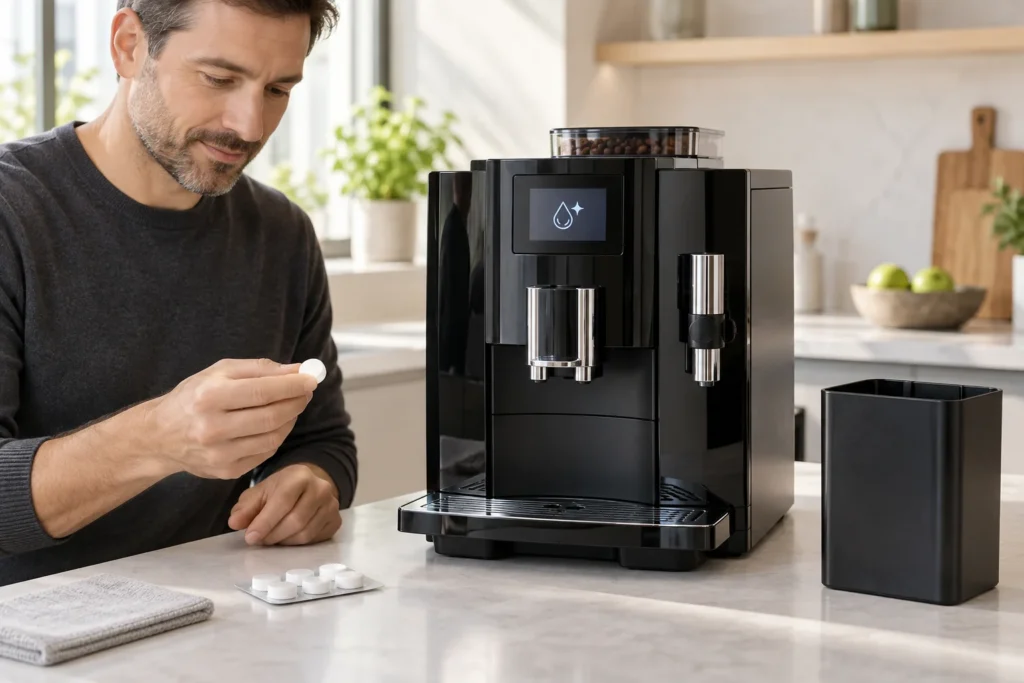
Quick answer: When your JURA E8 displays Clean, open the JURA Cockpit, select the cleaning program and follow every prompt. Empty the drip tray and grounds container, place receptacles under the coffee spout and fine-foam frother, and start the initial rinse. Add one original JURA cleaning tablet to the ground-coffee filler funnel only when the display says Add cleaning tablet. Press Next and let the approximately 20-minute program finish without interruption.
This guide covers the built-in coffee-circuit cleaning program used by many JURA E8 generations, including recent North American NAC models and earlier E8/E80 versions. Menu names and outlet arrangements can differ. Treat the instructions on your machine and the manual for its exact product number as authoritative.
Last verified: September 20, 2026.
When does a JURA E8 need a cleaning tablet?
The E8 monitors coffee preparations and rinse cycles. Current JURA E8 instructions state that the machine requests cleaning after approximately 180 preparations or 80 switch-on rinses. Usage conditions and machine generation can change when the reminder appears, so start the program when the display or Cockpit shows Clean.
| Message or condition | What it means | Correct action |
|---|---|---|
| Clean | The coffee circuit has reached its programmed cleaning interval | Run the complete tablet-cleaning program |
| Add cleaning tablet | The initial rinse is complete and the machine is ready for one tablet | Insert one tablet into the ground-coffee filler funnel |
| Empty grounds | The drip tray and grounds container need to be emptied | Empty, rinse if needed, reassemble and reinstall them |
| Clean the milk system | The milk circuit needs its separate daily care program | Use the specified milk-system cleaner, not a coffee-circuit tablet |
| Descale | Mineral scale must be removed from the water circuit | Run the separate descaling program with the specified product |
A cleaning tablet removes coffee oils and residue from the internal brewing path. It does not replace descaling, filter replacement, or milk-system cleaning.
What you need
- one original JURA 3-phase cleaning tablet;
- fresh cold water in the water tank;
- one receptacle under the coffee spout;
- a second receptacle under the fine-foam frother when your E8 directs flow there;
- approximately 20 uninterrupted minutes;
- a clean cloth for external splashes.
Do not use liquid cleaner, dishwashing tablets, vinegar, descaling tablets or loose cleaning powder in place of the specified tablet. JURA warns that non-recommended products may damage the machine or leave residues.
Before starting the cleaning cycle
- Confirm that the E8 starts normally and shows the cleaning reminder.
- Fill the water tank with fresh cold water and seat it correctly.
- Make sure the bean hopper cover and ground-coffee funnel cover can close normally.
- Disconnect the milk pipe from a milk container if necessary for safe positioning.
- Have two suitable receptacles ready.
- Allow enough time to finish the program without switching the machine off.
Do not insert the tablet during preparation. The machine first performs a rinse and then pauses with a specific tablet prompt.
How to clean a JURA E8 with a cleaning tablet
1. Open the maintenance menu
From the start screen, open the JURA Cockpit or maintenance-status area. On current E8 models, press the Cockpit control, select Clean, and then select Start. Older displays may present the care program through a rotary selector or a differently named maintenance menu.
Follow the screen rather than copying button positions from another E8 generation.
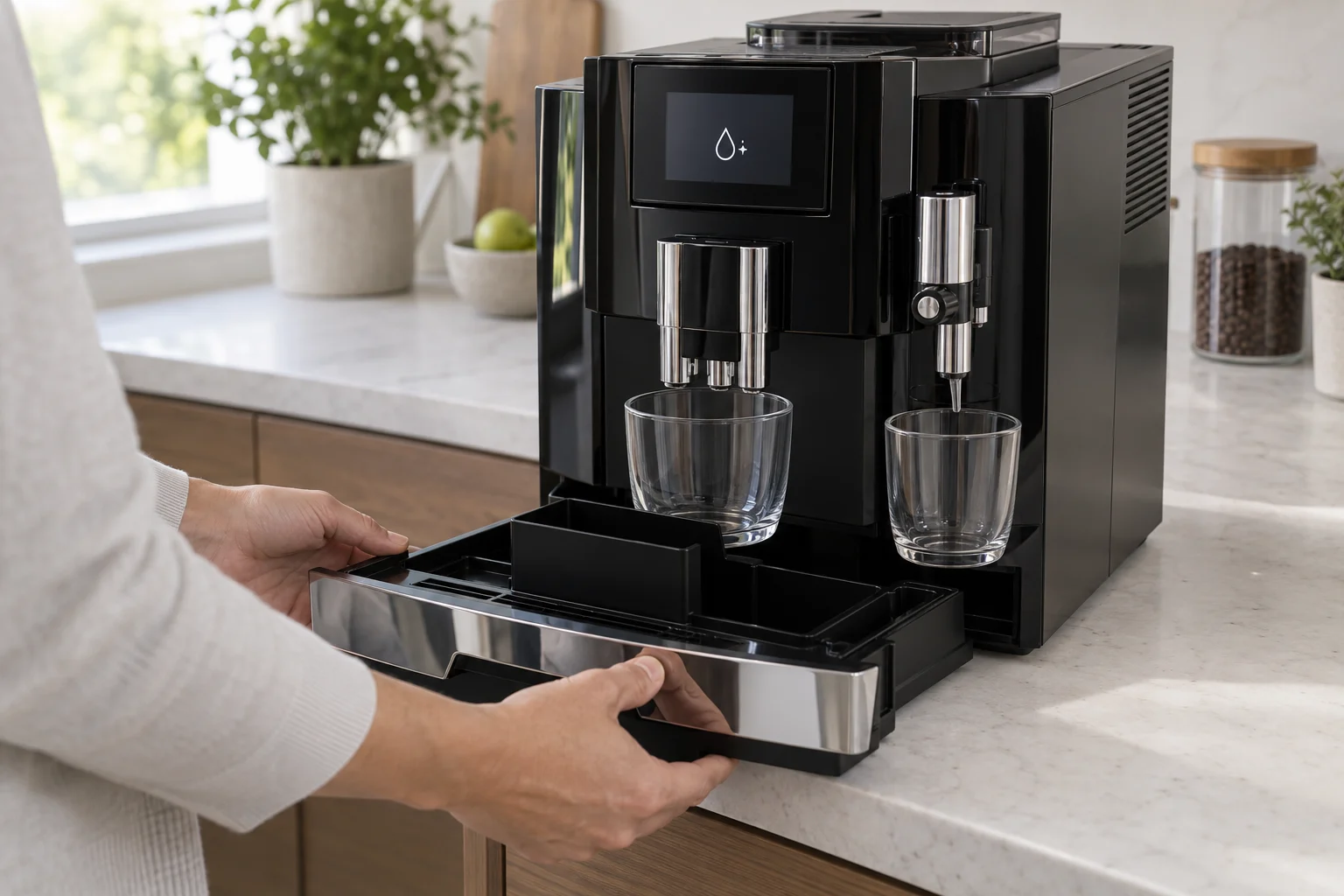
2. Empty the drip tray and grounds container
When Empty grounds appears, remove the complete tray assembly. Empty both the drip tray and coffee-grounds container, then reinstall the correctly assembled parts. Even if the grounds container looks nearly empty, completing this prompt is part of the programmed sequence.
3. Position the receptacles
Place one receptacle under the coffee spout and another under the fine-foam frother if your machine has the separate outlet shown in its manual. Keep the vessels stable and large enough for repeated rinses.
4. Start the initial rinse
Press Next when prompted. Water will flow from the coffee spout and, on applicable variants, the fine-foam frother. The machine then pauses and displays Add cleaning tablet.
5. Add one cleaning tablet
Open the cover behind the bean container. Locate the dedicated filler funnel for ground coffee and place one JURA cleaning tablet into that funnel. Close the cover.
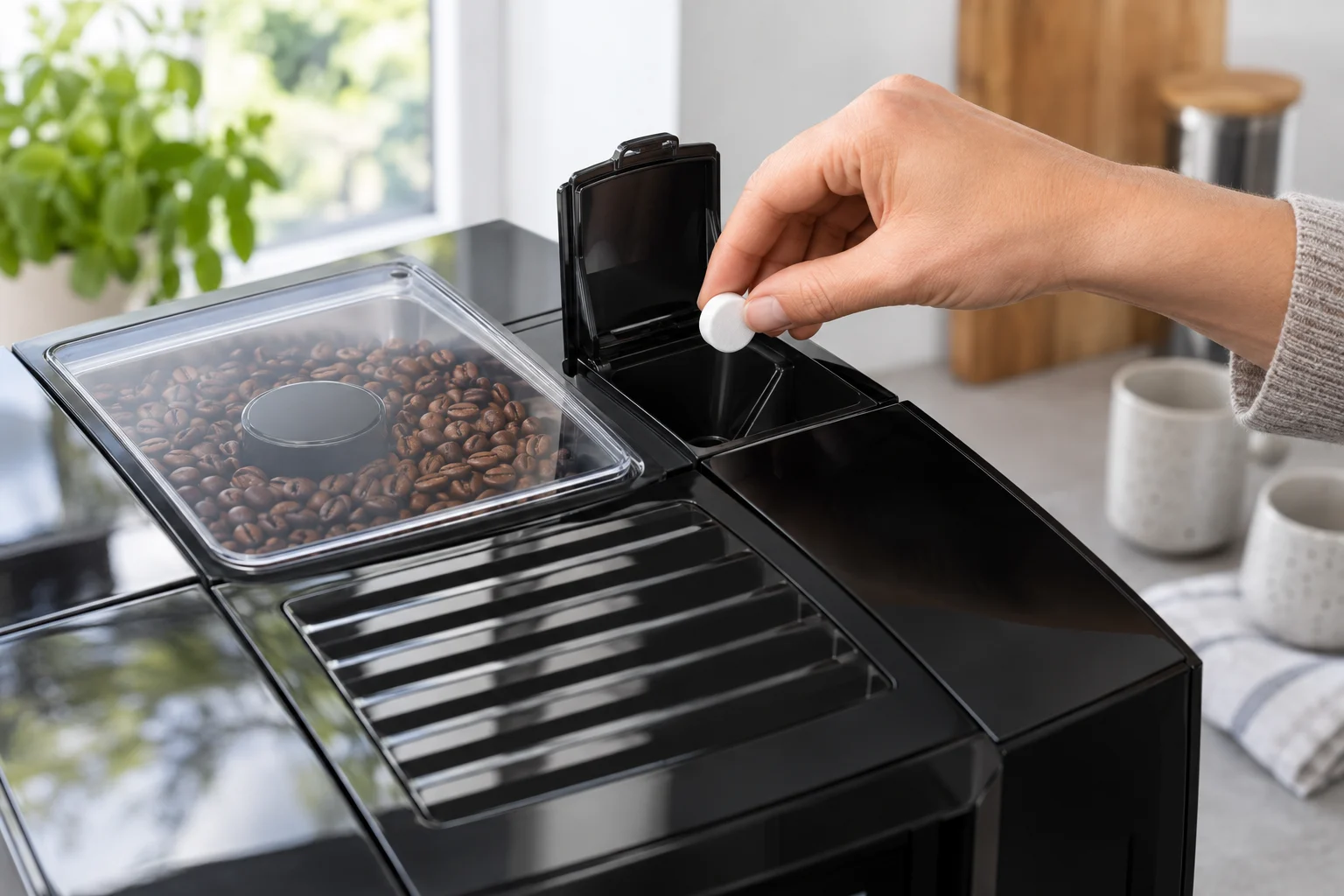
Never put the tablet in the bean hopper, water tank, drip tray or milk container. Do not crush the tablet or add ground coffee with it.
6. Continue the program
Press Next. The E8 will dispense water repeatedly while the cleaning agent moves through the brewing unit and coffee path. Flow may start, stop and resume. These pauses are normal.
Do not prepare a drink, remove the tank, pull out the tray or switch off the machine while the program is running.
7. Complete the final tray prompt
At the end, the E8 again displays Empty grounds. Remove and empty the drip tray and grounds container, rinse removable parts if needed, dry their contacts and reinstall them. The machine should return to the normal start screen and the Clean reminder should be cleared.
How to confirm the cycle finished correctly
- The machine returns to its normal drink-selection screen.
- The Cockpit no longer shows an active Clean request.
- No tablet remains visible in the filler funnel.
- The tray and grounds container are empty and correctly seated.
- The next automatic rinse completes normally.
- Coffee flows evenly without a new maintenance interruption.
A temporary cleaner smell immediately after the program is unusual if the correct tablet and complete automatic cycle were used. If you suspect the cycle stopped before its rinse stages finished, do not make coffee until the machine has safely completed the maintenance process.
Why the Clean message stays on
The program was never started from the Cockpit
Running a manual rinse or dropping a tablet into the funnel does not tell the maintenance counter that cleaning was completed. Start the actual Clean program.
The cycle was interrupted
Power loss, removing the tray at the wrong time, an empty water tank or switching the machine off can prevent completion. Restore the required condition and follow the display. If the machine has abandoned the program completely, consult the exact manual or JURA support before adding another tablet.
The tablet was added too early
The tablet must be added only after the initial rinse and the Add cleaning tablet prompt. Adding it before the program can place cleaner in the wrong stage and may not clear the reminder.
The final tray prompt was not completed
Some owners see the final Empty grounds message and assume the cleaning is already finished. Empty and reinstall the tray assembly so the machine can close the program.
The tray contacts are wet or dirty
Dry the tray and accessible contacts before reinserting it. Do not scrape contacts with metal or spray cleaner inside the machine.
Do not confuse the three JURA care programs
| Program | Purpose | Product |
|---|---|---|
| Clean | Removes coffee oils from the brewing path | One JURA cleaning tablet when prompted |
| Clean the milk system | Removes milk residue from the tube and frother | JURA milk-system cleaner or mini tabs as specified |
| Descale | Removes mineral scale from the water circuit | JURA descaling tablets dissolved exactly as instructed |
A CLEARYL filter can affect the descaling schedule, but it does not eliminate coffee-oil cleaning. Likewise, the main cleaning tablet does not clean the milk tube adequately.
Recommended JURA E8 cleaning schedule
| Task | When | Notes |
|---|---|---|
| Empty grounds container and drip tray | Daily or whenever prompted | Empty with the machine switched on when the counter must register the action |
| Rinse water tank and refill | Daily | Use fresh cold water |
| Clean milk system | Daily after preparing milk | Use the separate milk-system program and cleaner |
| Clean coffee circuit with tablet | When Clean appears; typically after about 180 preparations or 80 switch-on rinses | Allow approximately 20 uninterrupted minutes |
| Change filter | When the E8 requests it | Use the correct CLEARYL cartridge for the exact model |
| Descale | When prompted if applicable | Never substitute a cleaning tablet for descaler |
Common cleaning-tablet mistakes
- Putting the tablet into the water tank.
- Dropping it into the bean hopper instead of the ground-coffee funnel.
- Adding the tablet before the screen asks for it.
- Using two tablets because the machine looks very dirty.
- Replacing the tablet with liquid cleaner or a descaling product.
- Interrupting the cycle during a normal pause.
- Ignoring the final tray-emptying prompt.
- Assuming the tablet also completes daily milk-system cleaning.
- Starting the program to fix an unrelated mechanical error.
When cleaning tablets will not fix the problem
The care program is preventive maintenance, not a universal repair. Stop and arrange diagnosis if the E8 leaks beneath the housing, trips a breaker, smells hot, makes harsh mechanical noises or cannot initialize. Do not run cleaning to clear Error 8 unless the machine starts normally and specifically requests cleaning.
For symptoms outside routine maintenance, use the JURA E8 troubleshooting guide. For a recurring mechanical fault, read the JURA E8 Error 8 guide before attempting another care program. You can also browse all CoffeeFixGuide repair guides.
Frequently asked questions
Where does the cleaning tablet go in a JURA E8?
It goes into the dedicated ground-coffee filler funnel behind the bean container, but only after the display says Add cleaning tablet. It does not go into the water tank or bean hopper.
How long does the JURA E8 cleaning cycle take?
JURA states that the program lasts approximately 20 minutes. Allow it to run to completion without removing parts or switching off the machine.
How many cleaning tablets should I use?
Use one original JURA cleaning tablet for one programmed cycle. Never double the dose.
Can I use a generic tablet?
JURA instructs owners to use its original cleaning tablets because they are formulated for the machine and the electronically controlled program. Unapproved cleaners may damage components or leave residue.
Can I use a cleaning tablet to descale the E8?
No. Cleaning tablets target coffee oils. Descaling uses a different product and program to remove mineral deposits.
Should I remove the water filter before cleaning?
For the coffee-circuit Clean program, follow the on-screen instructions for your model. Do not remove a correctly installed CLEARYL filter unless your E8 or model-specific manual tells you to do so.
Can I make coffee if the Clean reminder is showing?
The machine may temporarily allow use, depending on the model and reminder stage, but postponing cleaning allows coffee oils to build up. Run the requested program as soon as practical.
Official JURA instructions
The official E8 manual specifies one original JURA cleaning tablet, an approximately 20-minute uninterrupted program, an initial rinse before the tablet prompt, and final emptying of the tray and grounds container. It also distinguishes coffee-circuit cleaning from the separate milk-system and descaling programs.
- Official JURA E8 NAC instructions for use
- Official JURA 3-phase cleaning-tablet information
- Official JURA E8 product support
CoffeeFixGuide is an independent troubleshooting resource and is not affiliated with JURA.