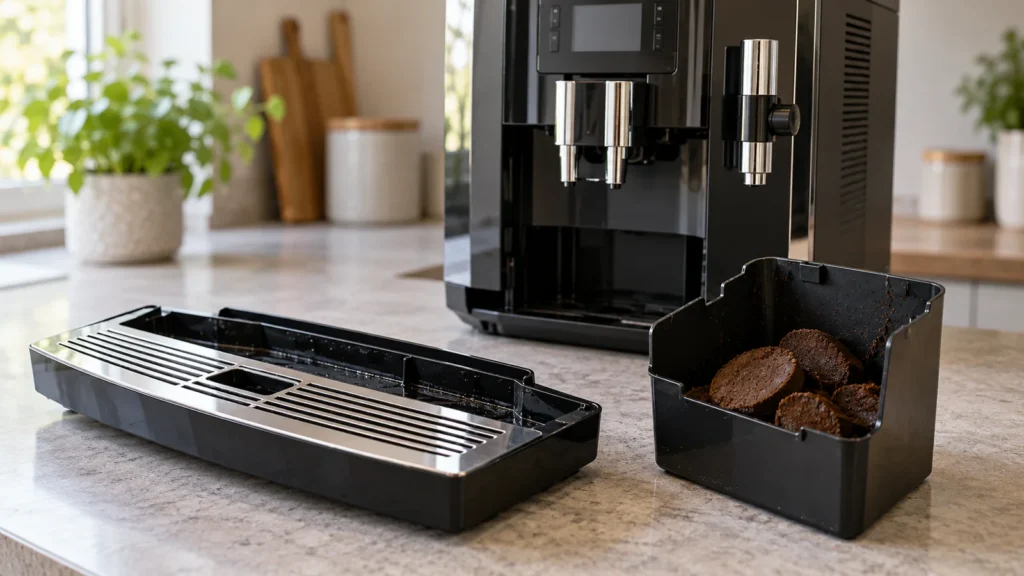
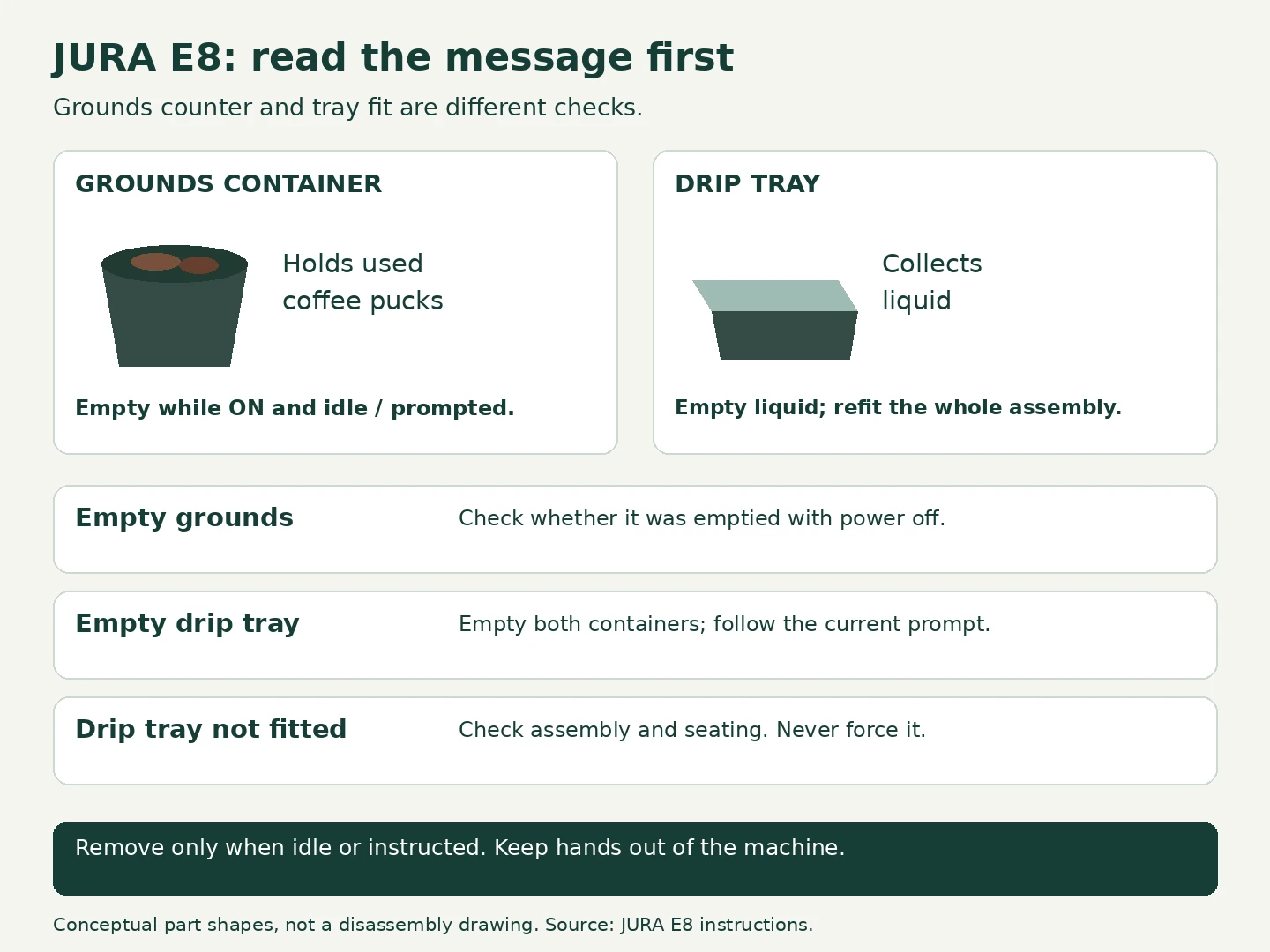
Quick answer: If your JURA E8 still says “Empty grounds” after you emptied the bin, check whether the machine was switched on when you did it. JURA specifies that the grounds container must be emptied with the machine on to reset its counter. Wait until the E8 is idle or asks you to empty it, then remove the tray assembly, empty both containers and refit them. “Drip tray not fitted” needs a different check: correct assembly and seating. During a maintenance program, follow its current prompt. A persistent message alone does not establish that a sensor has failed.
Applies to the basic user checks documented for E8 NAA, EC/ECS/SC/SCS/INTC and ED/SD/INTD. Screen wording and removable parts vary. This is a manual-based guide, not a report of hands-on testing.
Start with the exact message
Before removing anything, take a photo of the display. “Empty” and “not fitted” sound similar when the machine refuses to make coffee, but they send you down different paths. Also note whether you were making a drink or running a cleaning program.
| What you see | First check | What to do next |
|---|---|---|
| Empty grounds, even though the bin is empty | Was it emptied with the E8 switched off? | Repeat normal emptying with the machine on and idle or prompting. |
| Empty drip tray | Have you emptied the liquid tray as well as the grounds bin? | Empty both and refit; read the new display message. |
| Drip tray not fitted | Is the complete assembly correctly seated? | Refit gently. Stop if it will not slide into place. |
| An emptying prompt during cleaning or descaling | Is this a requested stage of the program? | Complete that stage, then follow the next instruction. |
1. Give the grounds counter a chance to reset
You need: a waste bin, access to a sink and a clean towel. No screwdriver, cleaning tablet or replacement part is needed for this check.
- With the tray installed, switch the E8 on if it is off. Let any startup activity finish. Do not remove the tray during brewing or rinsing; wait for idle or an explicit emptying prompt.
- Pull out the removable tray assembly normally. Keep hands outside the opening.
- Dispose of the used coffee grounds and empty the tray liquid. Merely pulling the tray out and pushing it back is not a substitute for emptying it.
- Reassemble the removable parts and slide the tray fully home without force.
- Read the display again. A return to the drink screen is the desired result during normal operation. A different instruction during maintenance may be normal progress.
If the warning clears after this check, record that emptying with power on resolved it. That observation is more useful than calling it a “sensor reset”: it tells you which routine to repeat next time. If nothing changes, do not keep cycling the tray indefinitely.
2. Check the removable parts and their fit
For separate cleaning or inspection beyond the prompted emptying routine, switch off, unplug and let the machine cool. Inspect the removed assembly in good light. Is the grounds bin sitting where it belongs? Is a loose puck preventing the parts from resting together? Is there a visible crack or distortion?
Rinse the removed tray and bin with warm water away from the appliance, then dry their exterior before refitting. Hand washing avoids having to guess which dishwasher guidance applies to your particular version. Never rinse the machine itself or reach inside to move a mechanism.
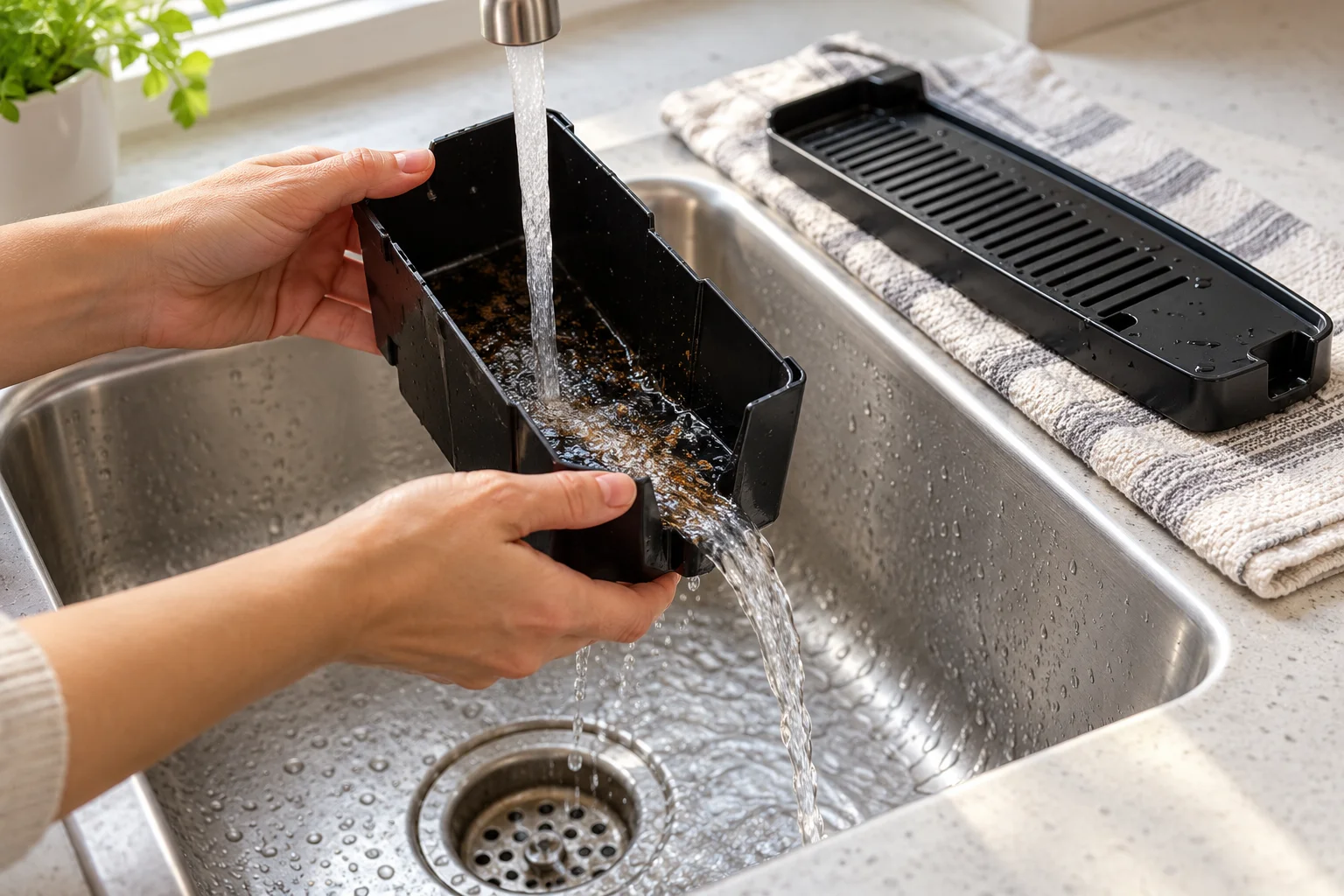
Once everything is safely reassembled, turn the machine on. If you emptied it while it was off for cleaning, repeat the normal emptying check when it is idle or prompted. If “Drip tray not fitted” remains, or the tray physically will not fit, stop rather than push harder.
3. If this happened during cleaning or descaling
The E8 NAA instructions include emptying requests at multiple stages of maintenance. A later request after the program has run further is not the same observation as a message that never clears after reinsertion.
Write down the sequence: did the display advance and the machine run, or did the same instruction stay on screen? Follow the E8 cleaning-tablet procedure or the E8 descaling guide for the cycle you actually started. Avoid adding more chemicals or starting another cycle simply to chase the warning. If the program cannot advance, contact support with its current stage.
Should you clean contacts, reset settings or buy a tray?
Generic JURA advice often jumps straight to metal contacts. This guide does not assume that a contact arrangement described for another JURA applies to your E8. The cited E8 instructions do not establish a universal contact-cleaning repair for this persistent message. Do not scrape, bend or bridge contacts, and do not bypass tray detection.
A factory reset is not our next diagnostic step: it would change settings without establishing why the message remains. Likewise, do not order a replacement tray based on the words “JURA E8” alone. Ask the supplier to verify the exact machine article number and the specific damaged component. An emptying warning by itself is not evidence that a new tray will fix it.
When to stop and contact JURA
Stop user troubleshooting if the correctly assembled, emptied tray is still not recognized, it will not fit normally, or the warning survives the checks above. Stop immediately for leakage beneath the machine, electrical damage or a burning smell; disconnect power only if it is safe.
Send support a display photo, the machine article number, a photo of the removed assembly and the result of the power-on emptying check. Mention any recent replacement parts and whether a maintenance cycle is unfinished. Do not open the housing to investigate a switch or control board.
Questions that come up during this check
Must the tray stay out for exactly 10 seconds?
The cited E8 instructions do not give a universal ten-second reset rule. Complete the actual emptying routine rather than treating an online timer claim as a model-specific requirement.
Does a full-tray warning mean the machine is leaking?
The wording alone does not identify a leak. Record where the water is: contained in the tray, on the counter, or beneath the housing. Those are different observations; external leakage is a reason to stop and investigate safely.
What should I change if it keeps happening after evening cleanup?
Check the order of your routine. Empty the grounds container while the machine is on and idle, before switching it off. If the warning still recurs despite that routine, document it for support rather than assuming user error.
Related E8 help
- JURA E8 model hub
- JURA E8 troubleshooting: choose a different symptom
- JURA E8 Error 8: a separate fault message
Sources and scope
Checked October 13, 2026. The priority here is a safe order of user checks, not a statistical ranking of failures. Internal detector design and repair-part compatibility require confirmation for the individual machine.
- JURA E8 NAA instructions: safety, maintenance actions, cleaning/descaling prompts and display messages.
- JURA E8 EC/ECS/SC/SCS/INTC instructions: maintenance actions and grounds-counter reset.
- JURA E8 ED/SD/INTD instructions: removable components, safe handling and maintenance actions.
Images: original CoffeeFixGuide illustrations. Photographic-style scenes are AI-generated and show representative equipment; the diagnostic graphic uses simplified shapes.