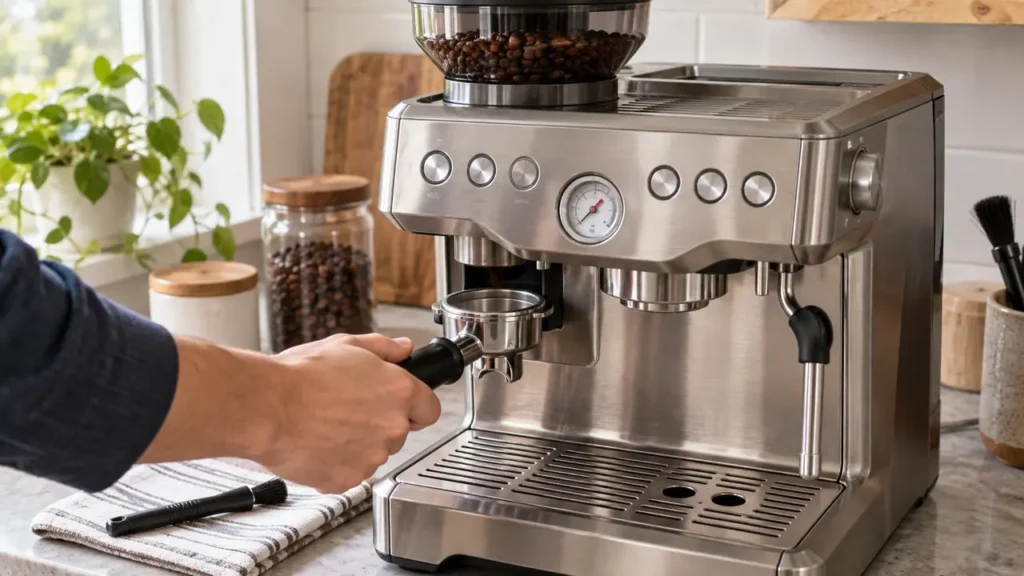
Cover illustration: representative equipment, not an exact BES870 component or control-panel reference. Use the technical diagram below and your model manual for the checks.
If your Barista Express grinder has stopped dispensing, the sound and lights determine the next check. Flashing FILTER SIZE lights point first to hopper attachment. A motor that sounds normal but produces no grounds needs a bean-supply and blockage check. A hum, strain or metallic clack is a stop signal: do not keep starting the grinder to empty it.
This guide covers the U.S. BES870XL /A2 described in the linked Breville instruction book. Check the label and your regional manual before removing components. Barista Pro, Touch and Express Impress procedures are not interchangeable with this one.
Stop before troubleshooting if there is a hazard
Switch off and disconnect power before removing the hopper or touching the burr area. Keep the grinder off if it smells burned, smokes, sparks, trips a circuit or contains liquid. If electrical parts or the outlet are wet, do not touch the plug or machine; have power isolated safely. Never bypass the hopper interlock or operate without the hopper lid.
Grinder symptom checker
Answer the model-specific questions before following the repair steps below.
Match the symptom before taking anything apart
| What you observe | What it suggests | Next safe action |
|---|---|---|
| FILTER SIZE lights flash | The hopper may not be attached correctly. | With power disconnected, clean its seat and reinstall it; see the hopper check below. |
| The motor sounds normal, but no grounds arrive | No beans, a restricted coffee path or moisture are possibilities. | Check the hopper, then dry-clean accessible parts. Do not assume the motor is healthy solely from its sound. |
| It hums, strains or makes a metallic clack | A jam or mechanical fault is possible; the sound does not identify a failed part. | Stop and unplug. Skip every powered-emptying step and use the jam branch below. |
| The entire machine stopped after repeated use | The thermal safety cutout may have operated. | Follow the cooldown check; repeated shutdown requires service. |
| The machine works, but the grinder is silent | Hopper attachment, activation or a service-level fault needs checking. | Reseat the hopper, then make one normal activation attempt only if there are no damage or jam symptoms. |
| Grounds arrive normally, but the dose is wrong | This is a dose-setting problem unless output is erratic. | Use the grinder-settings guide. |
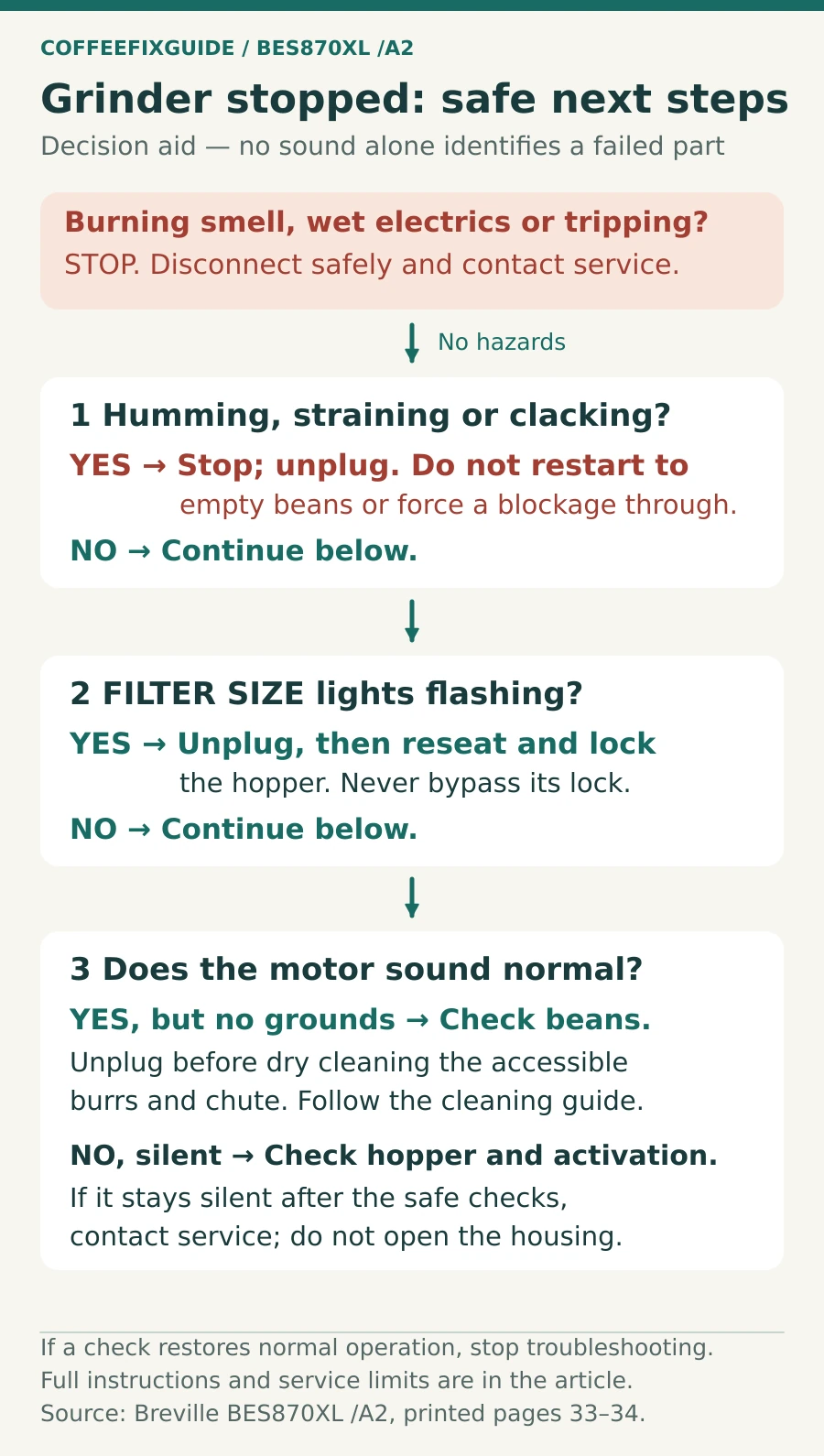
1. Check power and any shutdown first
If the whole machine stopped during use, switch it off, unplug it and let it cool. Breville specifies about 30–60 minutes for a possible thermal cutout. Cooling is not permission to restart a grinder that is still jammed or smells burned. If a normal restart fails after cooling, or the shutdown returns, arrange service.
If other controls work and only the grinder is silent, move to hopper attachment. Repeated cooldowns will not establish whether an interlock, switch or internal component has failed.
2. Reseat the hopper and check the result
- Switch off and unplug. Unlock and lift out the hopper only if its control moves normally; do not force it.
- Brush loose beans and grounds from the accessible hopper seat and locking area.
- Reinstall the hopper, turn its control to LOCK and fit the lid. Keep tools and hands out before reconnecting power.
- Check the FILTER SIZE lights. If they still flash, do not defeat the interlock; contact Breville.
If the lights are normal and there have been no jam or electrical symptoms, place the portafilter in the grinding cradle and use the normal grind-activation switch once. If the grinder stays silent, stop. The absence of sound does not justify ordering a motor or control board.
3. Choose the correct blockage check
The motor sounds normal, with no abnormal noise
Switch off and unplug before checking whether beans are present. If the hopper is empty, add a small amount of dry beans after reassembly and try one normal dose. If beans are present but grounds do not appear, stop and inspect the accessible burr chamber and outlet using the standard dry-cleaning procedure. A clear coffee path and a correctly locked upper burr are the expected result before another test.
The motor hums, strains or clacks
Keep the machine unplugged. Do not run the grinder to clear or empty it. Empty the removable hopper by hand and follow the jammed-grinder checks. The upper burr should release using its normal locking mechanism. If it will not release, or the selector will not move normally, stop rather than using force.
After accessible dry cleaning, reassemble and lock every part, fit the lid, and test with a small amount of beans only if the obstruction has been removed and there is no visible damage. Stop at the first return of straining or metallic noise. Persistent symptoms need a technician, not repeated test cycles.
4. If you find damp grounds
Moisture can bind coffee in the chamber or chute. Leave the machine disconnected, remove accessible residue with the supplied brush and let the parts dry completely. Do not pour water, detergent or rice into the grinder. If liquid may have reached the inside of the appliance, do not power it again for a drying test; contact service.
What successful cleaning should change
With the burr and hopper correctly locked and the lid fitted, a small test dose should grind without strain and reach the portafilter. Normal output is the point to return to grind-size and dose adjustments. No output after careful cleaning, a stuck selector, a damaged burr or another shutdown is a reason to stop.
For the manual’s deeper cleaning procedure, see BES870 grinder cleaning and repair limits. Check the parts compatibility register only after the exact machine revision and failed component are known. A silent grinder alone does not identify a replacement part.
FAQ
Can I keep using pre-ground coffee?
Only if the rest of the machine operates normally and there is no electrical fault, leak, burning smell or repeated shutdown. Use the appropriate Dual Wall basket. Do not activate a jammed grinder while doing so.
Does a hum prove there is a stone in the burrs?
No. It is a reason to stop and inspect accessible parts with power disconnected, not proof of one cause. If the mechanism remains stuck after safe cleaning, use service.
Sources and related guidance
Breville BES870XL /A2 instruction book: grinder cleaning and advanced cleaning, printed page 26; troubleshooting, pages 33–34; safety, pages 3–5. These sources support the controls and maintenance steps. Symptom comparisons above are diagnostic guidance, not measured fault probabilities.
Return to the Barista Express grinder problem finder if your symptom changes.