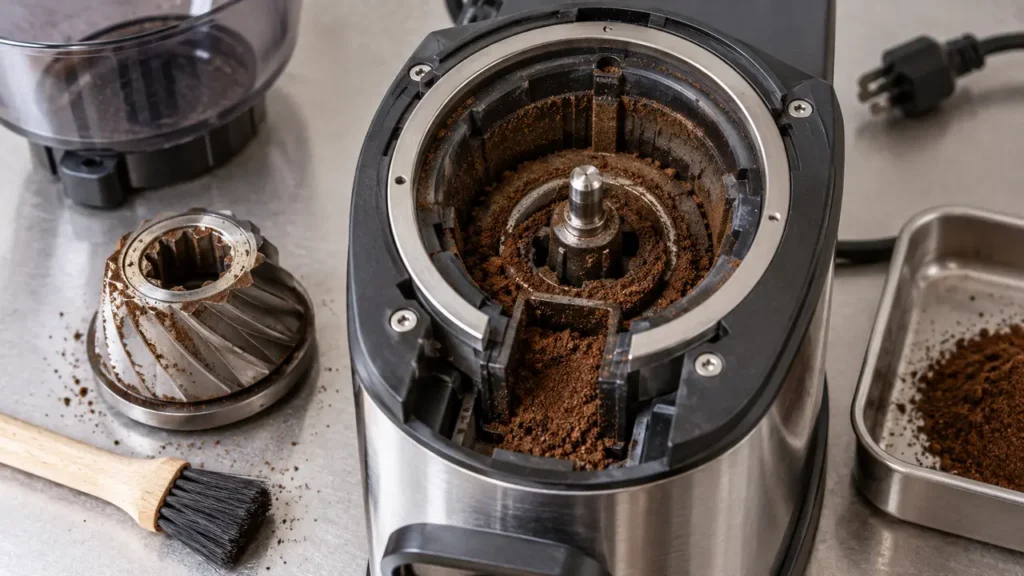
If your Breville Barista Express grinder is jammed or stuck, stop the grind cycle before trying again. Compacted grounds, moisture or a foreign object can obstruct the coffee path. An unlocked hopper can prevent operation without a mechanical jam. Switch the machine off and unplug it before removing beans or the upper burr. Clean dry parts with the supplied brush, keep water out of the grinder and reassemble every component securely before a short test.
Quick answer
- Turn off and unplug the Barista Express.
- Empty and remove the bean hopper.
- Unlock and lift out the upper burr only if it releases normally; do not force it.
- Brush loose grounds from the burr chamber and clear the exit chute.
- Make sure every grinder part is completely dry.
- Reinstall and lock the upper burr and hopper, fit the hopper lid, then try one short grind with a small amount of beans. Stop if it strains or clicks.
Is the grinder jammed or electrically dead?
This guide applies to the Breville Barista Express BES870/BES870XL. “Grinder jammed” usually means the motor tries to run, the sound changes, or grounds stop reaching the portafilter. A completely silent grinder can instead involve the hopper interlock, activation switch, power control or motor. Use the symptoms below before taking anything apart.
| Symptom | What to investigate | First check |
|---|---|---|
| Motor hums but no coffee exits | Possible blockage or drive fault; sound alone cannot identify the failed part | Dry-clean burrs and chute |
| Grinder sounds strained or stops | Foreign object or dense buildup | Unplug immediately; inspect removable area |
| FILTER SIZE lights flash | Hopper not attached or locked | Remove debris and relock hopper |
| Grounds arrive slowly or in clumps | Partial chute blockage or moisture | Clean and dry chamber and chute |
| Grinder is completely silent | Interlock, switch or electrical issue | Grinder-not-working diagnostic |
| Loud metallic clicking continues after cleaning | Foreign object or damaged burr/drive | Stop and arrange service |
Not sure whether this is a jam? Start the Barista Express diagnostic wizard and choose the grinder symptom. Use this article for accessible blockage checks, the grinder-not-working guide for silent or intermittent operation, and the repair guide when cleaning has not resolved the problem.
Before cleaning: important safety rules
- Switch the machine off and unplug it from the outlet.
- Keep fingers and tools away from the grinder while power is connected.
- Handle burr edges carefully; Breville warns that they are extremely sharp.
- Do not pour water, cleaning solution or rice into the grinder.
- Do not force the grind-size control while compacted beans prevent movement.
- Stop if a part does not release as shown in the official manual.
- Never bypass the hopper interlock or operate the grinder with its lid removed.
How to clear a Barista Express grinder jam
1. Remove the beans
With the machine off and unplugged, turn the hopper locking control to UNLOCK and lift the hopper away. Transfer usable beans to a clean, airtight container. If the locking control will not turn normally, do not force it; brush visible beans away from the locking area and try again gently.
2. Remove the upper burr
Lift the wire handle, rotate the upper burr to unlock it and lift it straight out. Note its numbered setting before moving anything. This prevents an accidental grind-range change during reassembly. If your problem began immediately after an upper-burr adjustment, incorrect seating may be the cause.
3. Brush the burr chamber
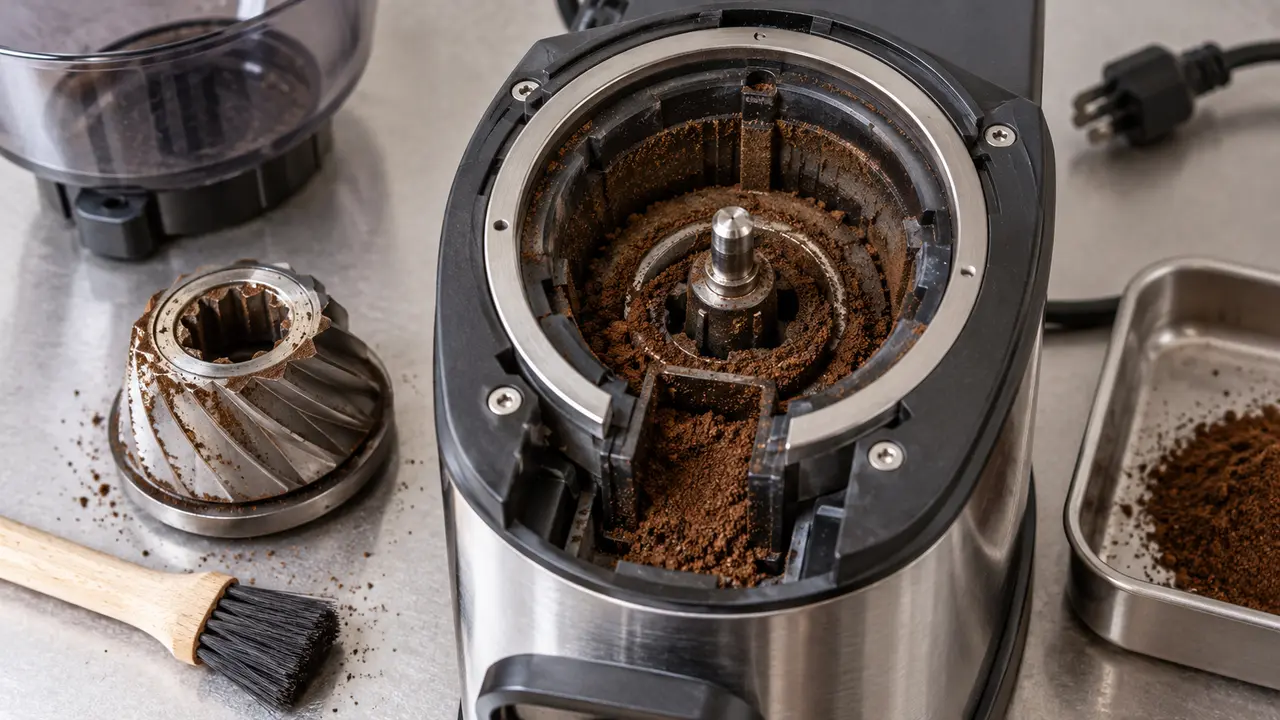
Use the supplied cleaning brush to remove loose coffee from the upper burr, lower-burr area and chamber. Work slowly around sharp edges. Do not wet the burrs, and do not push compacted material deeper into the mechanism.
4. Clear the grinder outlet
Compacted coffee can block the passage between the burrs and the portafilter cradle. Breville’s advanced cleaning diagram instructs users to clear the grinds exit chute with the cleaning brush or a pipe cleaner. Work from the accessible outlet with the machine unplugged; do not insert rigid metal objects toward the motor.
5. Remove moisture and let everything dry
Breville lists water or moisture in the grinder chamber and chute as a cause of no ground coffee. If damp beans or a wet cleaning tool entered the grinder, leave removable parts out until completely dry. The manual notes that air from a hair dryer can be used in the chamber; use unheated or low-temperature airflow at a safe distance rather than heating plastic parts.
6. Seat the upper burr and lock the hopper
Leave the upper burr’s internal grind setting unchanged for routine cleaning. Seat the burr correctly and rotate its carrier to LOCK; do not confuse locking the carrier with changing the numbered grind adjustment. Install the hopper and lock it. Flashing FILTER SIZE lights indicate the hopper is not attached correctly; remove it, clear debris around the seat and try again.
7. Run a small controlled test
Once all parts are dry and securely reassembled, add a small amount of beans and fit the hopper lid. Reconnect power and run one short grind into an empty, dry portafilter. Do not change or force a stuck dial as a way to clear a jam. Stop immediately if the motor strains, metallic clicking returns or no grounds appear. Once flow is restored, use the grinder-settings guide to restore your espresso recipe.
Upper burr stuck or will not unlock?
Keep the machine unplugged. Brush away loose grounds around the accessible carrier and check that you are using its normal unlock direction. If it still will not release with normal hand pressure, stop. Do not lever it with a screwdriver, pull the wire handle with pliers or run the motor to shake it loose.
Breville’s routine-cleaning diagram includes running out remaining beans before removing the upper burr. That is not a reason to keep powering a grinder that is already stalled or making abnormal noise. If trapped material prevents removal, use the exact model manual or ask Breville for help.
Why Barista Express grinders jam
- Compacted fines: very fine coffee accumulates in the chamber or chute.
- Moisture: a damp burr, wet hopper or steam exposure causes grounds to clump.
- Oily or flavored beans: surface residue can make retained grounds stick together more readily.
- A foreign object: small stones and hard debris occasionally arrive with beans.
- Incorrect upper-burr seating: the burr may look installed but not be fully pressed and locked.
- Shutdown after straining: overheating may follow a blockage; it does not prove what originally caused it.
What not to put in the grinder
Do not grind rice to “clean” the machine. Rice is harder and behaves differently from roasted coffee; fragments can add load and make a blockage worse. Do not use liquid grinder cleaner, spray lubricant or household oil. Use a dry brush and the official removable-part procedure.
When advanced cleaning or service is needed
The BES870 manual includes an advanced cleaning procedure for a blockage between the burrs and outlet. It goes deeper than routine upper-burr cleaning and involves small washers and the grinder fan. Follow the official illustrated sequence exactly if you are confident handling those parts; otherwise, stop at the removable upper burr and use a qualified technician.
Arrange service when the burrs are chipped, the drive slips, a foreign object cannot be removed safely, the motor only hums, or loud mechanical noise returns immediately after a correct dry cleaning. Our broader Barista Express grinder repair guide explains which symptoms point beyond a simple jam.
Prevent another blockage
- Keep the hopper, burrs and portafilter completely dry.
- Brush retained grounds before they compact in the outlet.
- Inspect beans for foreign material when filling the hopper.
- Make grind changes gradually and avoid forcing a stuck dial.
- Do not keep pressing the grind switch when the motor sounds strained.
- Clean more frequently when using dark, glossy beans.
Frequently asked questions
Why does my Barista Express grinder hum but not grind?
A blockage is one possibility, but a hum alone cannot distinguish trapped material from a drive or motor fault. Unplug the machine and inspect only the user-removable hopper and upper-burr area. Do not continue powering a stalled grinder.
Why are the FILTER SIZE lights flashing?
Breville identifies an incorrectly attached bean hopper as the cause. Remove the hopper, brush debris from its seat, reinstall it and turn it fully to the locked position.
Can I wash the grinder burrs?
Keep grinder components dry. Moisture is an official troubleshooting cause of blocked output. Use the supplied brush and allow any accidentally damp parts to dry completely before reassembly.
Why is coffee coming out slowly after cleaning?
The chute may still be partially blocked, the upper burr may not be fully locked, or the grind amount may be set too low. Switch off and unplug before rechecking assembly or clearing the accessible chute. Change the dose control only after normal grinding resumes.
Official references
- Breville Barista Express BES870XL instruction manual — conical-burr cleaning, blockage procedure, moisture warning and grinder troubleshooting.
- Breville Barista Express product page — current product information.
Information checked against Breville’s U.S. documentation on September 27, 2026. Regional versions and accessories may differ.
Next step: if the burr chamber is clear but the machine still will not dispense, return to the Barista Express grinder problem finder and match the sound or light pattern. Check the parts compatibility register only after confirming your BES870 revision and the failed component.