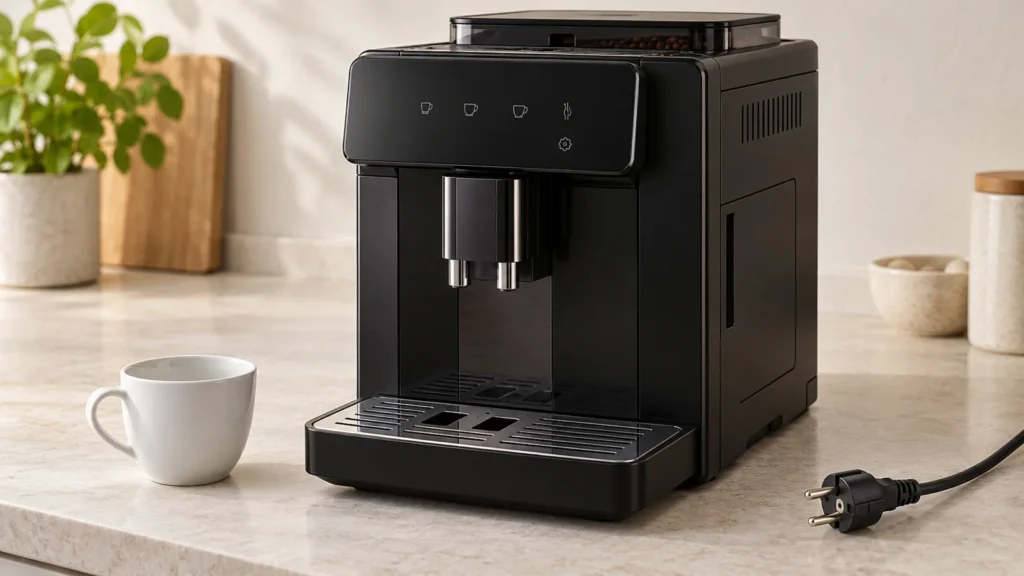
Cover image: representative equipment, not an exact model or control-layout reference. The checklist in this guide shows the relevant owner checks.
Quick answer: If your De’Longhi Magnifica Evo has no lights and does not react to its on/off button, start with the power connection and a safe check of the wall outlet. If lights appear, the machine is receiving power: record the pattern before treating it as a no-power fault. On the ECAM29X.6Y/8Y EX:2 models covered here, blinking drink lights can be part of normal warm-up. Stop immediately for a damaged cord, water near electrical connections, a burning smell or a breaker trip. A dark panel alone cannot tell you whether an internal fuse, switch or board has failed.
Scope: Magnifica Evo ECAM29X models, with the startup-light description checked against the ECAM29X.6Y–29X.8Y EX:2 manual. Controls differ by version; Magnifica Evo Next ECAM31X is a separate family. Find the complete model code in your paperwork or on the product label before following model-specific instructions.
Which “won’t turn on” symptom do you have?
Watch the panel when you press the normal power button. Does it stay completely dark, light briefly and go dark, or remain lit without making coffee? Those observations are more useful than repeatedly pressing different buttons.
| Observation | What it tells you | Where to go next |
|---|---|---|
| No lights and no response | The external power supply still needs checking | Follow the outlet and cord checks below. |
| Power light on; drink lights blink during startup | On the cited EX:2 version, this can be warm-up | Allow the startup sequence to finish; watch for a change. |
| Warning icons stay on or flash | This is not a completely dead control panel | Identify the exact warning before taking action. |
| Ready lights appear, but no coffee comes out | The machine has powered up | Move to the coffee-delivery checks. |
| Breaker trips, or power repeatedly cuts out | Further attempts may be unsafe | Disconnect safely and arrange professional help. |
For a lit panel, use the Magnifica Evo warning-light guide. If it reaches its ready state but will not dispense, follow no coffee coming out instead.
Before you start
No disassembly tools are needed. Have your model number, a phone for a short video and, if available, a known-working small lamp for checking a dry, undamaged outlet. Allow about 5–10 minutes for these external checks; that is an estimate for observation, not a repair-time guarantee.
Do not test a wet, loose, scorched or damaged outlet. Do not touch a wet plug or cord connection. If you cannot unplug safely, isolate the circuit safely and get help. A cracked plug, damaged insulation, smoke or burning odor ends this checklist. Do not open the housing or attempt live electrical measurements.
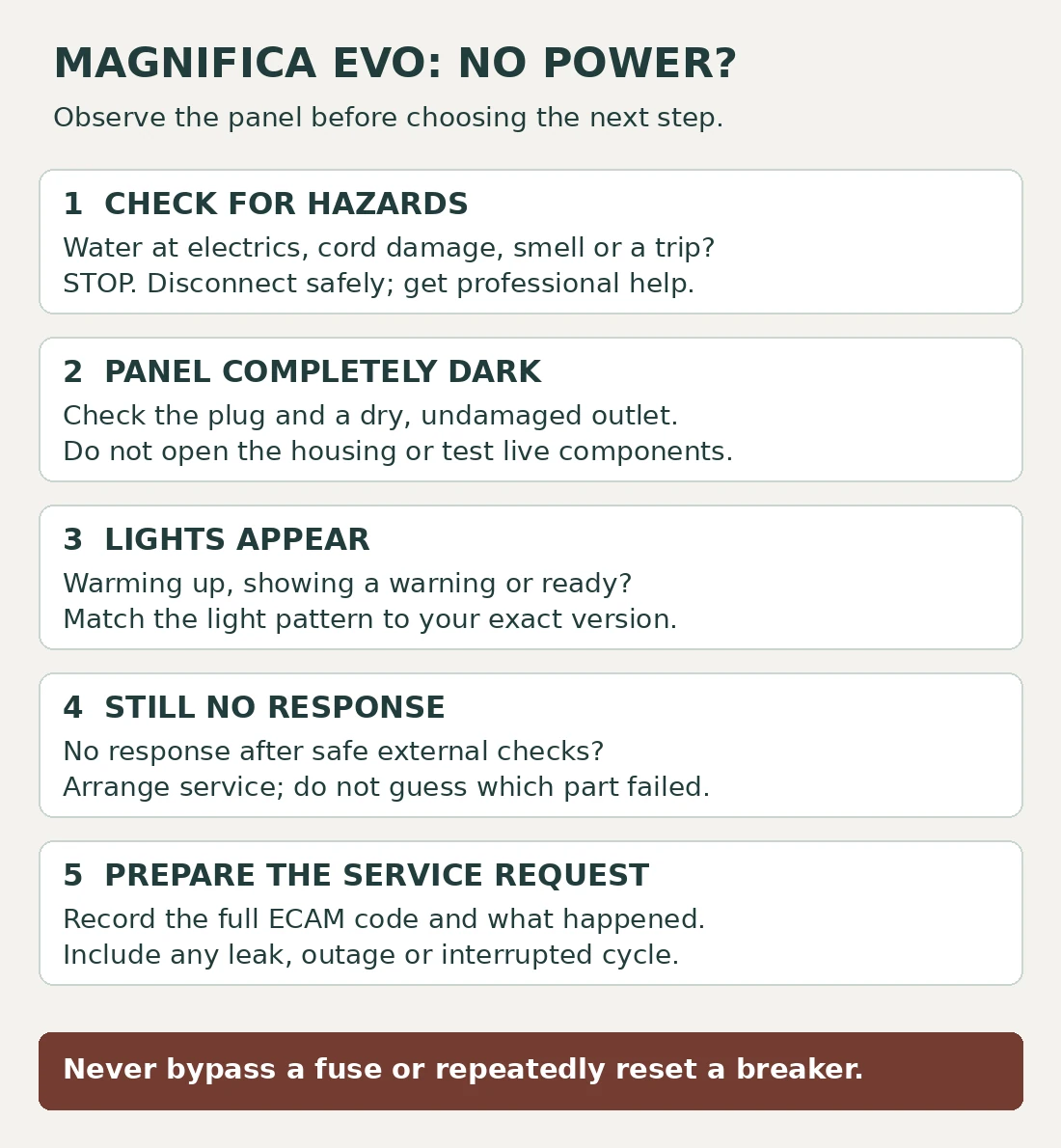
1. Check the power path once
- Inspect before reconnecting. With the machine disconnected, look at the accessible plug and cord for visible damage. Do not bend or wiggle the cable to make an intermittent connection work.
- Check how power reaches the machine. A switched-off wall socket, timer or smart plug is worth ruling out before suspecting the appliance. Use a suitable wall outlet directly, without an extension lead, for the check.
- Check the outlet only if it is dry and undamaged. A known-working lamp can show whether power is present. If it also fails, have the supply checked. If it works, that does not certify the outlet’s wiring or prove that it can safely supply the coffee machine under load.
- Reconnect only if no warning signs are present. Seat the plug fully, keep the cord clear of water and press the ordinary on/off button once. Observe the response.
De’Longhi’s model-specific no-power support starts with checking that the appliance is plugged into the mains socket. The external observations above help you describe what happens after that basic check; they are not a method for diagnosing internal electrical components.
2. If the lights come on, follow the startup state
For ECAM29X.6Y–29X.8Y EX:2, the manual describes the on/off LED lighting and drink LEDs blinking while the machine warms up. Ready drink and intensity LEDs then remain steady. The startup process can include hot rinse water, so place a cup beneath the spouts and keep hands clear.
If the sequence never reaches ready, record which lights remain on and whether any rinse occurred. Do not invent a timeout or assume that every flashing icon means the same thing. Match the pattern to your version’s manual.
If it powers up normally but you find an infuser problem, see Magnifica Evo brew group stuck. Do not pull on the infuser just because the machine failed to start. If you notice water outside the machine, stop and use the leak-location guide before any further powered check.
3. If it remains dark, stop at the external checks
Once you have checked the plug and a suitable power source, a machine that still gives no response needs service assessment. There is no reliable owner-level way to identify a failed board, thermal protection device or power connection from silence alone.
Do not order a “universal Magnifica” control board or bridge a fuse. Internal replacement parts must match the full product code, electrical rating and relevant revision. Ask the repairer to name the diagnosed fault, confirm the part and provide a written quote before authorizing repair.
If the failure followed descaling or an outage, include that timing in the report. “It went dark during rinsing” is useful evidence; “the heater fuse blew” is a diagnosis that has not yet been established.
What to send support
- Complete ECAM model code and any EX revision from the label or documentation.
- Whether the panel stays dark, flashes briefly or remains lit.
- Whether the outlet check changed anything.
- What the machine was doing immediately before the failure.
- Any leak, smell, unusual sound or protective-device trip.
A short video of an already-observed light pattern can help. Do not recreate a dangerous event for a recording. Avoid tipping a water-filled machine to read its underside label; check the manual or purchase paperwork first.
Frequently asked questions
Is there a reset-button combination for a completely dead Magnifica Evo?
The cited no-power support does not prescribe one. Settings resets require the controls to respond; they are not a substitute for restoring power. Avoid trying button combinations copied from another Magnifica model.
Should I keep resetting a tripped breaker?
No. Stop using the machine. Tell the electrician or service provider when the trip occurred rather than repeatedly energizing it.
Does a working outlet prove the control board is bad?
No. It narrows the external checks, but does not identify the internal failure. A board purchase at this stage is a guess.
Can I descale it to restore power?
A machine with no response cannot run its normal descaling program. Do not add descaler or water as a no-power test.
Return to the Magnifica Evo model hub for maintenance and other symptoms.
Sources and editorial scope
This guide is based on manufacturer documentation and conservative external checks, not hands-on testing of a failed machine. The original cover uses representative equipment. The checklist is a decision aid, not a wiring diagram.
- De’Longhi: appliance does not come on, ECAM29X.6Y/8Y.
- De’Longhi: no-power support for ECAM29X.2Y/3Y.
- Official ECAM29X.6Y–29X.8Y EX:2 instructions, sections 6–7 and troubleshooting.