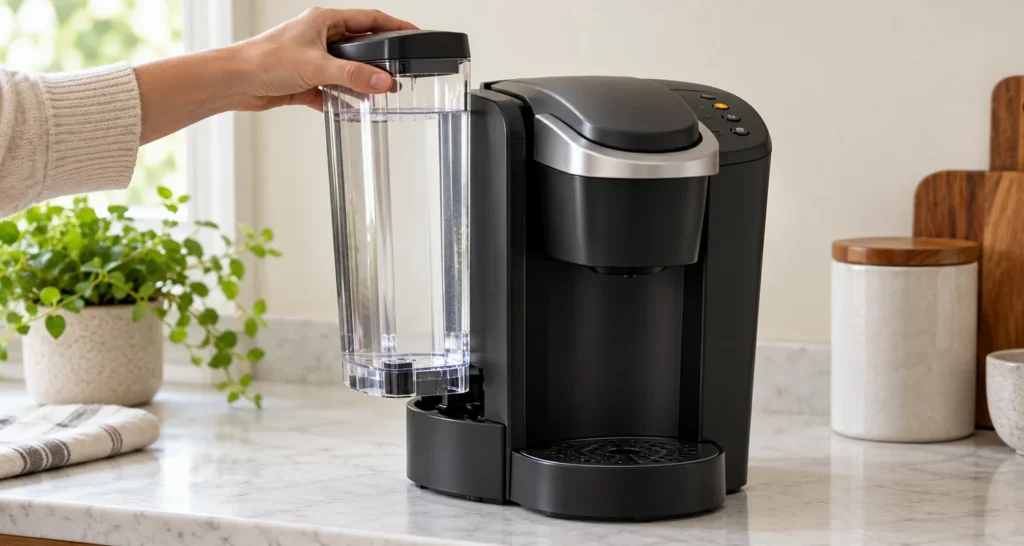
Quick answer: If your standard Keurig K-Supreme says ADD WATER while the reservoir looks full, first check whether you are in the middle of the descaling cycle. The warning is expected when the descaling solution runs low; refill the rinsed tank with fresh water and complete the rinse. During ordinary brewing, lift the reservoir straight up, check the water level and its seating, then try one pod-free brew. If the warning persists with a full, properly seated reservoir, stop repeated attempts and contact Keurig.
Model scope and review: Standard K-Supreme with 6, 8, 10 and 12 oz brew buttons; verified against Keurig’s Use & Care Guide on October 9, 2026. Controls and troubleshooting differ on K-Supreme Plus, SMART and later variants. Check the name and serial number on your machine before buying a replacement tank.
What the light is telling you
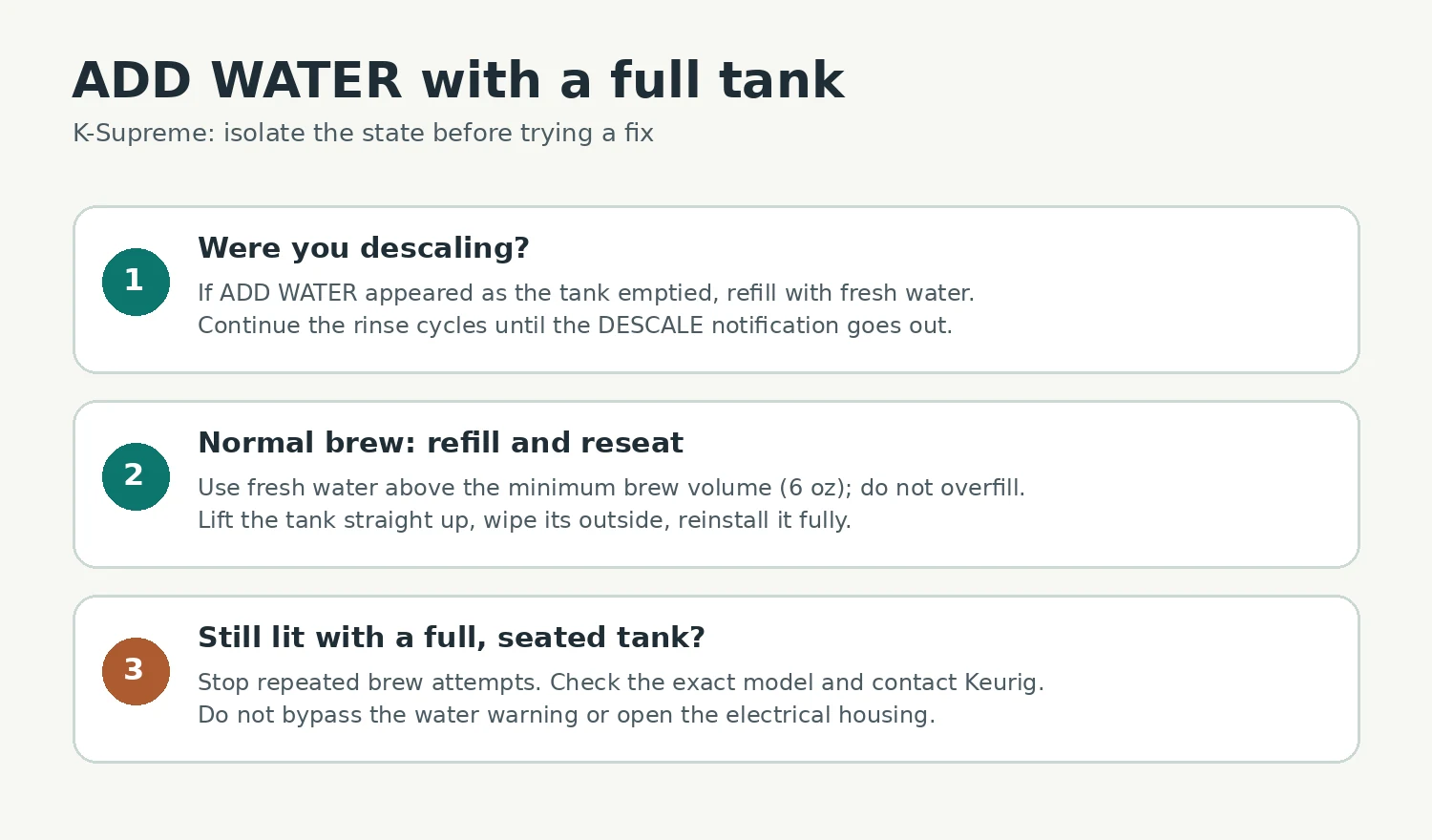
The ADD WATER indicator can appear in two different situations. During Keurig’s descaling procedure, it marks the point where the descaling brews have depleted the tank; the next step is a fresh-water rinse. During a normal brew, the brewer needs enough water and a properly fitted reservoir. A visible pool of water in the tank alone does not tell you which situation you are in.
| When it appeared | What to check first | Next action |
|---|---|---|
| After repeated brews in Descale Mode | Was the tank emptied as intended? | Rinse and refill to MAX; run the fresh-water rinse cycles. |
| Before an ordinary brew | Water above the minimum and tank fully seated? | Refill, reseat, then try one pod-free brew. |
| Still on with a full, seated tank | Is there a visible crack, leak or obstructed seating surface? | Stop and contact Keurig; do not guess at an internal part. |
Step-by-step diagnosis
1. Decide whether Descale Mode is still active
If you started descaling by holding the 8 oz and 12 oz buttons while the plugged-in brewer was powered off, a later ADD WATER light is part of Keurig’s stated sequence. Empty any remaining solution, rinse the reservoir thoroughly, then refill it to the MAX line with fresh water. With no pod installed and a large ceramic mug in place, continue the fresh-water brew cycles as the brewer prompts until the DESCALE notification turns off. Keurig’s guide specifically says the machine exits Descale Mode after this rinse sequence. The light appearing halfway through that process is not, by itself, proof of a failed water sensor.
If the DESCALING notification remains after a full rinse, see our K-Supreme descale light guide. If the brewer will not power on after descaling, follow the separate power checks instead.
2. Check the actual water level for a normal brew
For normal brewing, Keurig specifies at least 6 oz in the tank and suggests adding another 2 oz if a brew will not start. Fill with fresh water to a comfortable level below the MAX line; a few drops on the bottom of the tank are not enough. Keurig advises against distilled water for this brewer. If the reservoir was just filled, wipe its exterior and the accessible tank seat so an accidental spill does not look like a leak.
3. Remove and reseat the tank
Power off and unplug the machine. Remove the lid, lift the reservoir straight up, and look at the tank base and its seating area for obvious debris, a crack or standing water. Clean only the accessible surfaces with a damp, lint-free cloth. Do not insert a tool into the tank outlet or machine, force the reservoir down or try to defeat any switch. Set the tank back into its normal position so it sits level and fully engages, then replace the lid.
4. Make one controlled test
Plug the brewer back in. Put a sufficiently large ceramic mug under the outlet, leave out the K-Cup pod, lift and lower the handle, select an 8 oz brew and observe from a safe distance. If the brewer dispenses normally and the warning goes out, the low level or tank fit was the immediate issue. If the warning returns while the tank is full and firmly seated, further brewing is unlikely to clarify the problem. Note whether the light came on immediately or after the pump tried to run; that detail will help support.
If the warning remains
A damaged reservoir is worth checking visually, especially if you also find water on the counter. Our K-Supreme leak diagnosis shows how to tell tank leakage from a full drip tray or an internal leak. For a partial cup despite normal water detection, follow the water-flow and needle-cleaning checks on that page.
Do not order a reservoir simply because the warning is lit. Keurig lists a replacement reservoir for the standard K-Supreme with serial-number format 910.xxxx.xxxxxxx, but says to contact Customer Support for that item rather than purchase it online. Match your own serial number and discuss the symptoms and warranty with Keurig before replacing anything. If the brewer leaks near the power cord, unplug it safely and leave it off.
Tools and time
You need fresh water, a large ceramic mug and a lint-free cloth. The checks usually take a few minutes; finishing a descaling rinse takes longer. There is no safe owner-level electrical or sensor test in Keurig’s user guide. Keurig describes service beyond its cleaning and maintenance procedures as not user-serviceable.
FAQ
Can I just unplug it to clear ADD WATER?
A power cycle can restart the controls, but it does not supply water, seat the tank or complete a descaling rinse. Diagnose the state first. An indicator that comes back with a full tank needs support.
Is ADD WATER during descaling a fault?
No, not when it appears after the descaling brews have drained the reservoir. Keurig uses that point to transition to fresh-water rinsing. Follow the complete sequence until DESCALE turns off.
Should I descale to fix a full-tank warning?
Not as the first response. Check level, tank seating and whether you are already in Descale Mode. If the machine instead brews short cups or has slow flow, its cleaning and descaling guidance may be relevant.
Sources
- Keurig K-Supreme Use & Care Guide (PDF) — reservoir setup, minimum water volume, descaling sequence, cleaning and service limits.
- Keurig K-Supreme product support — model-specific guide and support.
- Keurig K-Supreme spare parts — serial-number scope and reservoir availability.