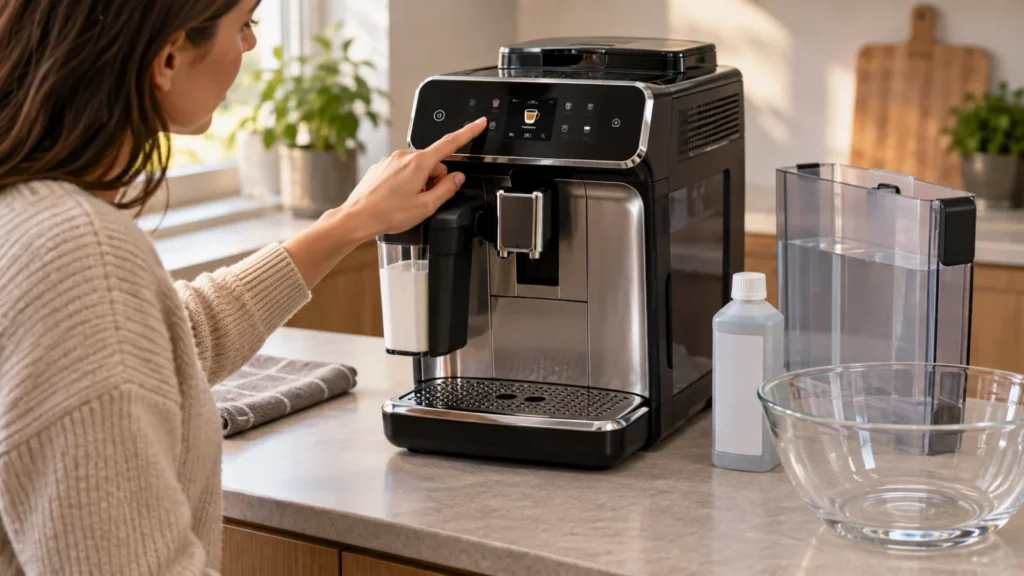
Cover image: representative illustration only. It does not show the exact model, control layout, or a procedure to copy. Use the model-specific instructions and diagrams below.
Descaling a Philips 3200 LatteGo removes mineral deposits from the internal water circuit and helps maintain normal water flow, temperature and pump performance. The machine tells you when descaling is required by slowly flashing the Calc/Clean light.
The complete Philips 3200 descaling procedure takes approximately 30 minutes and includes two stages: a descaling phase followed by a fresh-water rinse. Once the cycle has started, allow it to finish completely.
Quick answer: Remove the LatteGo container and AquaClean filter, empty the drip tray and grounds container, pour a full bottle of Philips descaler into the water tank, and add water to the Calc/Clean mark. Place a 1.5-liter container under both outlets, hold the Calc/Clean button for three seconds, and press Start/Stop. Refill the tank with fresh water when prompted and press Start/Stop again to complete the rinse.
What you need
- Philips descaling solution or another product explicitly approved for compatible automatic espresso machines
- A collection container with a capacity of at least 1.5 liters
- Fresh drinking water
- Approximately 30 minutes
- Access to a sink for emptying and rinsing the water tank
You do not need coffee oil remover tablets for this procedure. Descaling solution removes mineral deposits from the water circuit, while coffee oil tablets clean coffee residue from the brew group. These are different maintenance procedures.
Important precautions before descaling
- Keep your hands away from the outlets while hot liquid is being dispensed.
- Do not drink any liquid collected during descaling.
- Remove the AquaClean water filter before adding descaler.
- Do not interrupt the machine unless the procedure must be stopped for safety.
- Do not remove the brew group while the machine is in descaling mode.
- Keep the 1.5-liter container beneath both the coffee and hot-water outlets.
Do not use vinegar
Philips specifically advises against descalers based on sulfuric acid, hydrochloric acid, sulfamic acid or acetic acid, including household vinegar. These products may damage the water circuit and may not dissolve scale correctly.
Use the amount and dilution specified for your approved descaling product. The official Philips procedure uses the whole bottle of Philips descaler, followed by water up to the Calc/Clean indication on the tank.
When should you descale a Philips 3200?
Run the descaling procedure when the Calc/Clean light starts flashing slowly. Do not rely only on a fixed calendar interval because scale accumulation depends on water hardness, drink volume and AquaClean filter use.
Other symptoms that may accompany scale buildup include:
- water flow becoming gradually weaker;
- coffee temperature decreasing;
- the pump becoming louder than usual;
- drinks taking longer to dispense;
- less water coming from the hot-water outlet;
- the Calc/Clean warning returning after startup.
These symptoms can also have other causes. If the Calc/Clean light is not illuminated, first check the water tank, AquaClean filter, brew group and dispensing outlets using our Philips 3200 LatteGo troubleshooting guide.
How to descale a Philips 3200 LatteGo
Step 1: Keep the machine switched on
The official procedure begins with the machine switched on and ready for use. Allow any startup rinse to finish before beginning.
Step 2: Remove LatteGo
Remove the LatteGo milk container from the hot-water connection. If your particular Philips 3200 variant uses a classic milk frother, remove that attachment instead.
Do not put descaling solution inside the LatteGo container. The solution belongs only in the main water tank.
Step 3: Empty the drip tray and grounds container
Pull out the drip tray and coffee grounds container. Empty both parts and return them to their normal positions.
This step is important because rinse and pressure-release water may enter the drip tray during the procedure. Beginning with a full tray can cause an overflow.
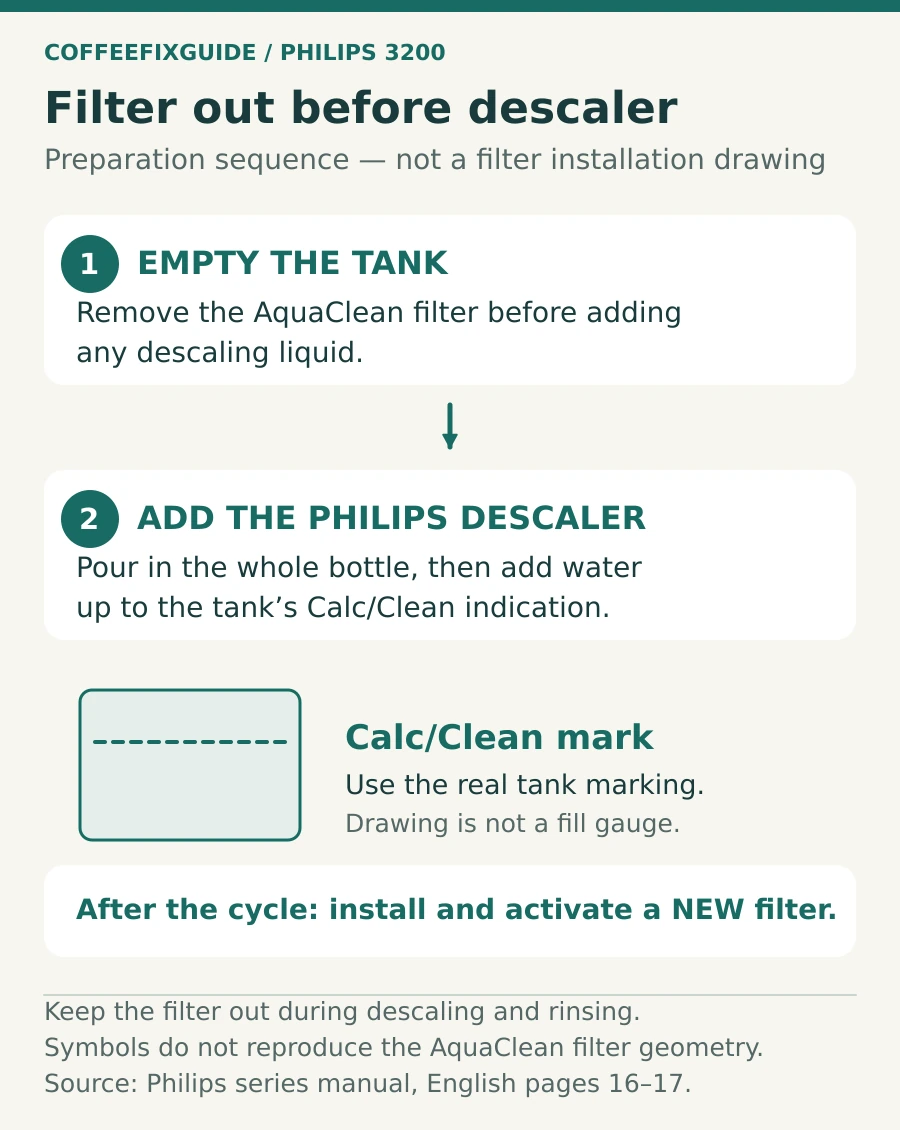
Step 4: Remove the AquaClean filter
Remove the water tank and empty it completely. If an AquaClean filter is installed, pull it out before adding descaling solution.
Running concentrated descaling solution through the filter can reduce its performance. Philips instructs users to install and activate a new AquaClean filter after the procedure is complete.
Step 5: Add descaling solution
- Pour the complete bottle of Philips descaling solution into the empty water tank.
- Add fresh water up to the Calc/Clean indication.
- Do not exceed the indicated filling level.
- Reinstall the water tank firmly in the machine.
If you are using another approved product, confirm that its dilution is compatible with Philips automatic espresso machines. Do not guess the concentration or mix different descaling products.
Step 6: Position a large container
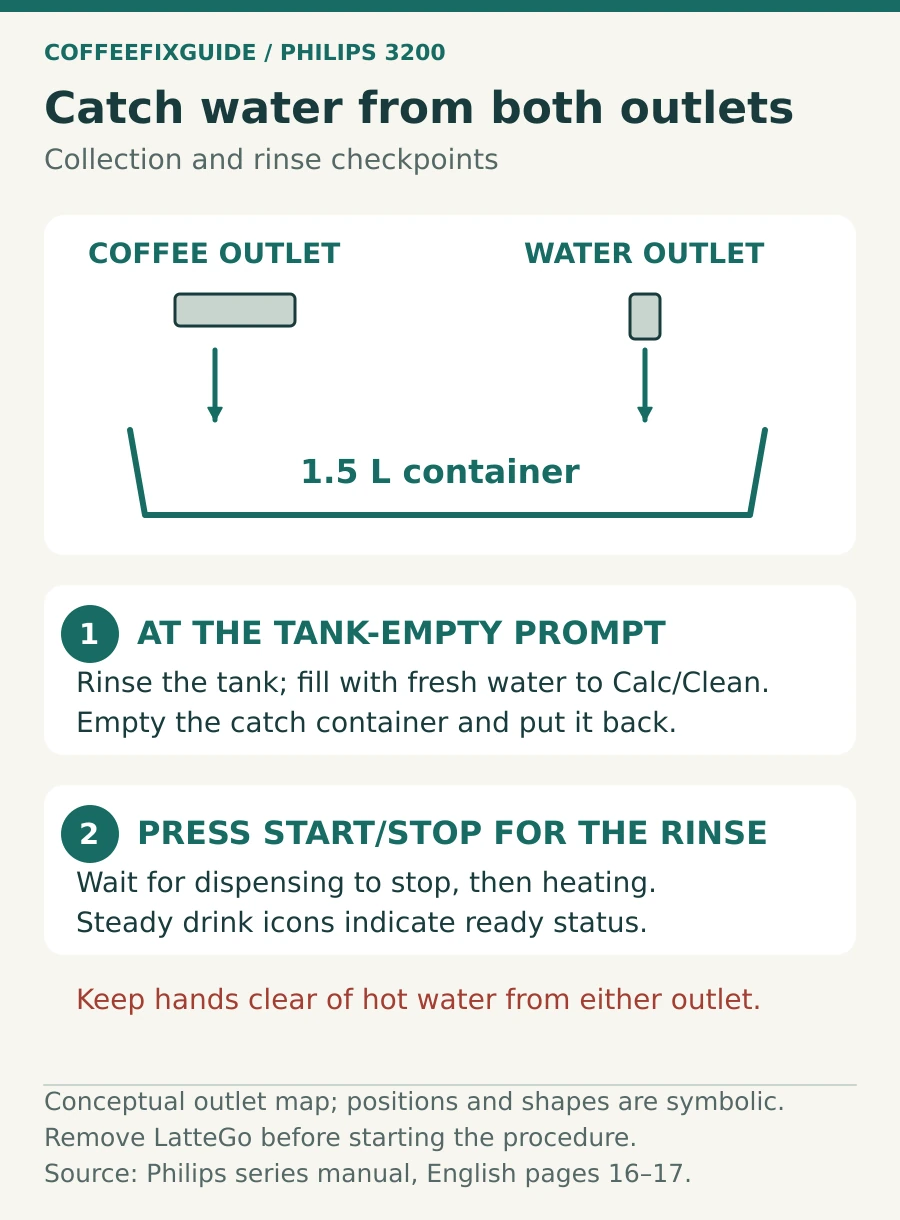
Place a container holding at least 1.5 liters beneath both the adjustable coffee dispensing spout and the hot-water outlet.
Both outlets may dispense liquid during the procedure. A small cup can overflow before the cycle is complete.
Step 7: Start the Calc/Clean cycle
- Press and hold the Calc/Clean icon for approximately three seconds.
- Wait for the Start/Stop light to indicate that the cycle is ready.
- Press the Start/Stop button.
- Leave the machine and collection container in place.
The Calc/Clean light flashes during the descaling phase. The machine dispenses the solution in controlled intervals rather than releasing all of it at once.
Step 8: Let the descaling phase finish
Allow the machine to continue until it indicates that the water tank is empty. Do not add fresh water during the first phase and do not switch the machine off simply because it pauses between dispensing intervals.
Pauses are part of the process. They allow the descaling solution time to work inside the water circuit.
Complete the fresh-water rinse
Step 9: Rinse and refill the water tank
- Remove the empty water tank.
- Rinse it thoroughly to remove all descaling solution.
- Fill it with fresh water up to the Calc/Clean indication.
- Reinstall it firmly.
Step 10: Empty the collection container
Carefully empty the collected descaling liquid into the sink. Rinse the container and return it beneath both the coffee spout and hot-water outlet.
Step 11: Start the rinse cycle
Press the Start/Stop button again. The machine begins the second stage of the procedure—the fresh-water rinse.
According to the Philips manual, this rinse stage lasts approximately three minutes. During the rinse, control-panel lights may switch on and off to indicate that the process is still running.
Step 12: Wait for automatic completion
Do not stop the rinse manually. The descaling procedure is complete when the machine stops dispensing water and begins heating again.
Wait until the drink icons remain continuously illuminated. This indicates that the Philips 3200 is ready for normal use.
How to confirm descaling is complete
The procedure has completed correctly when:
- the machine has stopped dispensing rinse water automatically;
- the Calc/Clean cycle is no longer active;
- the machine heats normally;
- the drink icons remain steadily illuminated;
- you can select a normal drink again;
- no descaling odor remains in the dispensed water.
If the Calc/Clean light continues flashing, the cycle may not have completed. Check that you performed the fresh-water rinse after the first tank became empty.
What to do with the AquaClean filter afterward
Philips instructs users to install and activate a new AquaClean filter after descaling. The AquaClean light may flash temporarily as a reminder.
Prepare the replacement filter according to its instructions before installation. This normally includes shaking the filter, immersing it upside down in cold water until trapped air is released, inserting it into the water tank and activating it through the machine controls.
Do not simply place a dry filter into the tank. Trapped air can restrict water flow and cause loud pumping or a no-water condition.
What if the descaling cycle was interrupted?
The Philips 3200 can exit descaling mode if the power button is pressed, but an interrupted procedure does not mean that descaling has been completed.
If the cycle stops before completion:
- Empty and thoroughly rinse the water tank.
- Fill it with fresh water to the Calc/Clean indication.
- Switch the machine back on.
- Allow the automatic startup rinse to finish.
- Dispense approximately half a tank of hot water using repeated hot-water cycles.
- Brew two pre-ground coffee cycles without adding any ground coffee.
- Run the complete descaling procedure again as soon as possible if the warning returns.
The additional rinsing is necessary to remove any descaling solution remaining inside the machine.
Philips 3200 stuck in descaling mode
If the machine appears stuck, first confirm which stage it has reached. A pause during the descaling phase is normal.
| What you see | Likely explanation | What to do |
|---|---|---|
| Calc/Clean light flashes and dispensing pauses | Normal descaling phase | Wait and do not interrupt the machine |
| Water-tank warning appears | The first phase has finished | Rinse and refill the tank with fresh water |
| Start/Stop light waits after refilling | The rinse phase has not started | Press Start/Stop once |
| Machine keeps requesting water | Tank is not seated or more rinse water is required | Fill and reinstall the tank firmly |
| Calc/Clean warning remains after interruption | The procedure was not fully completed | Rinse the machine and repeat the complete cycle |
Common Philips 3200 descaling mistakes
- Leaving the AquaClean filter installed during descaling
- Adding descaler without first emptying the tank
- Using a cup smaller than 1.5 liters
- Placing the container under only one outlet
- Switching the machine off during a normal pause
- Refilling the tank before the first phase requests it
- Forgetting to press Start/Stop to begin the rinse
- Using vinegar instead of an approved descaler
- Removing the brew group during descaling mode
- Making coffee before all descaling solution has been rinsed out
Descaling versus cleaning tablets
| Maintenance procedure | What it removes | Where it works |
|---|---|---|
| Descaling | Mineral and limescale deposits | Internal water circuit and heater |
| Coffee oil tablet | Coffee oils and residue | Brew group and coffee circuit |
| Brew-group rinsing | Loose grounds and coffee residue | Removable brew group |
| LatteGo cleaning | Milk residue | Milk container and air channels |
Do not place a coffee oil tablet in the water tank and do not substitute a cleaning tablet for descaling solution.
How to reduce future scale buildup
- Set the machine’s water-hardness level correctly.
- Use a properly activated AquaClean filter where appropriate.
- Replace the filter when the machine requests it.
- Keep the water tank clean and refill it with fresh water.
- Complete the Calc/Clean procedure as soon as the light begins flashing.
- Do not reset warnings without performing the required maintenance.
Frequently asked questions
How long does Philips 3200 descaling take?
The official procedure takes approximately 30 minutes. This includes the main descaling phase and the fresh-water rinse.
How much descaling solution should I use?
The official instructions specify pouring the complete bottle of Philips descaler into the water tank and then adding water to the Calc/Clean indication.
Should I remove the AquaClean filter before descaling?
Yes. Remove the AquaClean filter before adding descaling solution. Philips recommends installing and activating a new filter after the completed procedure.
Can I use vinegar to descale a Philips 3200?
No. Philips specifically warns against descalers based on acetic acid, including vinegar, because they may damage the water circuit and may not dissolve scale correctly.
Why is my Philips 3200 Calc/Clean light still flashing?
The fresh-water rinse may not have been completed. Refill the rinsed water tank with fresh water to the Calc/Clean mark, reinstall it and press Start/Stop to continue.
Can I remove the brew group during descaling?
No. The brew group can remain locked while the machine is in descaling mode. Finish the complete procedure before trying to remove it.
Can I make coffee immediately after descaling?
Yes, after the complete rinse has finished, the machine has heated up and all drink icons remain steadily illuminated. If you can still smell descaling solution, run additional fresh hot water before brewing.
Official Philips instructions
This guide follows the procedure described in the official Philips 800/1200/2200/3200 Series user manual. Always confirm the complete model number printed inside the service door because controls and accessories can differ between EP32xx variants.
Last verified: September 19, 2026. CoffeeFixGuide is an independent troubleshooting resource and is not affiliated with Philips.