
You select 12 oz on your Keurig K-Supreme, hear the brewer run, and find only a few ounces in the mug. Before running another descale cycle, remove the pod and try a cleansing brew into a large ceramic mug. That tells you whether the short cup happens only with a pod or whether water flow is restricted even without one.
Quick sequence for the standard K-Supreme: Check that the reservoir is seated and contains enough water, try the brewer’s water-purge procedure, clean the removable K-Cup pod holder and its exit needle, then run two pod-free cleansing brews. If the short cup persists, follow the complete descale procedure for your exact model. Stop and contact Keurig if it still produces partial cups after two complete descale attempts.
This article is for the standard Keurig K-Supreme covered by Keurig’s K-Supreme Use & Care Guide (the one with 6, 8, 10 and 12 oz size buttons and a separate brew button). K-Supreme Plus and K-Supreme SMART controls differ. Verify the name printed on your brewer before trying a button combination.
Prefer step-by-step checks? Start the K-Supreme partial-cup diagnostic wizard. Confirm the standard K-Supreme control panel before using a button combination.
Which kind of partial cup do you have?
| Observation | First check |
|---|---|
| Only one pod gives a short or slow cup. | Try another undamaged pod, then a pod-free cleansing brew. |
| A pod-free brew is short too. | Check reservoir seating, purge water and clean the pod holder. |
| Coffee grounds appear in the cup. | Inspect the exit needle and the entrance needle holes for residue. |
| The brewer does not start at all. | Check the reservoir’s minimum water level; this is a no-brew fault, not a partial cup. |
| The DESCALE light is illuminated. | Complete the model’s descale and fresh-water rinse sequence. |
Do not lift the handle while a cycle is running. Keurig warns that the pod holder contains very hot water during brewing.
1. Check the reservoir and try a pod-free brew
- Let the brewer finish and cool before opening the handle. Remove the used pod.
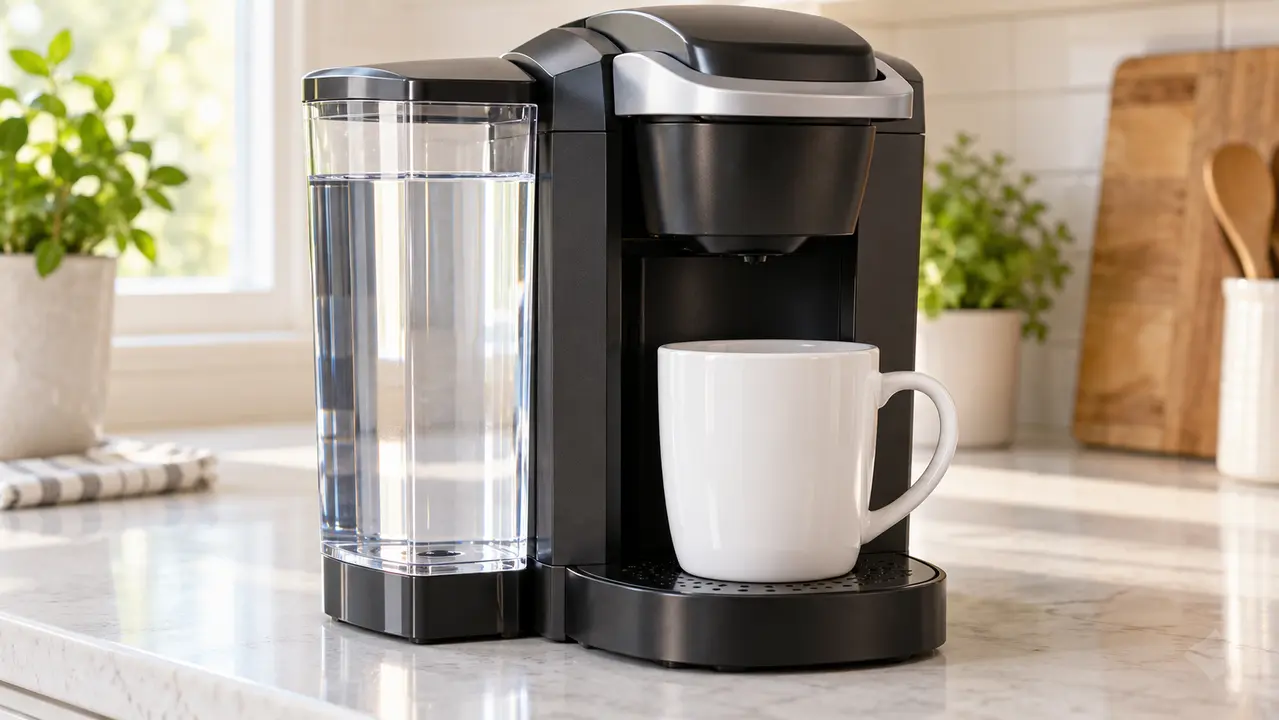
- Lift the water reservoir, fill it with fresh water below the MAX line, and set it back firmly. The standard K-Supreme guide states that at least 6 oz is required to brew; if a cycle will not start, add another 2 oz before retesting.
- Place a large ceramic mug under the outlet, close the empty handle, select a size and run one cleansing brew with no pod.
- Compare the output with a prior pod-free cycle or the size you selected. The printed cup-size setting is a useful reference, though some variation is normal; a consistently much shorter output calls for the checks below.
2. Use the K-Supreme water-purge procedure
Keurig lists a purge as its first troubleshooting step for a partial cup on the standard K-Supreme. Use this combination only if your control panel matches the standard model described above.
- Remove any pod and place a large ceramic mug under the outlet. Confirm that the reservoir contains clean water.
- Power the brewer off, leaving it plugged in.
- Press and hold the brew button and 12 oz button together for about five seconds, until water starts dispensing.
- Release both buttons and let the water purge finish. Empty the hot water into the sink, then press Power to restart.
- Try another pod-free brew. If it is still short, clean the holder and exit needle.
If your brewer has different buttons, skip this combination and consult its own Use & Care Guide. Do not keep repeating the purge if there is no water output or an unusual electrical smell.
3. Clean the pod holder and exit needle
Coffee grounds can block the exit needle in the bottom of the removable K-Cup pod holder. The needle is sharp, so keep fingers away from its opening.
- Switch the brewer off, unplug it and wait until the pod holder is cool.
- Lift the handle. Remove the K-Cup pod holder by holding its top and pressing upward from beneath until it releases, as shown in Keurig’s manual.
- Pull the funnel away from the holder. Rinse and clean the removable holder and funnel, then locate the exit needle inside the bottom of the holder.
- Carefully insert a straightened paper clip into the exit needle opening to loosen grounds, following Keurig’s instructions. Avoid pressing sideways or attempting to remove the fixed needle.
- Snap the funnel back into place, then align and reinstall the pod holder so it seats fully.
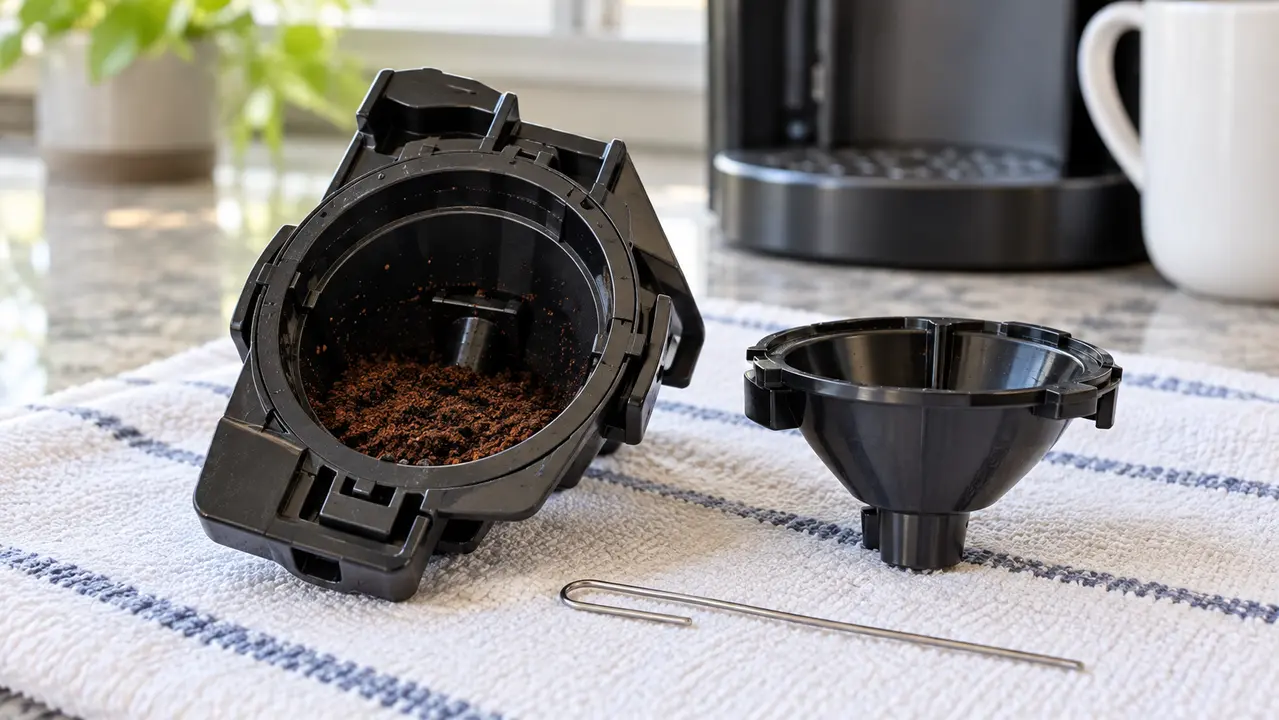
If grounds are visible at the entrance needles under the raised handle, the manual also describes gently clearing their holes with a straightened paper clip. The standard K-Supreme has multiple entrance needle holes: follow the manufacturer diagram rather than guessing their positions. Then lower the handle and run two pod-free cleansing brews. Do not touch the needles with your fingers.
4. Descale if the flow remains short
If a cleansing brew is still consistently short after the holder is clean, mineral buildup may be restricting flow. Follow our K-Supreme descaling guide from start to finish, including all fresh-water rinses. The DESCALE light does not necessarily clear after a single solution cycle; see our descale-light troubleshooting guide if it stays on.
Keurig says to contact customer service if the brewer still makes partial cups after two complete descale procedures. Repeating chemical descaling indefinitely is not a repair strategy. If the brewer lost power during descaling, use the separate K-Supreme will not turn on after descaling guide instead.
When to stop
- Water leaks from inside the case or onto the cord or outlet.
- The machine smells burnt, trips the circuit or shuts itself off repeatedly.
- No water moves even during the prescribed purge with a full, seated reservoir.
- The holder is damaged or will not snap back into place.
- Two correctly completed descale attempts have not restored flow.
Do not open the electrical housing or use sharp tools beyond the needle-cleaning method described by Keurig.
Frequently asked questions
Why does my K-Supreme brew only half a cup?
A clogged exit needle or pod holder is a common first check. Keurig also lists a water purge and descaling in its partial-cup troubleshooting sequence. Start with the pod-free test to see whether the issue persists without a capsule.
Is the K-Supreme purge the same as descaling?
No. The purge is a short water-flow troubleshooting step; descaling uses the machine’s complete solution and rinse procedure. Do not put descaling liquid in the tank for the purge.
Can I use the brew-plus-12-oz buttons on K-Supreme Plus or SMART?
Do not assume so. This combination comes from Keurig’s standard K-Supreme Use & Care Guide. Match your model and panel to the correct manual first.
Official source
Keurig K-Supreme Use & Care Guide (PDF): “Brewing a Partial Cup,” “Exit Needle,” “Entrance Needles,” and descaling sections.