Cover image: representative equipment, not an exact model or control-layout reference. The checklist in this guide shows the relevant owner checks.
Quick answer: To descale a Saeco Xelsis SM768x, use its guided Descale program rather than running descaler through an ordinary coffee cycle. Remove the AquaClean cartridge, prepare the tank at the CALC CLEAN mark and put a large collecting container under the spouts. Complete the fresh-water rinse before making a drink. This guide helps you prepare and keep track of the stages; follow your machine’s display for each confirmation. If the machine is leaking or cannot move water, resolve that fault before starting a chemical cleaning cycle.
Check the model: The procedure below follows the manual for SM7680, SM7683, SM7684, SM7685 and SM7686. It does not describe the older HD-series Xelsis or the newer Suprema/Deluxe interface. The official Saeco descaling page separates its videos by series; select SM76XX for this family.
Prepare the counter before opening the descaler
Read the current screen first. A request to replace a filter and a request to descale are different jobs. Write down any error message instead of dismissing it, especially if the problem began before today’s maintenance.
- Keep the matching manual open and identify the tank’s fill markings before mixing anything.
- Have fresh water, a stable heat-resistant collection container and a cloth within reach.
- Clear enough space to carry the filled container to the sink without reaching over the machine.
- Keep children away, avoid hot discharge and follow the descaler label’s handling precautions. Never drink or taste the collected liquid.
No screwdriver or internal replacement part is needed. Do not schedule this job just before leaving home: allow time for preparation, the on-screen cycle and cleanup rather than relying on a countdown alone.
The model-specific sequence
- Select Clean → Descale, or accept the machine’s descale prompt.
- Empty and reinstall the drip tray and grounds container. Empty the water tank and remove AquaClean.
- Add one full bottle of the specified Philips descaler, then water to CALC CLEAN. Refit the tank. The manual lists CA6700; use the correct single-cycle product and its label, not an arbitrary bulk-bottle quantity.
- Place a container of at least 1.5 liters beneath the coffee outlet. Follow the display to begin.
- When prompted, rinse the tank and complete the fresh-water rinsing stage. The cited manual describes roughly 15 minutes for the program.
- After completion, prepare, install and activate a new AquaClean filter as directed.
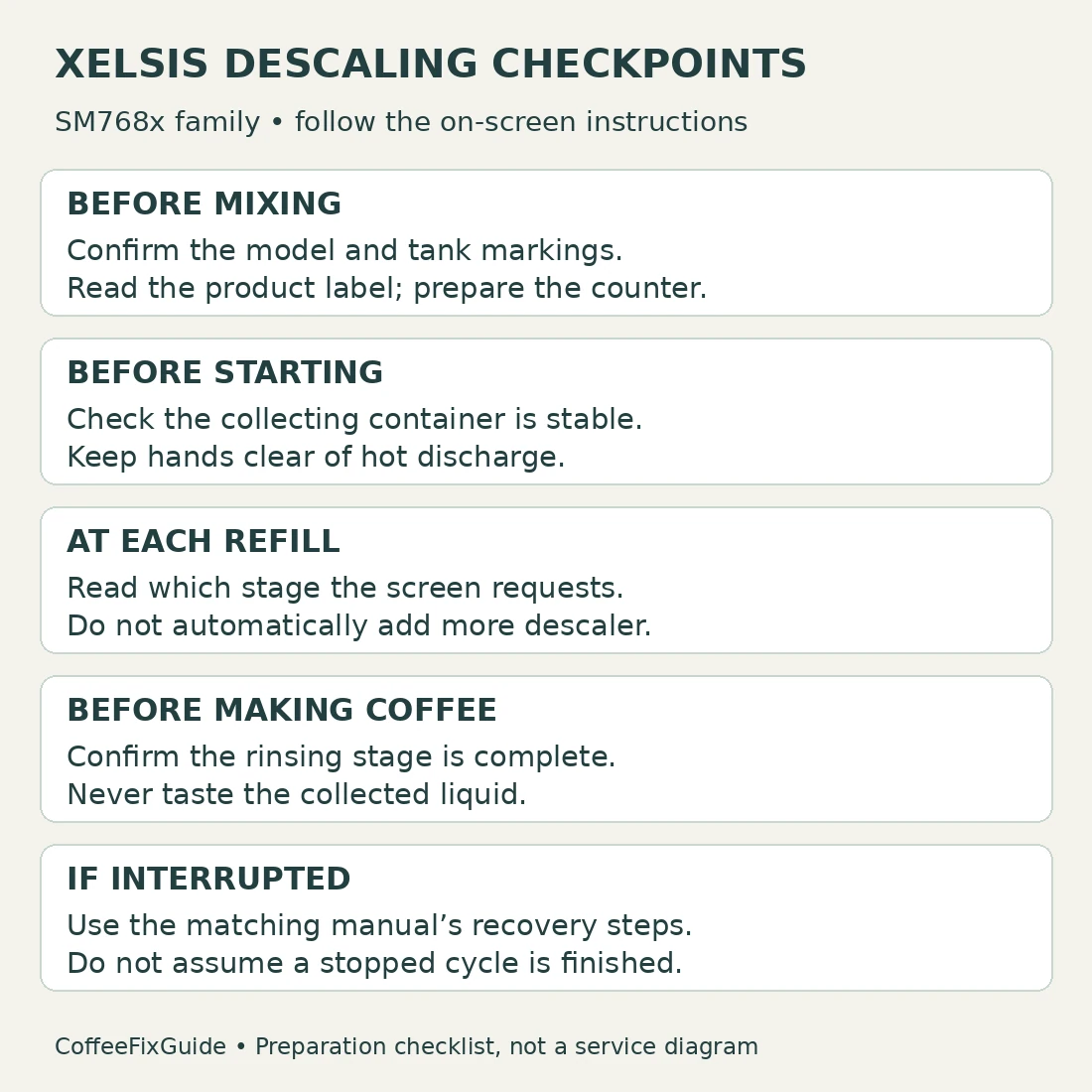
Keep track of what the machine is asking for
The useful checkpoint is the instruction on the display, not simply whether liquid stopped flowing. Read it before adding more solution or pressing another control.
| Situation | What to do | What to avoid |
|---|---|---|
| The screen asks for a tank refill | Read which stage and liquid it requests. | Assuming every refill needs more descaler. |
| You are unsure whether rinsing finished | Check the displayed status before making a drink. | Using taste as a residue test. |
| A warning appeared before starting | Record the exact message and resolve its cause. | Treating descaling as a universal repair. |
| Water appears beneath the machine | Stop safely and investigate the leak. | Continuing simply to finish the countdown. |
If the program was interrupted
An interrupted cycle is not a completed cycle. Before brewing, use the recovery instructions on printed page 20 of the SM768x manual. It specifies tank rinsing and additional flushing, and says an unfinished descale must be repeated soon. Do not substitute a single coffee brew for that procedure.
If you cannot tell whether the machine stopped in the chemical or fresh-water stage, photograph the screen and contact support with the full model code. An uncertain stage is a reason to check the instructions, not to guess how much extra chemical to add.
Choose the right related guide
For cartridge preparation and activation, see Xelsis AquaClean replacement. For the removable brewing mechanism, use brew-group cleaning. Keep these tasks separate so you can tell which maintenance was actually completed.
For a displayed water-circuit fault, use Xelsis error 05. For an external puddle, follow the leak-location checks. Return to the Xelsis model hub for other symptoms.
Frequently asked questions
Can I use vinegar?
The cited Xelsis manual rules out vinegar and specifies Philips descaler. Do not improvise a concentration or mix cleaning products.
Is the CALC CLEAN mark the same as MAX?
Follow the named mark in the procedure. Do not substitute MAX just because it is easier to see.
Should I buy a repair part if the descale message returns?
Not from that message alone. Record whether the program actually finished and whether another error appeared. Ask support to identify the fault before ordering parts.
Sources and editorial scope
This is a document-based maintenance guide, not a hands-on test report. The cover shows representative equipment; the original checklist illustrates preparation and completion checks, not exact part geometry.
- Official Saeco Xelsis SM768x manual — printed pages 19–20, descaling and interruption recovery.
- Saeco descaling video selector — select the SM76XX series.
- Official SM7685/04 support and documentation.