Saeco Xelsis not dispensing coffee? First check whether the machine also fails to dispense hot water. That one observation separates a possible water-supply problem from a coffee-only symptom. Xelsis covers SM, HD and RI generations; read the full model code on your label and use the matching manual for its controls.
Safety: Stop if liquid reaches the electrical base, the cord is damaged, or there is a burning smell. Never open the housing. Let the machine finish its cycle and switch off normally before removing the brew group. Do not force a stuck group.
Last verified: September 26, 2026. The checks below follow Saeco’s manufacturer troubleshooting guidance, which explicitly includes Xelsis. Button names and the presence of an SBS knob vary by generation.
Start with the symptom
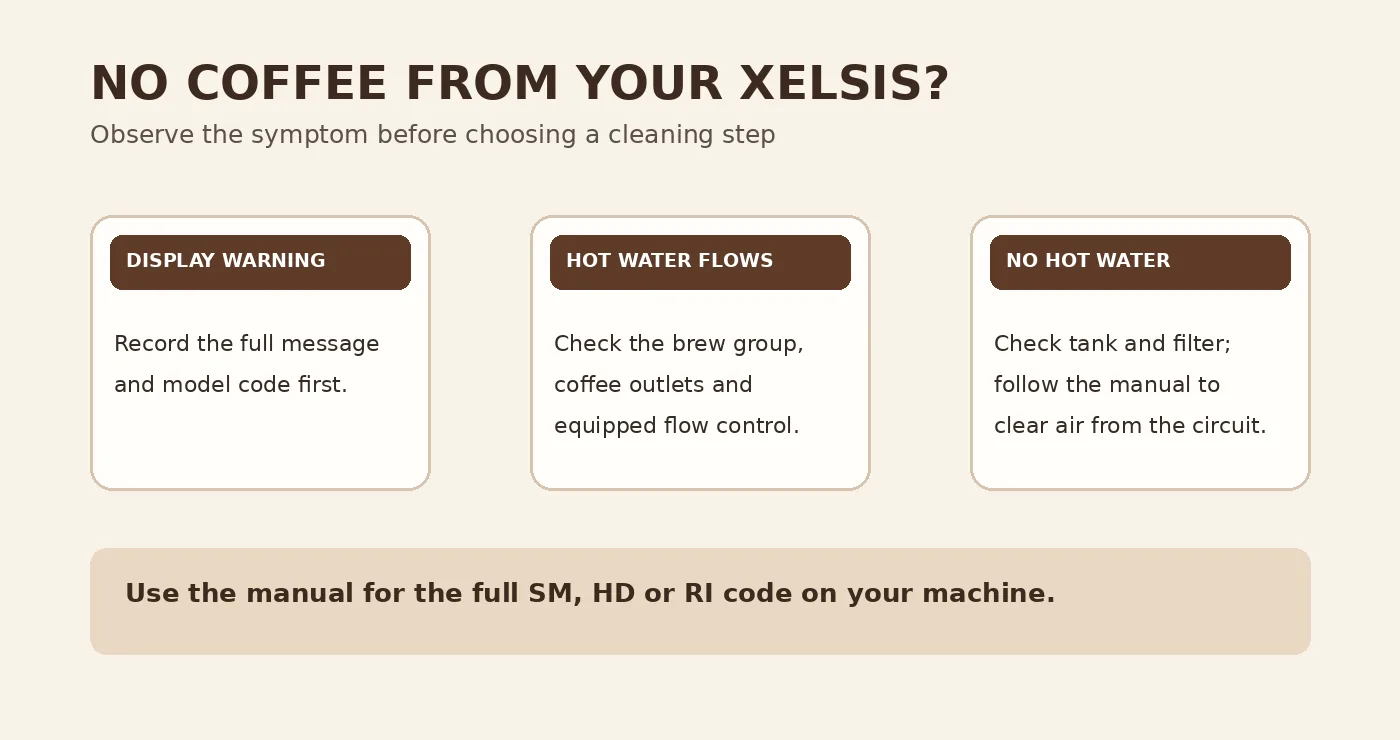
| What you see | First check |
|---|---|
| Neither coffee nor hot water flows | Water tank, filter seating and an air-filled water circuit |
| Hot water flows, but coffee only drips | Brew group, coffee outlets and the exact-model flow control |
| Grinder runs, but the cup is clear or weak | Accessible coffee funnel and brew group |
| A numbered service code or warning appears | Record the exact message and use the matching manual. If it says 01, see the Xelsis Error 01 guide. |
1. Record the Xelsis version and any display warning
Check the full code, such as SM7684/04, rather than the word Xelsis alone. Photograph the display. A “fill water tank” prompt, a service code and a drink that runs but produces no coffee are separate problems. If the machine stops before starting the drink, deal with the displayed prompt first. Use Saeco support for SM7684/04 only if that is your model; otherwise search the support catalog for your full code.
2. Check the tank and water filter
Make sure the tank is filled and seated. Look for loose beans or particles in its compartment and remove only what is accessible. If you recently installed an AquaClean or other supported filter, switch off and remove it according to your manual, then test one hot-water dispense. If flow returns, prepare the filter as its instructions require; a clogged filter may need replacement. Do not order a pump because removing the filter changed the result.
When no coffee or water comes out, Saeco also recommends dispensing two or three cups of hot water to clear air from the circuit. Use the hot-water control described in your exact manual, and stop if the tank empties or water leaks from the housing.
3. If hot water works, inspect the removable coffee path
Allow the machine to finish and switch off. Once it is quiet, remove the brew group only by the manual’s method. Rinse the accessible group under the tap and lubricate it only where and with what Saeco specifies. Refit it securely. Do not pull against the drive if it will not release normally. Saeco names a dirty brew group as one possible reason for very weak output or an empty cup.
If the grinder operates but coffee does not reach the group, the ground-coffee funnel may be blocked. Only if your version has an accessible funnel and its manual confirms the procedure, clean that passage by the manufacturer’s method; keep water out of the grinder and do not insert fingers into the burrs.
Check whether the coffee outlets visibly contain dried residue. Let them cool and clean only accessible openings in the way described for your version. Saeco lists a clogged coffee spout among the causes of drop-by-drop output.
4. Check a flow control only if your version has one
Saeco’s general Xelsis troubleshooting page mentions an SBS knob: if fitted and closed, move it to the middle position and test one espresso. Some Xelsis generations use different controls, so do not hunt for or force a knob that your machine does not have. A slow shot can also require the exact model’s approved cleaning or descaling program; follow the display and manual instead of adding descaler during an unidentified fault.
When to ask Saeco for service
- Hot water and coffee are both absent after the tank, filter and air-circuit checks.
- The brew group will not release normally, a service code repeats, or the machine stops mid-cycle.
- Water comes from the housing, or you notice heat damage, sparking or a burning smell.
- Output remains absent after the appropriate external cleaning.
Give support the full model code, the exact display message, whether hot water flows and the safe checks you already tried. These observations do not identify a failed pump, valve or board on their own. Start with the Xelsis model page or the Diagnostic Wizard for guided checks.
Manufacturer sources: Saeco troubleshooting; SM7684/04 support and manuals.