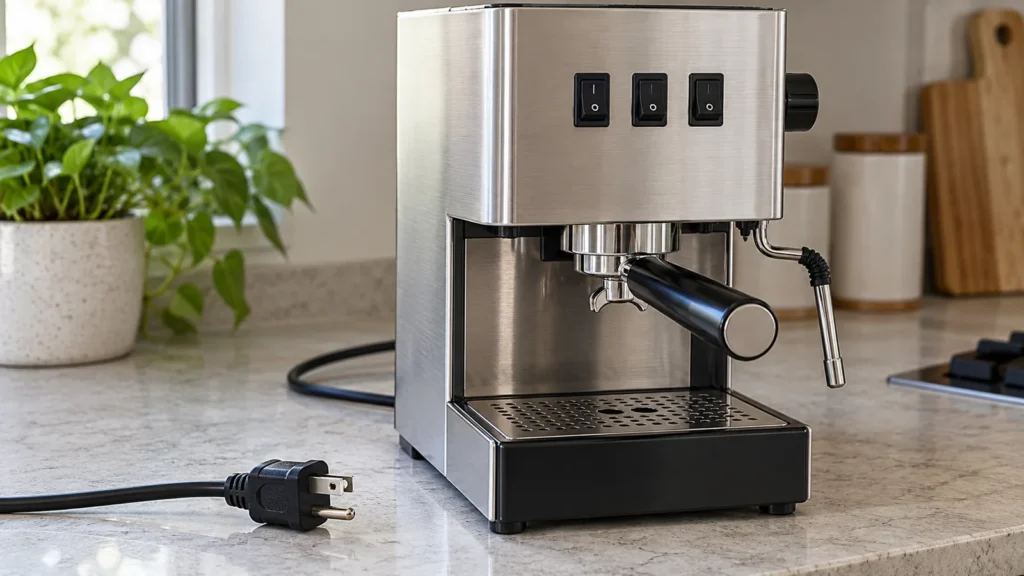
Cover image: representative equipment, not an exact model or control-layout reference. The checklist in this guide shows the relevant owner checks.
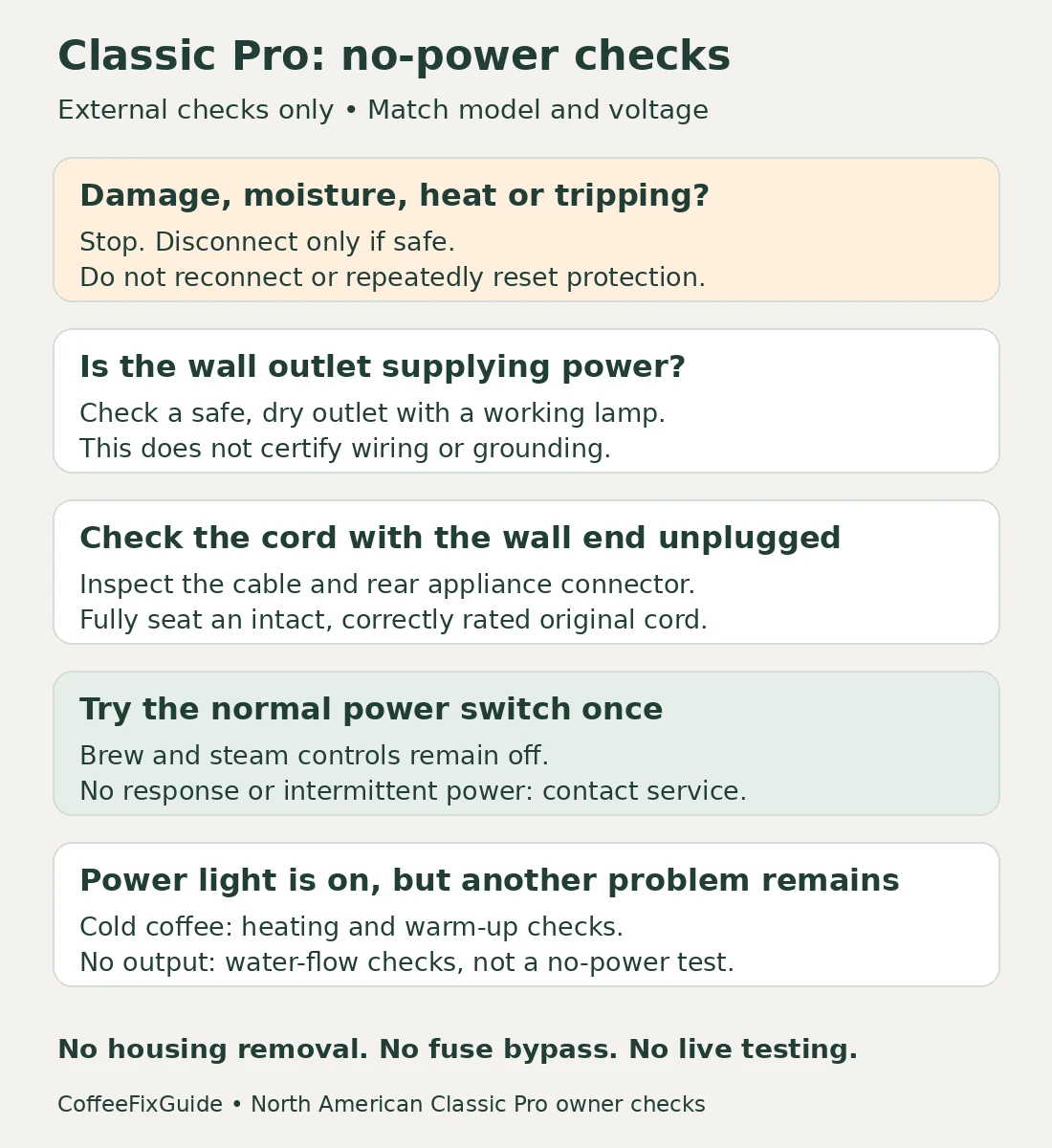
Quick answer: If your Gaggia Classic Pro stays dark when you use its power switch, check the external power supply before assuming an internal part has failed. With the machine unplugged, inspect the cord and seat its detachable connector firmly at the rear. Confirm that a safe, correctly rated wall outlet works, then try the normal power control once. Stop for a damaged plug, moisture, a burning smell or a tripped protective device. If the supply and connections are sound but the machine remains unresponsive, contact service. A dark light alone does not identify a failed fuse, switch or heater.
Scope: These checks use the North American Classic Pro RI9380 documentation. Other Classic generations, regional power controls, E24, Classic GT and Classic UP may differ. For a machine with an aftermarket controller or modified wiring, tell the installer or service technician about the modification.
First decide what “won’t turn on” means
Describe what you observed before it stopped working. Did every light go dark? Is the power light on but the coffee stays cold? Does the pump make a sound without dispensing? Those lead to different checks.
| Observation | Next step |
|---|---|
| No power light or other response | Follow the external supply checks below. |
| Power light is on, but coffee is not hot | Use the heating and warm-up guidance; do not describe this as complete loss of power. |
| Machine powers up, but no water leaves the group | Investigate priming and water flow separately. |
| Power cuts out, a breaker trips, or the plug becomes hot | Stop using the machine and arrange inspection. |
The Classic Pro manual identifies separate power, coffee-temperature and steam-temperature indicators. Looking only at a temperature indicator can give an incomplete picture. Do not touch the group or steam wand to see whether it is heating.
Check the supply from the wall to the machine
You need: dry hands, a dry counter, access to the plug, and optionally a known-working small lamp. No multimeter, screwdriver or replacement component is required for these checks. Allow a few minutes, plus cooling time if the machine was recently used.
1. Stop before testing if something looks wrong
Set the machine’s controls to off. If safe to do so, unplug by holding the plug rather than pulling the cable. Look for cuts, crushed sections, discoloration, bent pins or moisture around the plug and appliance connector.
Do not reconnect damaged or wet electrical parts. If water is around a live outlet or you cannot disconnect safely, leave it alone and get qualified help. A machine that went dark immediately after a spill needs inspection, not another power-on attempt.
2. Check the wall outlet without the coffee machine connected
For an undamaged, dry outlet, a known-working lamp can show whether basic power is present. It cannot certify the outlet’s grounding, wiring or ability to supply the espresso machine under load.
If the lamp also fails, resolve the supply problem first. If a breaker or GFCI/RCD has tripped, do not keep resetting it with the coffee machine connected. Follow the protective device’s instructions or ask an electrician; recurring trips need investigation.
If you normally use a timer or smart plug, note that in your troubleshooting record. For the single restart below, use a suitable grounded wall outlet directly. Do not use a travel adapter or remove the earth connection to make a plug fit.
3. Seat the detachable cord at both ends
The checked manual shows a detachable power connection at the rear. With the wall end still unplugged, check that the appliance connector is fully seated. Then connect the original, undamaged cord to an outlet whose voltage matches the machine’s rating.
A connector that looks inserted can be worth checking, particularly if the machine was moved or the counter was cleaned. Do not wiggle a live connector to make intermittent power return. If the inlet is loose or damaged, leave it for service.
4. Make one normal power-on check
Keep the brew and steam controls off, then operate the on/off control normally. Watch the power indicator. There is no need to run the pump merely to test whether the machine has power.
If it starts, stop and consider what changed: a disconnected cord or an external timer is useful evidence. If it stays dark, or only works while a switch is held or a cable is moved, turn it off and arrange inspection. Do not wedge a switch in place.
If it has power, follow the remaining symptom
For an illuminated machine producing cool coffee, see Classic Pro coffee-temperature checks. For a running pump with no output, use no water from the group head. For a steam-only problem, use steam-wand troubleshooting.
If your regional version has automatic standby, consult its manual for normal wake-up behavior. Do not assume a shutdown during brewing is the same thing as an idle-time feature.
What to send the service technician
Provide the model and voltage from existing records or a safely accessible rating label; do not tip a hot, filled machine over to read it. Include when the failure began, which lights responded, whether any protective device tripped, and the result of the outlet and cord checks.
These observations do not establish which internal component failed. The manufacturer directs work beyond cleaning and owner maintenance to authorized service. This guide therefore does not prescribe a thermal-fuse bypass, internal continuity test, live-voltage measurement or speculative replacement-part purchase.
Common questions
Will descaling restore power?
It is not a power-supply test. A machine that cannot start cannot complete a normal maintenance cycle. Investigate the no-power symptom first.
Can I use another cable that fits?
Connector shape alone is not enough to establish compatibility. Ask the manufacturer or service provider for a cord suitable for the exact model, voltage, current and local plug requirements.
Should I keep switching it on until it catches?
No. Intermittent response, heat or movement-sensitive power is information for service, not a workaround to keep using the machine.
Sources and related help
This is a documentation-based owner checklist, not a claim of hands-on electrical testing. The cover shows representative equipment and the diagram shows the decision sequence.
- Gaggia Classic Pro RI9380 US manual — safety, indicator identification, power connection and service limits.
- Gaggia North America manual library — select the correct Pro/Evo or E24 documentation.
Return to the Gaggia Classic Pro model page for related guides.