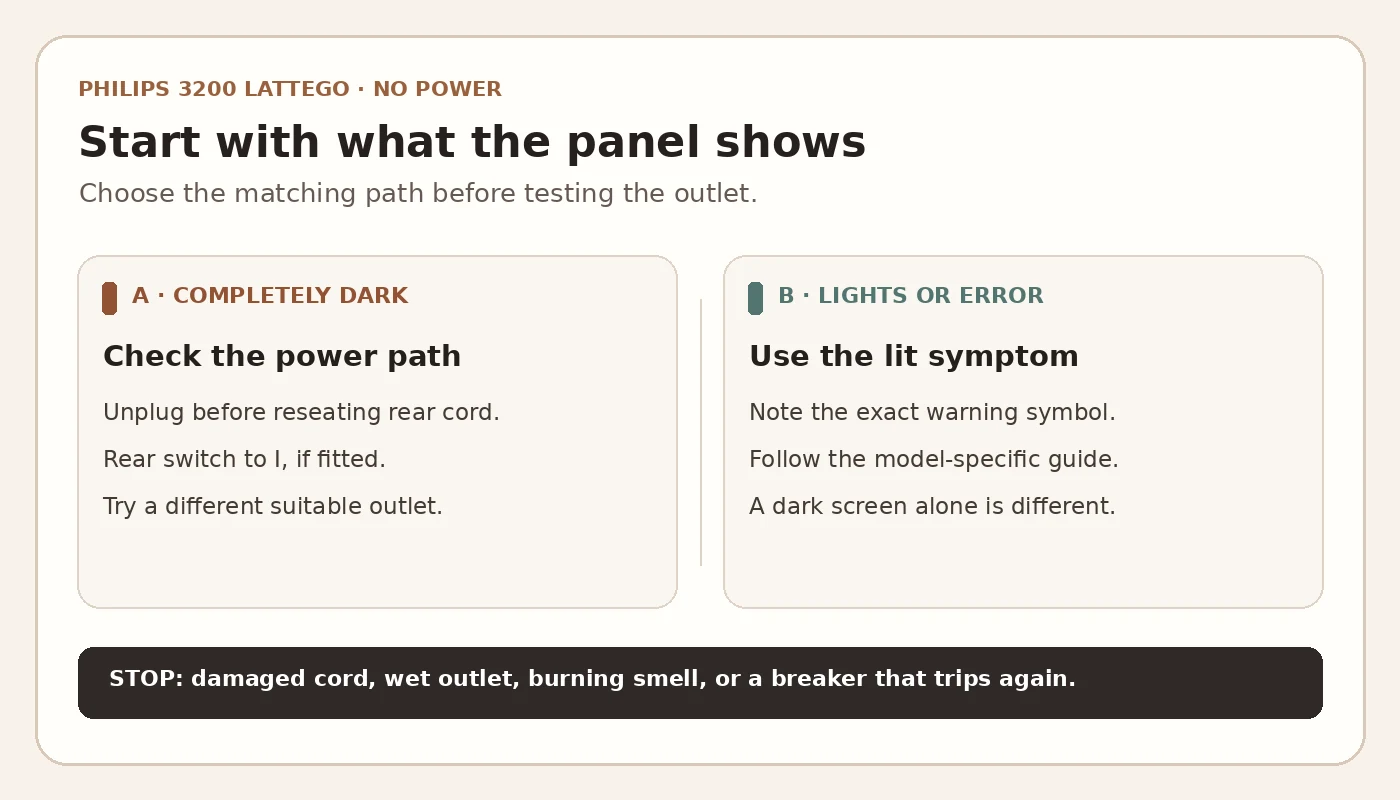
Quick answer: If your Philips 3200 LatteGo is completely dark when you press the standby button, start with the external power path. With the machine unplugged, check that the removable cord is seated at the rear; reconnect it to a suitable wall outlet, set the rear main switch to “I” if your version has one, and press standby. Try another working outlet if there is still no response. Philips recommends these checks and says to contact support when they do not help. A lit warning symbol or an interrupted startup is a different symptom.
This applies to the Philips 3200 LatteGo family. Check the complete EP32xx number and regional manual for the exact location of the cord, switch and controls. The cover is an original illustration of a generic automatic machine, not a photograph of your model. Do not buy a fuse, power board or control panel based on a dark display alone.
First: is the whole machine dark?
| What you observe | Where to start |
|---|---|
| No lights, sound or rinse after pressing standby | Rear cord, rear switch (if fitted), wall outlet, then Philips support. |
| Lights appear, but coffee does not brew | Note the exact icon and consult the Philips 3200 troubleshooting hub. |
| Starts but stops or repeatedly trips the circuit | Stop using it. Do not repeatedly reset the breaker or test internal electrical components. |
A blank touch area with other indicator lights on is not the same as a completely unpowered machine. The external checks below are for the latter. An empty tank, a brew group warning or a descaling light cannot normally be diagnosed by looking at a dark, unpowered panel.
Before you test
You need only the machine’s complete model number, access to its rear connector and a suitable alternative wall outlet. You do not need a screwdriver or meter. Keep the counter, your hands and both plugs dry. If the cord or plug is damaged or hot, water has reached the outlet, there is a burning smell, or a breaker trips again, stop. Disconnect only where it is safe and dry, and arrange qualified electrical or Philips service help. Do not open the casing.
External power checks, in order
- Check the two cord connections. Unplug the wall plug first. If your version uses a detachable cord at the back, inspect the visible connector for damage and push it fully into its normal position without force. Reconnect the wall plug securely. Philips’ setup instructions for the 3200 LatteGo describe a small rear plug and a mains plug; connector details can vary by region.
- Look for a rear main switch. Some Philips espresso machines have a separate switch on the back. Set it to “I” or ON if it exists. Do not spend time looking for a switch absent from your version. Then press the front standby button once and allow the normal startup sequence to begin.
- Try another suitable outlet. If the panel stays completely dark, disconnect and connect the machine directly to another known working wall outlet with the correct supply for its rating label. Philips also suggests checking whether too many appliances share the supply group. Avoid testing through a questionable adapter or overloaded power strip.
- Record the result. If it now starts, the earlier outlet, connection or switch position was the useful clue. If it remains dark at a working outlet, stop owner-level troubleshooting and contact Philips with the full model number and a description of the checks already made.
These steps do not prove which internal component is at fault. A machine that still does not power up can have a fault requiring service, but the same visible symptom cannot distinguish among internal parts. Repair difficulty, time and parts cost depend on the actual diagnosis and region; get a quote before ordering parts. If the estimate is high, our repair vs replace calculator can help compare the options without treating its output as a verdict.
If power returns but the machine still will not make coffee
Write down which indicators illuminate and whether the machine completes its startup rinse. A running machine with no water belongs in the Philips 3200 no-water guide. A machine that displays a brew group warning or has a group that will not move normally belongs in the brew group guide. If the milk drink fails while coffee still works, use the LatteGo frother guide. Those paths begin after the machine powers up; they are not substitutes for a power test.
FAQ
Does every Philips 3200 LatteGo have a rear switch?
No switch should be assumed. Philips says to set it to “I” if present; follow the layout and manual for your exact regional EP32xx model.
Should I descale or reset the machine when it is completely dark?
No. A completely unpowered panel cannot run a descaling program. First do the external power checks; if it stays dark, ask Philips for help.
Can I replace the fuse or power board myself?
Not on the evidence of a dark panel. Philips’ owner instructions stop at the switch, cord and outlet, then refer unresolved cases to support. Ask for a diagnosis and an exact compatible part before considering any repair.
Official sources: Philips: espresso machine does not turn on; Philips: first steps for the 3200 and 3200 LatteGo; Philips: troubleshooting (checked September 27, 2026). CoffeeFixGuide is independent and not affiliated with Philips.