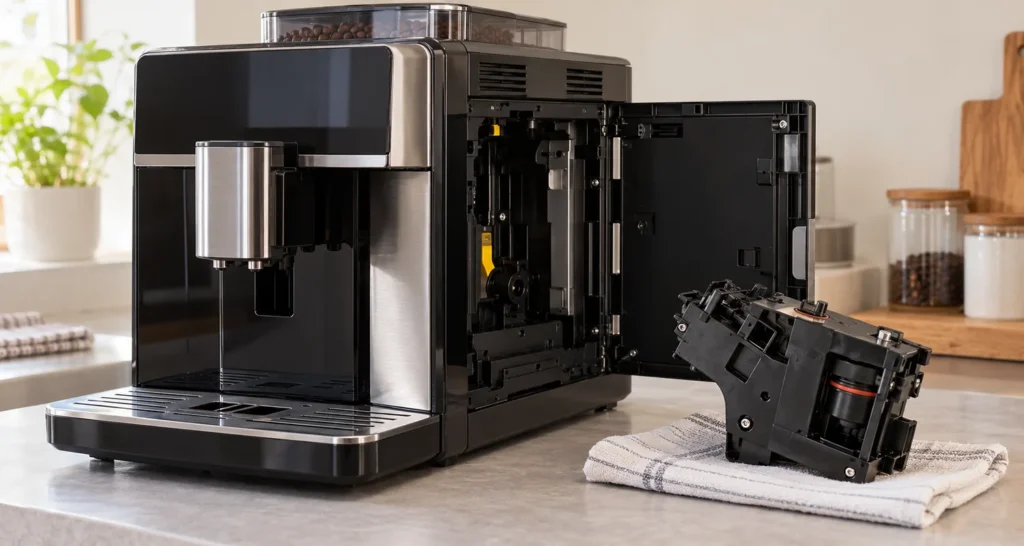
Quick answer: On the Saeco Xelsis SM7680–SM7686 family, Error 04 means the removable brew group is not positioned correctly. Turn the machine off with its main switch, remove the coffee residues drawer and brew group, check the brew group’s two orientation markers, then slide it in on the rails until it clicks. Replace the drawer, close the service door and switch the machine on. Do not push harder if it will not slide into place.
Scope: Xelsis SM7680, SM7683, SM7684, SM7685 and SM7686 covered by the linked Saeco manual. Older Xelsis and newer versions may differ; use the manual matching the model label on your machine. Reviewed against the manufacturer manual on October 10, 2026.
What Error 04 means
The Xelsis manual identifies code 04 as a brew group that is not in the correct position. This is different from 03, which the manual associates with a dirty or insufficiently lubricated group, and 05, which concerns the water circuit. The display’s ordinary “brew group not inserted” warning icon is also distinct from the numbered Error 04, although both call for checking installation.
| What you see | First direction |
|---|---|
| Error 04 after cleaning or reinserting the group | Check the group’s neutral position, locking hook and seating click. |
| Group will not come out | First reset the machine’s parked position using the drawer and door sequence below. |
| Group will not go in | Check the group markers; if needed, reset the machine with the group out. |
| Error 03 instead | Clean and lubricate the brew group as directed by the manual. |
Re-seat the brew group in the correct position
- Stop and power down. Use the main switch at the back. Wait for movement to stop, then unplug before cleaning or removing the brew group. Open the service door and remove the coffee residues drawer.
- Remove the group. Press the marked PUSH button and pull on its grip. If it does not release with ordinary hand pressure, do not lever it out; use the parked-position recovery below.
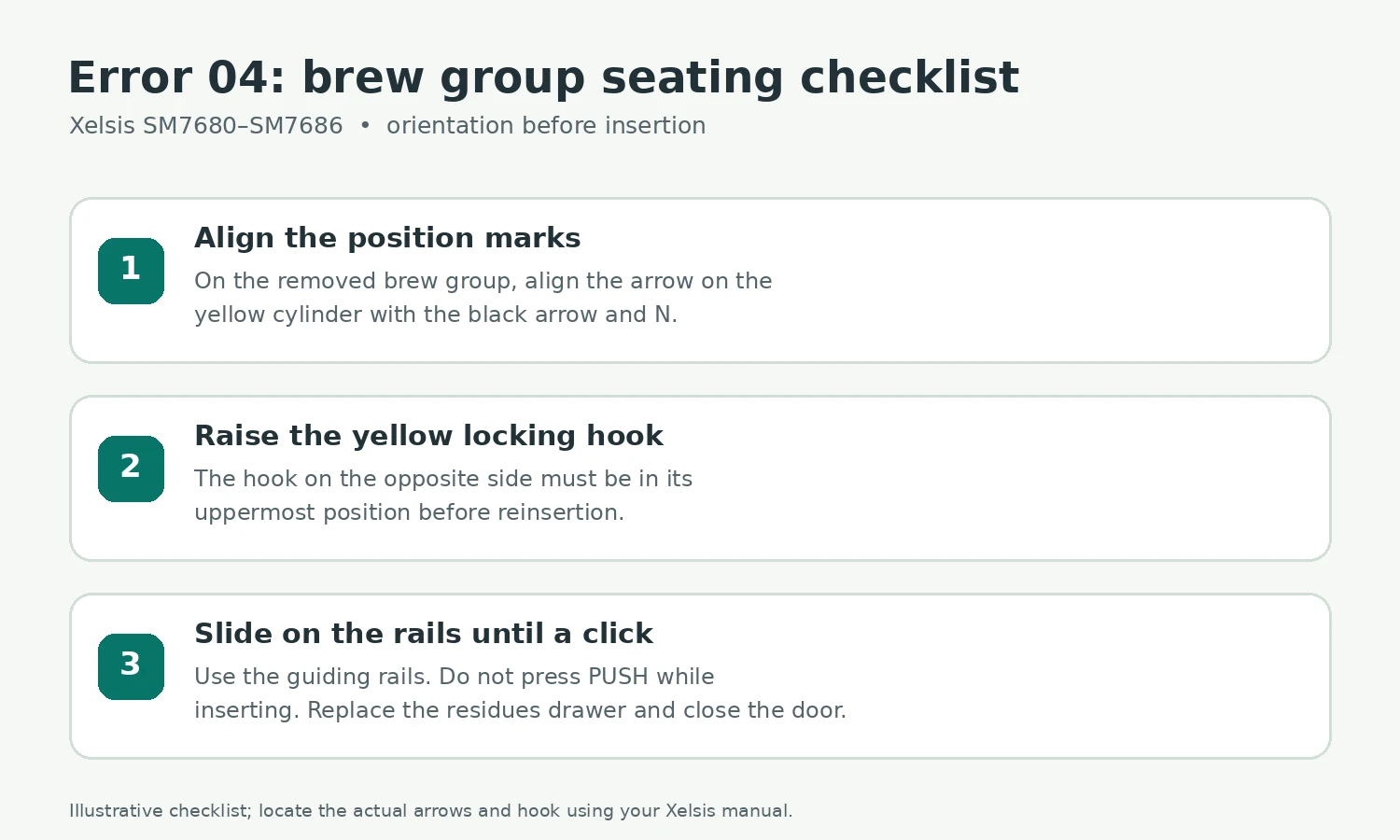
- Check the position markers. On the side of the removed group, the arrow on the yellow cylinder must align with the black arrow and the letter N. If they are not aligned, the Xelsis manual instructs you to press the lever down until it touches the base of the group.
- Check the other side. Move the yellow locking hook to its uppermost position as shown in the manual. Look for obvious coffee debris that stops the group from sitting on the guide rails. Do not dismantle the mechanism.
- Slide it in correctly. Guide the group along the side rails until it locks with an audible click. Do not press PUSH while inserting. Put the coffee residues drawer back and close the service door.
- Test. Reconnect power and switch on. If Error 04 clears, wait for the normal startup to finish before making a drink. If it reappears immediately, note whether the group clicked and whether the door and drawer are fully seated.
If the group is stuck or will not fit
Cannot remove it: Saeco says to replace the drip tray and coffee grounds container, close the service door, switch the machine off and back on, then try again after it has finished moving. Also confirm the grounds container was removed before trying to take out the group. This is a controlled attempt to let the drive return to its normal position, not permission to pull harder.
Cannot insert it: Put the drip tray and grounds container back without the brew group, close the service door and switch the machine on and off as described in the Xelsis troubleshooting table. After movement stops, switch off and unplug, set the removed brew group to its correct position using the arrows and hook, then reinsert it on its rails. A warning while the group is temporarily out is expected; do not try to brew in that state.
If the group feels gritty, Saeco allows rinsing it under fresh water, paying attention to the upper filter. Let it air-dry before replacing it; the manual says not to wipe it dry with a cloth because fibers can collect inside. Lubrication uses the specified brew group grease on the shaft and rails according to the manual, but routine lubrication is not a substitute for correcting the positioning marks. Do not wash the group in a dishwasher or use detergent.
When to stop and contact service
Stop if the brew group cannot be removed or installed with normal hand pressure after the manufacturer reset, a hook or rail appears broken, the machine makes repeated harsh mechanical noises, or Error 04 immediately returns after the group audibly locks. Photograph the exact code and record the model number for Saeco/Philips support. Avoid ordering an arbitrary brew group or internal drive part without matching the model and confirming the fault. The manual reserves work beyond cleaning and user maintenance for authorized service.
Tools, parts and related guides
No tool is needed for the basic reseating check. For cleaning, use fresh water and allow the group to dry; use only the brew group lubricant specified for the model if the maintenance schedule calls for it. Saeco lists brew group grease HD5061 in this manual. Allow about 10–20 minutes plus drying time; a stuck group may require service rather than more force.
See the Xelsis Error 01 guide for a blocked coffee funnel, the Error 05 guide for water-circuit air, and the no-coffee diagnosis when there is no numbered error.
FAQ
Is Error 04 a failed motor?
The code alone does not prove that. Saeco defines it as incorrect brew group positioning. Perform the external seating and parking checks first; have persistent faults evaluated by support.
Should I press PUSH to put the group back?
No. The Xelsis manual says to slide the group along its guide rails until it clicks, without pressing PUSH during insertion.
Can Error 04 appear right after cleaning?
Yes. The group can be reinserted in the wrong position after removal. Check the arrow and N alignment and the yellow hook before trying again.
Sources
- Saeco Xelsis SM7680–SM7686 user manual (PDF) — “Handling the brew group,” “Meaning of error codes,” and troubleshooting table.
- Philips/Saeco Xelsis SM7685/04 support — model support and manual.