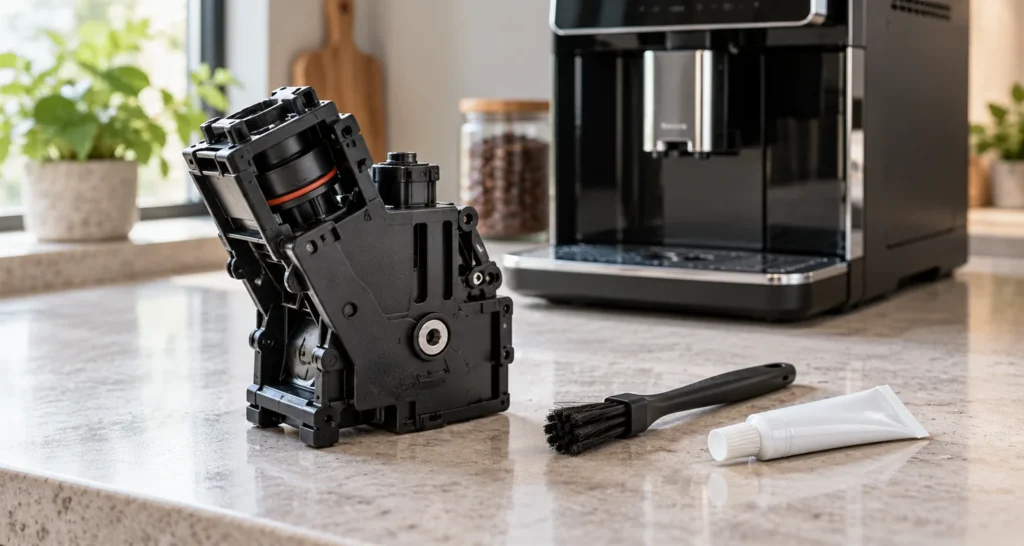
Quick answer: On the Saeco Xelsis SM7680–SM7686, Error 03 means the removable brew group is dirty or has not been lubricated adequately. Switch the machine off, remove the group, rinse it and its upper filter with fresh water, let it air-dry, then apply a thin layer of the specified grease to the lower shaft and the rails on both sides. Reinstall it until it clicks and restart the machine. If the group will not seat, check its position before using force.
Model scope: This guide follows the Saeco Xelsis manual covering SM7680, SM7683, SM7684, SM7685 and SM7686. Other Xelsis generations may differ. Match the full model number on your machine to its own manual. Reviewed October 10, 2026.
Identify the code before cleaning
The Xelsis manual distinguishes three nearby errors: 03 points to a dirty or insufficiently lubricated brew group; 04 means it is not positioned correctly; 05 concerns the water circuit. A blocked coffee funnel is 01. Reading the displayed number prevents an unrelated descaling cycle or water-filter change from being treated as an Error 03 repair.
| Observation | First check |
|---|---|
| Error 03 after long use or little group maintenance | Remove, rinse and inspect the group’s upper filter; check lubrication schedule. |
| Error 04 immediately after reinstalling | Correct the group orientation and seating, not the cleaning cycle. |
| Group cannot be removed normally | Use the manufacturer parking reset described in the Error 04 guide; do not pull harder. |
| Error 03 returns after complete care | Stop repeated attempts and contact Saeco/Philips support. |
Clean and lubricate the removable brew group
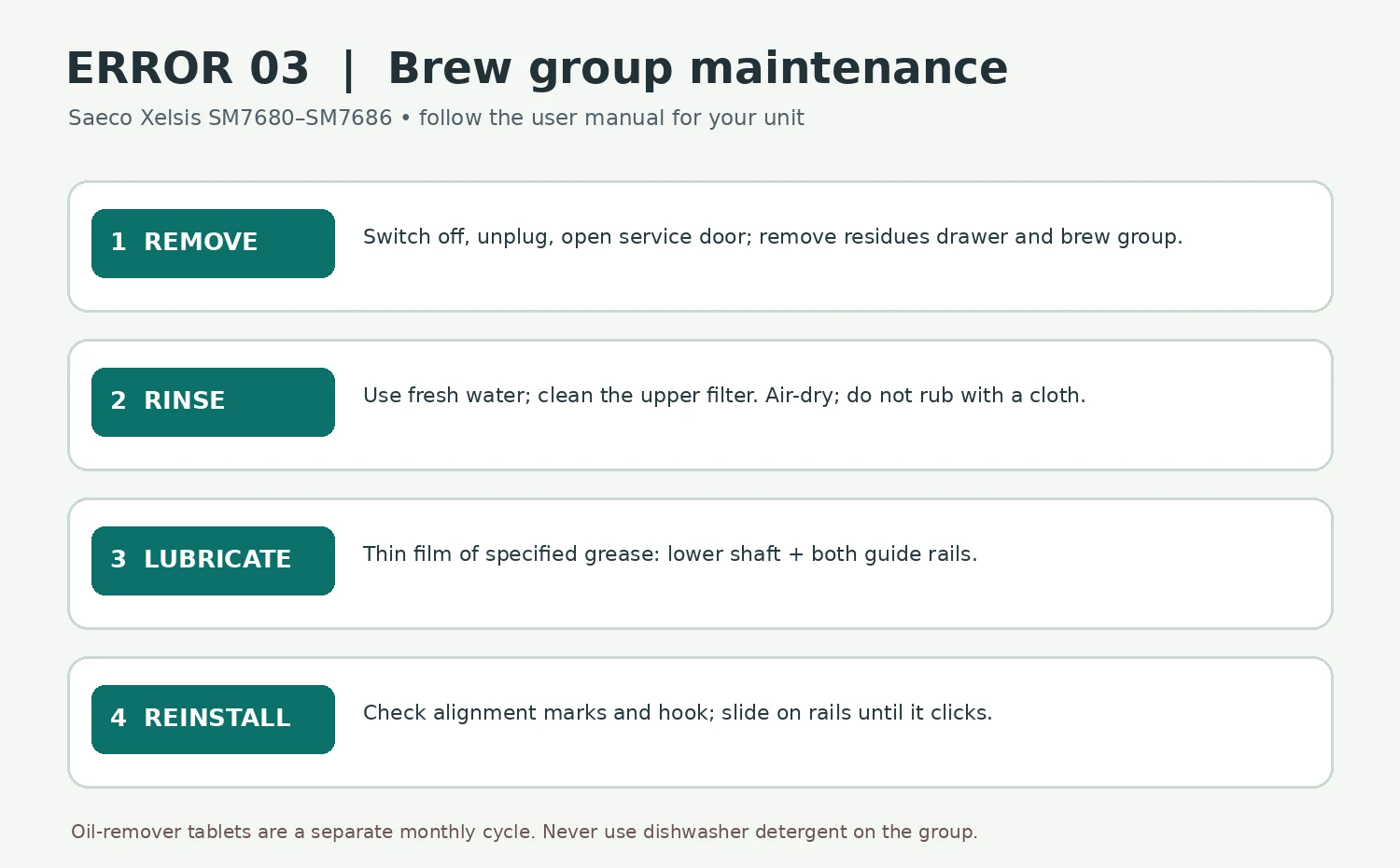
- Power down and remove. Turn the machine off with the main switch at the back and unplug it. Open the service door, remove the coffee residues drawer, press the brew group’s PUSH button and pull it out by its grip. If it resists, stop and use the model’s normal parked-position procedure rather than levering it.
- Rinse the group. Use fresh water to rinse the removable assembly thoroughly. Carefully clean the upper filter named in the manual. Do not put the group in a dishwasher and do not use dishwashing liquid or an abrasive cleaner on it. Let it air-dry; Saeco warns that wiping it with a cloth can leave fibers inside.
- Lubricate the specified surfaces. Once dry, apply a thin layer of the Philips brew group grease around the shaft at the bottom of the group, then a thin layer on the guide rails on each side. The manual lists grease HD5061. Do not smear grease on the upper filter, coffee path, motor cavity or electrical parts.
- Check position and reinsert. The arrow on the yellow cylinder must line up with the black arrow and N; the yellow locking hook on the other side must be at its uppermost position. Slide the group on its guide rails until it clicks. Do not press PUSH during insertion. Replace the residues drawer, close the service door, reconnect power and restart.
If the group does not click into place or the display changes to 04, see the separate Xelsis Error 04 positioning guide. If the unit still shows 03 after cleaning, drying and correct lubrication, a technician may need to assess the group or drive. The code alone does not prove which part needs replacing.
Maintenance interval and the tablet cycle
Saeco recommends rinsing the brew group weekly. Its separate “Brew group clean” program with a Philips coffee oil remover tablet is recommended monthly. That tablet cycle is not the same as rinsing or applying grease, and descaling addresses mineral deposits elsewhere in the machine.
| Daily drinks | Manual’s lubrication interval |
|---|---|
| 1–5 | Every 4 months |
| 6–10 | Every 2 months |
| More than 10 | Every month |
These are maintenance intervals in the SM7680–SM7686 manual, not a guarantee that Error 03 will clear. If you have just completed them and the error persists, repeated grease applications are not a diagnostic method.
When to seek service
Contact Saeco/Philips if the group is cracked, will not move or seat with ordinary hand pressure, the machine makes abnormal mechanical noises, or Error 03 returns as soon as the group is correctly installed and the machine restarts. Record the exact model and code. Avoid purchasing a replacement group or drive before compatibility and the cause are confirmed. The manual reserves servicing beyond cleaning and user maintenance for authorized personnel.
Tools and related guides
You need fresh water and the manufacturer-specified brew group grease if lubrication is due. The basic rinse and inspection take several minutes, plus air-drying time. For a coffee funnel blockage (Error 01), air in the water circuit (Error 05), or no coffee output without a code, follow the corresponding guide.
FAQ
Can descaling clear Error 03?
Error 03 is a brew group care code in this manual. Start with the removable group cleaning and lubrication instructions. Descaling is a separate water-circuit procedure.
Can I use cooking oil or any grease?
Use the grease specified for the brew group by the manufacturer; the Xelsis manual lists HD5061. Do not substitute kitchen oil or apply extra grease to make a stuck mechanism move.
Does a dirty brew group always mean I need a new one?
No. The manual first directs owners to rinse, air-dry, lubricate and restart. Persistent Error 03 after those checks warrants support diagnosis.
Sources
- Saeco Xelsis SM7680–SM7686 user manual (PDF) — cleaning table, group care, lubrication points and intervals, error code meanings.
- Saeco Xelsis SM7685/04 support — model support and manuals.