Quick answer: First note when your Philips 3200 LatteGo becomes unusually loud. A loud pump with little or no water often points to an unseated tank, trapped air or an AquaClean filter that has not been prepared. A rattle confined to bean grinding belongs on the coffee-funnel or grinder path. A new creak during the brew-group movement calls for cleaning and, when due, lubrication of the removable brew group. Stop using the machine if there is harsh grinding, a burning smell or persistent noise with no water flow; an owner-level check cannot confirm a motor or pump failure.
This guide covers the Philips 3200 family, including LatteGo versions such as EP3246/74. Identify your exact EP32xx suffix before following a control-panel or lubrication instruction; parts and accessories vary by version. The cover shows a generic automatic coffee machine, not an exact Philips product or panel.
Listen at the right moment
Some grinding, pumping and brew-group movement is normal. Compare the new sound with the same phase of a previous brew if you can. Do not run repeated dry cycles just to listen. Make a note of whether the machine still dispenses the expected amount of hot water or coffee and whether any warning icon appears. This is more useful to a technician than “it is loud.”
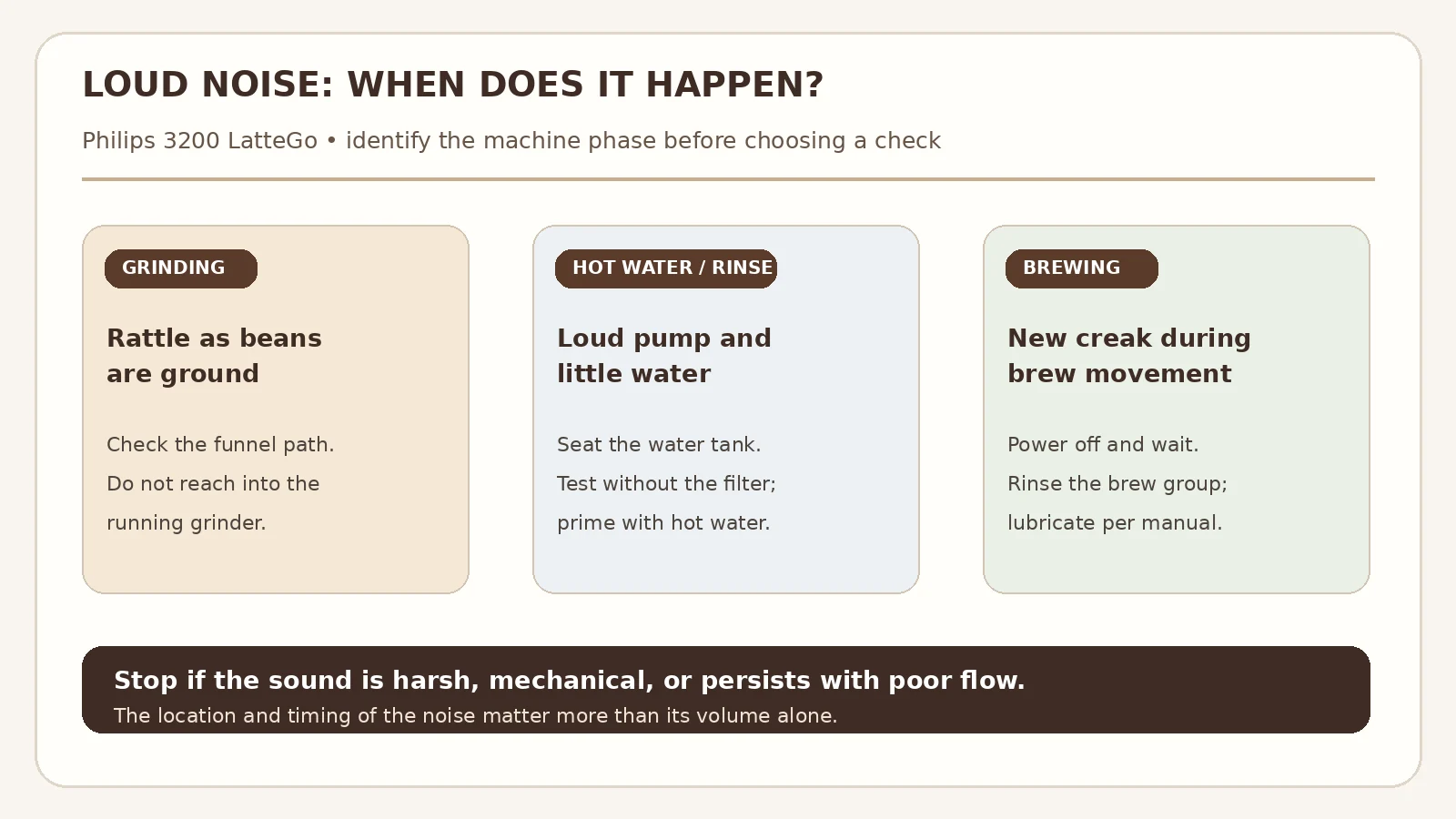
| When the sound occurs | What to check first | Next guide if the symptom is broader |
|---|---|---|
| During bean grinding | Whether the grinder still feeds coffee and whether the funnel is blocked. | Grinder runs but no coffee |
| During rinsing or hot-water delivery | Tank seating, filter preparation, trapped air and actual water output. | No water coming out |
| During brew-group movement | Whether the removable brew group is clean and correctly installed. | Brew group stuck |
Tools and parts
- A cup or heat-safe vessel for dispensing hot water; a towel for spills.
- Clean water and a soft cloth for the tank seating area.
- Lukewarm running water for rinsing the removable brew group.
- If lubrication is due, the grease specified for your model in the Philips manual. Do not substitute household oil or apply grease inside the housing.
Do not buy a pump, grinder or replacement brew group solely because of noise. Confirm the phase and restore normal water or coffee flow first.
If the pump is loud and little water comes out
- Stop the cycle and seat the tank. Remove and reinstall the water tank fully. Check the tank compartment for stray beans or debris that could prevent it from sitting properly. Philips notes that a poorly seated tank can make the machine draw air instead of water.
- Test the water path without the filter. Switch the machine off, remove the AquaClean or other water filter, fill the tank with fresh water and reinstall it. Switch on, wait for it to heat up, then select hot water and dispense two to three cups into a heat-safe vessel. Keep hands away from the hot outlet. Philips gives this sequence for clearing trapped air. Stop if the tank is not feeding water or the machine reports an error.
- If flow returns, prepare the filter before reinstalling it. Philips advises shaking AquaClean for five seconds and submerging it upside down in water until bubbles stop. Refit it, restart the machine and dispense two to three more cups of hot water. If flow or sound worsens only with the filter installed, check its age and preparation; replace it when due.
If the loud pump continues and there is no water even without the filter, follow the full water-flow diagnosis and contact Philips support if owner-level steps fail. Do not leave a pump running without water or open pressurized plumbing.
If the rattle occurs only while grinding
Listen for the start and stop of the bean grinder. If coffee is still dispensed normally, do not assume a damaged grinder from volume alone. If the grinder turns but grounds do not reach the brew group, the coffee funnel may be blocked; the Philips 3200 funnel guide explains the safe power-off check. Philips also lists an excessively fine grind among possible reasons for louder grinding in its troubleshooting guidance.
Do not put a spoon, brush or finger into a running grinder. If a grind change is warranted for your exact model, use the manufacturer’s method: turn the knob only during grinding, one notch at a time. A sudden sharp metallic clatter is a reason to stop and request service rather than continuing to test. Our watery coffee guide covers a careful grind adjustment when drink strength is the complaint.
If the new noise follows brew-group movement
- Power down fully. Turn the machine off and wait until it is quiet; Philips says this can take about 15–20 seconds. Never remove the brew group mid-cycle or during descaling.
- Remove the group without force. Open the service door and use the release method shown for your EP32xx model. If it will not release or seat correctly, use the stuck brew group guide rather than pulling harder.
- Rinse and dry. Rinse the removable group thoroughly in lukewarm water and let it air-dry. Philips recommends weekly rinsing. Check for obvious accumulated grounds in the accessible service area, using only a soft cloth.
- Lubricate only where the manual specifies. Philips says cleaning and lubricating the brew group can resolve an unusual brewing noise. Follow the manufacturer’s illustrated lubrication instructions and use the correct grease sparingly. Reinstall the group fully and retest one drink.
If the group is damaged, will not lock into place, or the sound persists after the documented maintenance, stop and arrange service. Do not dismantle the drive mechanism behind the group.
What about scale and warning lights?
A Calc/Clean warning calls for the model’s descaling cycle. Scale can restrict flow, but an isolated loud noise is not enough to diagnose scale. Record the indicator state before you run a maintenance cycle. For a light that remains on afterward, use the Calc/Clean light guide.
When professional repair is the better next step
Stop owner-level testing if there is a burning odor, smoke, repeated breaker trips, visible internal leakage, sharp mechanical impacts, or no water after tank and filter checks. Unplug the machine if it appears electrically unsafe; let hot parts cool. Tell service the EP32xx suffix, exactly when the noise starts, whether hot water dispenses, and which checks changed the sound. Those observations narrow the investigation without guessing at a failed pump or board.
FAQ
Is a loud noise on the first start after replacing AquaClean normal?
Air in the circuit is possible, particularly if the filter was not soaked and prepared. Follow the tank and hot-water sequence above. If water still does not flow, stop cycling the machine and use the AquaClean setup guide and Philips support.
Should I descale as soon as the pump sounds louder?
Check tank seating and water flow first. Descale when the Calc/Clean indicator or maintenance schedule calls for it, using the instructions for your model. A loud pump with no water can also be an air or filter issue.
Can I grease the brew group with cooking oil?
No. Use the grease Philips specifies for the removable brew group and apply it only to the points shown in its instructions. Do not grease a motor, grinder or hidden parts.
What if the grinder sounds rough but the coffee is fine?
Compare the noise across several normal brews without forcing the machine. If it is newly harsh, metallic or worsening, stop and have the machine inspected. A sound description alone cannot establish a worn grinder.
Sources and scope
- Philips Support: Noise from my espresso machine — tank seating, trapped air, AquaClean preparation and brew-group maintenance.
- Philips Support: No water flow from the tank — filter-free hot-water test and filter preparation.
- Philips Support: Brew group lubrication — correct contact points and grease.
- Philips EP3246/74 support and manuals — example of a Series 3200 LatteGo variant; verify your complete model number.
Back to the Philips 3200 model hub or all Philips 3200 troubleshooting topics. These are owner-level checks based on manufacturer guidance, not a diagnosis of a particular unit.